
📋 TL;DR • The short answer: A host stores your source file plus some combination of encoded renditions, audio tracks, captions, manifests, thumbnails, and replicas. • There is no universal multiplier: The total depends on the source bitrate, output ladder, codec, segment format, retention rules, and redundancy. • Use bitrate math: Compare the total bitrate of every retained output with the source bitrate, then add a measured overhead allowance. • Ask before migrating: Find out whether the provider counts source files, delivery packages, backups, and regional copies in the storage number.
Video hosting uses more storage than the original file because the host does not deliver that original file to every viewer. It encodes the upload into several playback versions, packages those versions into segments and playlists, and may retain extra audio, caption, download, or backup assets. The result can be smaller than the source, close to it, or several times larger—it depends on what the host creates and keeps.
ℹ️ What is a video storage multiplier? A video storage multiplier is the ratio between the storage consumed by a hosted asset and the size of the original uploaded file. A multiplier of two means the complete stored package occupies twice the source file’s space; it does not mean every viewer downloads twice as much data.
That distinction matters when you are pricing a migration or deciding whether a self-hosted library will fit inside a storage quota. A host may show storage in gigabytes, minutes, or a plan allowance, but the underlying question is the same: which files count toward the total?
What a video host stores after you upload
Think of an upload as the input to a media pipeline, not the finished web asset. Each stage can add a new file or set of files to the storage bill.
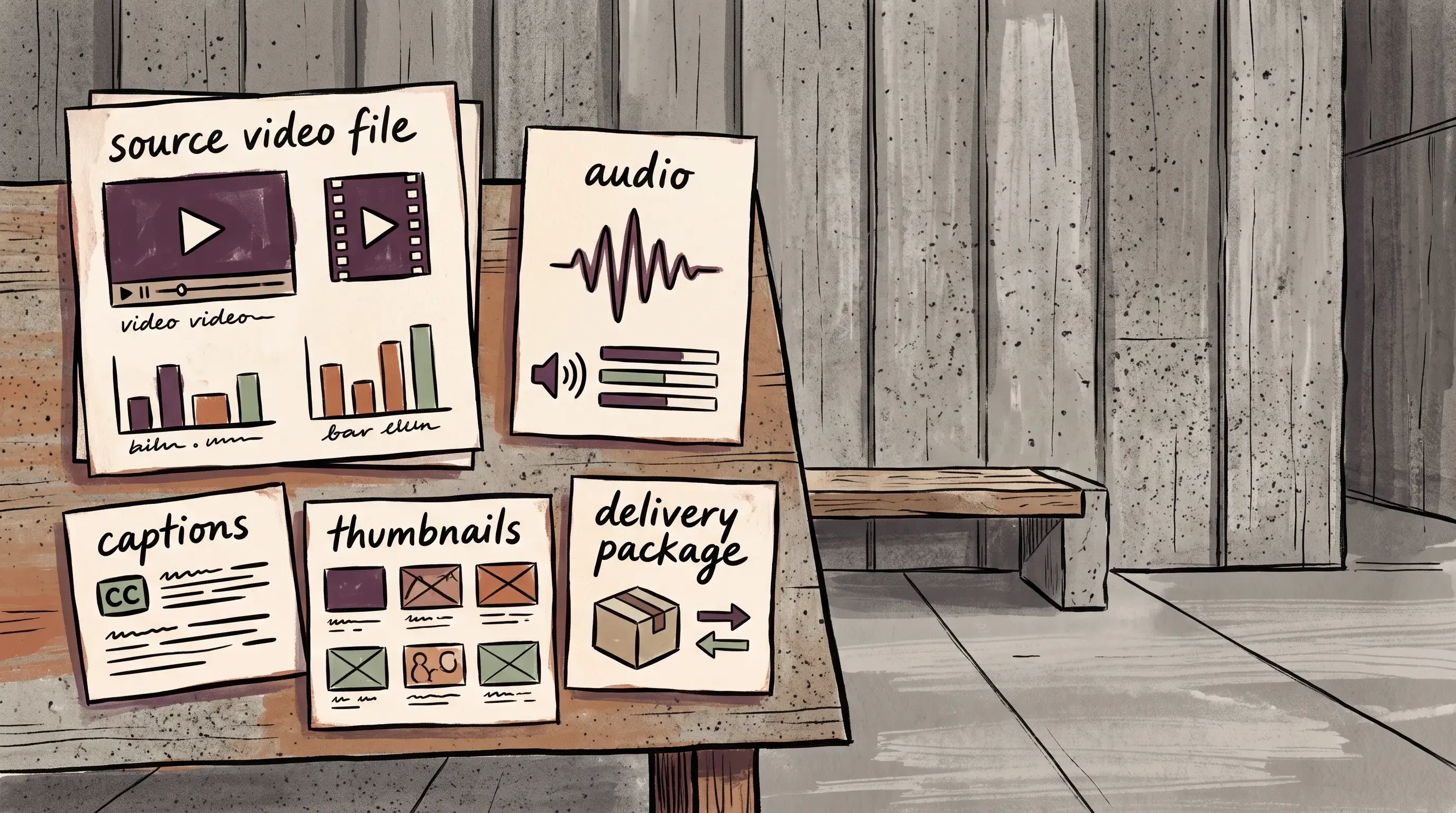 The upload is one input; the stored asset can include these supporting files.
The source file
The source is the file you upload: perhaps a ProRes master, a camera export, or an H.264 MP4. A host may keep it so you can re-encode the video later, generate a new resolution, create a download, or recover from a failed delivery package. Mux’s asset API, for example, treats the uploaded file as the input used to create the hosted asset (Mux asset API, 2026). If the provider deletes the source after encoding, the storage footprint can be much smaller—but you lose that convenient reprocessing path.
The source can also be the largest single object in the account. An editing master with an intraframe codec may be many times larger than a compressed streaming export of the same duration. If you need to shrink that source before upload, use the workflow in this guide to reducing video file size. That is why “my upload is only one file” is not enough information to estimate the final footprint.
Adaptive-bitrate renditions
Adaptive bitrate streaming stores multiple versions of the video at different resolutions and bitrates. A player can choose a high-quality rendition on a fast connection, then switch to a smaller one when bandwidth drops. Apple describes this HLS model as multiple variants, each with its own playlist and media segments; AWS MediaConvert likewise creates a separate output for each video resolution in an ABR package (Apple, archived 2014; AWS, 2026).
Those versions are not duplicates with different filenames. They are separately encoded files with their own bitrates, keyframes, metadata, and segment boundaries. A ladder with three video outputs adds much less storage than one with seven, even when viewers see only one rendition at a time.
Segments, playlists, and shared audio
Streaming formats split a video into short media segments and use playlists to tell the player which segment to request next. The playlists are tiny compared with the media, but they are still stored objects. Separate audio renditions add another stream, and alternate languages or commentary tracks multiply that part of the package again.
HLS also supports dedicated I-frame playlists for scrubbing and previewing. Apple’s authoring specification recommends dense I-frame content for trick play and recommends multiple video bitrates, so a delivery package can contain useful playback extras beyond the normal audio and video tracks (Apple’s HLS specification, 2025). For a plain-language explanation of the delivery side, see how HLS streaming works.
Captions, thumbnails, and download files
Captions are small, but they are still separate assets when you support multiple languages. Poster frames, preview sprites, storyboards, and downloadable MP4 files can have a larger effect. A host may generate a high-quality progressive-download file alongside the segmented stream, especially if the platform supports downloads or social sharing.
Mux documents this distinction clearly: its default HLS asset can have separate static MP4 or M4A renditions created alongside it for downloads, compatibility, or audio-only use (Mux, 2026). If you do not need downloads, ask whether those files can be disabled or deleted.
Why there is no universal storage multiplier
A single rule such as “hosting takes three times the upload” sounds useful, but it hides the variables that matter. The right estimate starts with bitrate, not duration alone.
 The delivery ladder creates several playback files from one source.
Bitrate determines the media bytes
For a fixed duration, storage is approximately proportional to bitrate. The basic calculation is:
Size in bits = bitrate × duration
Taking four rungs from Apple’s published HLS authoring ladder—Apple lists nine, from 145 kbps to 7.8 Mbps, and calls them one possible set of variants—if your source is a 4 Mbps file and the host keeps video outputs at 4.5, 3, 2, and 0.73 Mbps, the encoded package is about 2.6 times the source before overhead (10.23 Mbps of video against a 4 Mbps source). If the source is a 35 Mbps camera export and the same delivery ladder is used, the package is only about 29% of the source. The host’s “multiplier” changed because the source changed—not because the delivery ladder did.
| Illustrative input | Source bitrate | Delivery package | Approximate ratio |
|---|---|---|---|
| Compressed web export | 4 Mbps | 4.5 + 3 + 2 + 0.73 Mbps video | About 2.6× |
| Camera or editing master | 35 Mbps | The same delivery package | About 0.29× |
These figures are a planning example, not a promise about a provider’s encoder. Real output size changes with motion, codec efficiency, audio settings, keyframe placement, and container overhead.
The encoding ladder changes the answer
The ladder is the list of versions generated for playback. More resolutions add storage. More bitrate points at the same resolution add storage. Separate HDR, SDR, portrait, square, or low-latency variants add storage too.
Codec choice changes the size-quality trade-off, and the size of that change is measurable. In the standardization-era subjective testing, HEVC reached equivalent subjective quality at approximately 50% less bit rate than H.264 (Ohm, Sullivan, Schwarz, Tan and Wiegand, IEEE Transactions on Circuits and Systems for Video Technology 22(12):1669-1684, 2012). In production, Netflix reports that AV1 sessions use one-third less bandwidth than both AVC and HEVC, from a streaming-session snapshot dated November 13, 2025 (Netflix Tech Blog, December 2025). An earlier ladder-wide test put AV1 roughly 17% below HEVC on average, widening to 30-43% at the top rungs—measured as BD-rate on weighted PSNR rather than VMAF, using an AV1 reference-software snapshot (v0.1.0-7691-g84dc6e9) at cpu_used=2 (Bitmovin, 2020).
Here is the part that catches people out: a more efficient codec often increases stored bytes rather than reducing them. A host that ships AV1 usually keeps an H.264 ladder for older browsers, so the new codec sits beside the old one instead of replacing it. Call a single H.264 ladder 1.0. An HEVC ladder at half the bits is 0.5, so an HEVC-plus-H.264 pairing stores about 1.5x the H.264-only package; on Netflix’s production one-third saving, an AV1-plus-H.264 pairing is closer to 1.7x. You collect the codec’s efficiency as a storage saving only when the host retires the fallback ladder, so ask which one it does. If you are choosing a source export, compare the practical web trade-offs in this video format guide instead of selecting a codec by name alone.
Packaging and redundancy add a second layer
A host can store the encoded package once and serve it through a CDN, or keep copies in multiple regions and storage tiers. CDN caching is not automatically the same as account storage, and a provider may not expose every internal copy in its dashboard. Ask whether the displayed number means logical asset storage, physical replicated bytes, or a product-specific allowance. A video CDN handles delivery, but it does not tell you which origin assets the host retains. The video CDN comparison guide covers the delivery side; this article focuses on the stored package.
Cloudflare Stream takes a different accounting approach: its pricing page, dated September 1, 2026, measures stored video in minutes rather than file bytes, while delivery is a separate minutes-delivered dimension (Cloudflare Stream pricing, 2026). Its storage-usage API exposes total stored minutes and video count, which is useful when you want to reconcile a dashboard with an inventory (Cloudflare storage usage API, 2026). That is a reminder that two hosts can retain similar media while presenting very different storage meters.
🚀 Want predictable video hosting storage? SmartVideo plans bundle storage with CDN delivery and unlimited bandwidth, so you can compare the allowance directly against your library instead of building a separate encoding stack. Pricing verified September 5, 2026 includes 1 TB on Startup, 3 TB on Growth, and 5 TB on Pro; compare SmartVideo plans and start a free trial.
How to estimate your real video storage before migrating
You do not need the provider’s private encoding infrastructure to build a useful estimate. You need a sample of representative files and a written definition of what “stored” includes.
 A representative sample turns an abstract storage allowance into a measurable estimate.
Start with a representative sample
Choose several files that reflect your library: a short talking-head video, a long webinar, a high-motion product demo, and your largest source. Record each file’s duration, source size, frame size, frame rate, codec, and bitrate. A sample based only on your smallest uploads will understate the migration. The inventory approach used for comparing video upload and cloud-storage services is a useful starting point, but add encoded outputs to it.
Pull those values with ffprobe, which ships with FFmpeg:
ffprobe -v error \
  -show_entries format=duration,size,bit_rate \
  -show_entries stream=codec_name,width,height,r_frame_rate \
  -of default=noprint_wrappers=1 input.mp4
That returns duration in seconds, file size in bytes, overall bitrate in bits per second, and the codec, frame size, and frame rate of every stream in the file. MediaInfo reports the same fields in a desktop window if your team does not work in a terminal. Record the output in a spreadsheet as you go, because these six values are the inputs to every calculation that follows.
For a large library, group files by source type and calculate the average source size per minute in each group. Multiply that by the number of files in the group. Keep the largest outliers separate so they do not disappear inside an average.
Ask for the output ladder
Request the exact output list from the host: resolutions, video bitrates, audio bitrates, codecs, captions, download renditions, and whether the source is retained. AWS describes an ABR output group as a set of separate outputs for each video resolution, audio track, and caption language (AWS output settings, 2026). “We optimize your video automatically” is a product description, not a storage estimate.
If the provider will not disclose the ladder, upload a representative test file and compare the reported storage before and after processing. Save the result with the file’s duration and source size. A measured before-and-after test is the fastest way to catch the two things a pricing page rarely states: silent source retention and download renditions created by default. Mux, for instance, treats master_access as a separate setting; enabling master access creates a temporary URL for the master download (Mux asset API, 2026). A measured sample is more useful than a generic multiplier copied from a pricing page.
Calculate a planning range
Build three scenarios: source-only retention, delivery-package retention, and delivery package plus downloads or backups. For each scenario, sum the output bitrate over the video duration. Then add a modest allowance for playlists, captions, thumbnails, and packaging rather than pretending those files are free.
For example, if a library contains 100 hours of similar video and your measured package is 1.6 times the source, a 500 GB source library needs about 800 GB for the encoded package before any extra copy or safety margin. If a host retains both source and package, the total is closer to 1.3 TB than 800 GB. Write the assumptions next to the number so the estimate can be updated when the ladder changes.
Separate storage from delivery usage
Storage answers “how much media must the host retain?” Delivery answers “how much media do viewers request?” They are related but not interchangeable. A small library with high traffic can produce substantial delivery usage, while a large archive with few viewers can consume storage without much bandwidth.
This distinction is especially important when comparing a byte-based host with a minute-based host. Cloudflare’s documentation, for example, separates minutes stored from minutes delivered, and explicitly says encoding and ingress are free under its Stream pricing model (Cloudflare’s Stream documentation, 2026). Put both dimensions in your comparison sheet.
Questions to ask before choosing a host
A storage allowance is useful only when you know what it measures. Add these questions to a migration checklist.
 A useful storage question names every copy the provider may count.
| Question | Why it matters |
|---|---|
| Is the original upload retained? | Keeping a large master can double the logical footprint, but deleting it may prevent future re-encoding. |
| How many video renditions are created? | The number and bitrate of outputs determine most of the delivery package size. |
| Are audio, captions, and downloads counted? | Languages, alternate audio, and MP4 downloads create assets beyond the primary stream. |
| Are backups or replicas included? | A dashboard may show a logical total even when the service maintains multiple physical copies. |
| What happens when you exceed the allowance? | The consequence may be an overage charge, a forced upgrade, upload limits, or deletion—not just a slower account. |
What each major host actually counts
The answers differ enough that a like-for-like comparison is impossible until you normalize them. Every cell below comes from the vendor’s own documentation, retrieved August 23, 2026; where a vendor does not publish the answer, the cell says so rather than guessing.
| Host | Billing unit | Source retained by default? | Static MP4 download stored separately? | Docs |
|---|---|---|---|---|
| Mux | Minutes stored, prorated by the share of the month stored | Not documented; master_access is an optional API setting | Yes—priced per minute, per rendition, per month, by resolution | Mux Video pricing |
| Cloudflare Stream | Minutes stored, $5 per 1,000 minutes, “regardless of file size” | Yes—“storage is consumed by: original videos uploaded to your account” | No—“storage is not consumed by: downloadable files generated for MP4 downloads” | Stream pricing |
| Vimeo | Bytes of the upload | Yes—storage “is determined by the size of the original source file at the time of upload” | Not documented | Vimeo storage estimate |
| Wistia | Bytes stored—25 GB free, 250 GB+ Business, 1 TB+ Enterprise | Not documented on the pricing page | Not documented | Wistia pricing |
| SmartVideo | Bytes against a plan allowance—1 TB, 3 TB, or 5 TB | No—the upload is discarded once encoding completes | No separately billed download product; every stored rendition sits inside the plan allowance | SmartVideo pricing (allowance); retention not published, confirmed by Swarmify |
Read the first two rows together and the trap is obvious: a minute-based host charges the same amount for a 35 Mbps camera master and the 4 Mbps web export used earlier in this article, while a byte-based host charges nearly nine times more for the master. Neither model is wrong. They simply reward opposite upload habits, so the host that looks cheaper depends entirely on what your library is made of.
How to keep the multiplier under control
Do not upload editing masters as delivery sources by default
Keep your camera originals and editing masters in an archive designed for them. Upload a high-quality web source that gives the host enough information to encode cleanly, but do not make a huge mezzanine file the permanent delivery source unless you need that workflow.
This is not an argument for aggressively shrinking every upload. A source that is already too compressed can produce poor output at every rendition. The goal is to match source quality to the delivery job and confirm the host’s supported codecs before you standardize exports.
Remove outputs you do not use
If your audience never downloads videos, a static MP4 may be unnecessary. If all viewers receive the same language, alternate audio tracks add cost without adding a feature. If mobile playback is the only use case, a giant 4K ladder may not earn its storage.
Make those choices deliberately. A smaller ladder can save storage, but removing a low-bandwidth rendition can create buffering for viewers on slower networks. Review playback quality and startup performance alongside the storage report.
Track source and processed assets separately
Use separate columns in your inventory for source bytes, encoded bytes, downloads, captions, and backups. This turns a mysterious provider number into an explainable total. It also shows which change will help: deleting old sources, reducing a rendition, removing downloads, or moving archives to cheaper storage.
The common failure is a migration spreadsheet that tracks only source-file size. That number is easy to export, but it says nothing about the package a viewer actually receives or the files the host retains to create it. Scale is what makes the gap wide: a full enumeration of Swarmify’s encoded storage on August 9, 2026 counted 25,388,371 stored objects — renditions, media segments, and manifests — generated from a far smaller number of customer uploads. That audit also surfaced a counting trap worth copying into your own inventory: tally objects by top-level key segment instead of by distinct video identifier and you will overstate your video count by roughly six times.
Frequently asked questions
How much extra storage does video encoding use?
There is no fixed percentage. A compressed source can produce a package several times larger when the host creates multiple higher-bitrate renditions, while a large editing master can produce a delivery package smaller than the source. Measure a representative file and ask whether the original upload remains stored.
Does HLS make a video file larger?
HLS can increase the number of stored objects because it creates playlists and segmented media, but the segment overhead is usually smaller than the effect of adding multiple video and audio renditions. Apple’s HLS authoring guidance recommends target segments of about six seconds and multiple bitrate variants (Apple, 2025).
Is video storage calculated by file size or minutes?
The answer depends on the provider. Some services measure bytes consumed by stored assets; others use minutes of stored video as a billing unit. Cloudflare Stream, for example, lists minutes stored separately from minutes delivered, so a byte-for-byte comparison with another host is not direct (Cloudflare Stream, 2026).
Does adaptive bitrate streaming require a copy for every resolution?
A conventional ABR package has separate encoded video outputs for its listed resolutions or bitrate levels. A CMAF workflow can reduce duplicate packaging across HLS and DASH, but it still stores the media needed for each selected rendition (AWS MediaConvert, 2026).
Should I delete the original video after encoding?
Delete the source only if you have another recoverable master and do not need the host to re-encode it later. Keeping the source helps when you add a new codec, resolution, caption workflow, or downloadable version; deleting it can lower storage but makes those changes require a new upload.
Do captions count toward video storage?
Caption text files are small compared with video, but multiple languages and alternate subtitle formats still create additional assets. The larger planning issue is whether the host stores caption files indefinitely and whether it generates preview images or downloadable files alongside them.
Are CDN copies included in a video host’s storage quota?
Not always. A provider may count the logical origin package while treating CDN cache copies as an infrastructure detail, or it may include replicas in its internal cost model without exposing them as separate account usage. Ask whether the quota is logical storage, physical storage, or a product-specific allowance.
What is the quickest way to estimate storage for a video migration?
Upload one representative short video, one long video and your largest source to the proposed host, then record the storage change after processing. Repeat the test with a download enabled if you need downloads. Use those measured ratios by content group instead of applying one multiplier to every file.
Video storage becomes predictable once you separate the source from the delivery package. Inventory the files your team needs to keep, identify the renditions your viewers need, and confirm how the host counts both storage and delivery. That makes a plan allowance meaningful instead of turning migration day into a quota surprise.
For a site that needs hosted playback without managing an encoder, CDN, and storage policy separately, compare SmartVideo plans against your measured library size. SmartVideo includes CDN delivery and unlimited bandwidth, with storage allowances designed to make the hosting cost easier to forecast.