
The short answer: SD, HD, and 4K video differ in resolution, the number of pixels in each frame. SD (480p) has roughly 0.4 million pixels, HD (1080p) has about 2.1 million, and 4K (2160p) has about 8.3 million, which is four times as many as 1080p. More pixels only look sharper if the bitrate, screen size, and viewing distance can use them.
For most business and marketing video, 1080p is the right delivery resolution. Shoot in 4K when you want room to crop and reframe, and serve each viewer a version that matches their screen and connection.
📋 TL;DR
- SD (480p): about 0.4 million pixels. Mostly a low-bandwidth fallback and a data saver on mobile.
- HD (720p and 1080p): 0.9 to 2.1 million pixels. 1080p is the practical default for websites, demos, and tutorials.
- 4K (2160p): 8.3 million pixels, four times 1080p. It pays off on large screens and in editing, and it needs several times the bitrate.
- Bitrate matters as much as resolution: a starved 4K stream looks worse than a well-encoded 1080p one.
💡 What is video resolution? Video resolution is the frame size in pixels, written as width × height, such as 1920 × 1080. The “p” in 1080p means progressive scan: every line of the frame is drawn in each pass, unlike the older interlaced (“i”) broadcast formats.
SD vs HD vs 4K at a glance
The table uses the 16:9 sizes in YouTube’s recommended resolutions (YouTube Help, 2026) and the pixel counts that follow from them.
| Format | Label | Dimensions (16:9) | Total pixels | Multiple of 1080p |
|---|---|---|---|---|
| SD | 480p | 854 × 480 | 409,920 | 0.2× |
| HD | 720p | 1280 × 720 | 921,600 | 0.44× |
| Full HD (FHD) | 1080p | 1920 × 1080 | 2,073,600 | 1× |
| 4K (UHD) | 2160p | 3840 × 2160 | 8,294,400 | 4× |
| 8K | 4320p | 7680 × 4320 | 33,177,600 | 16× |
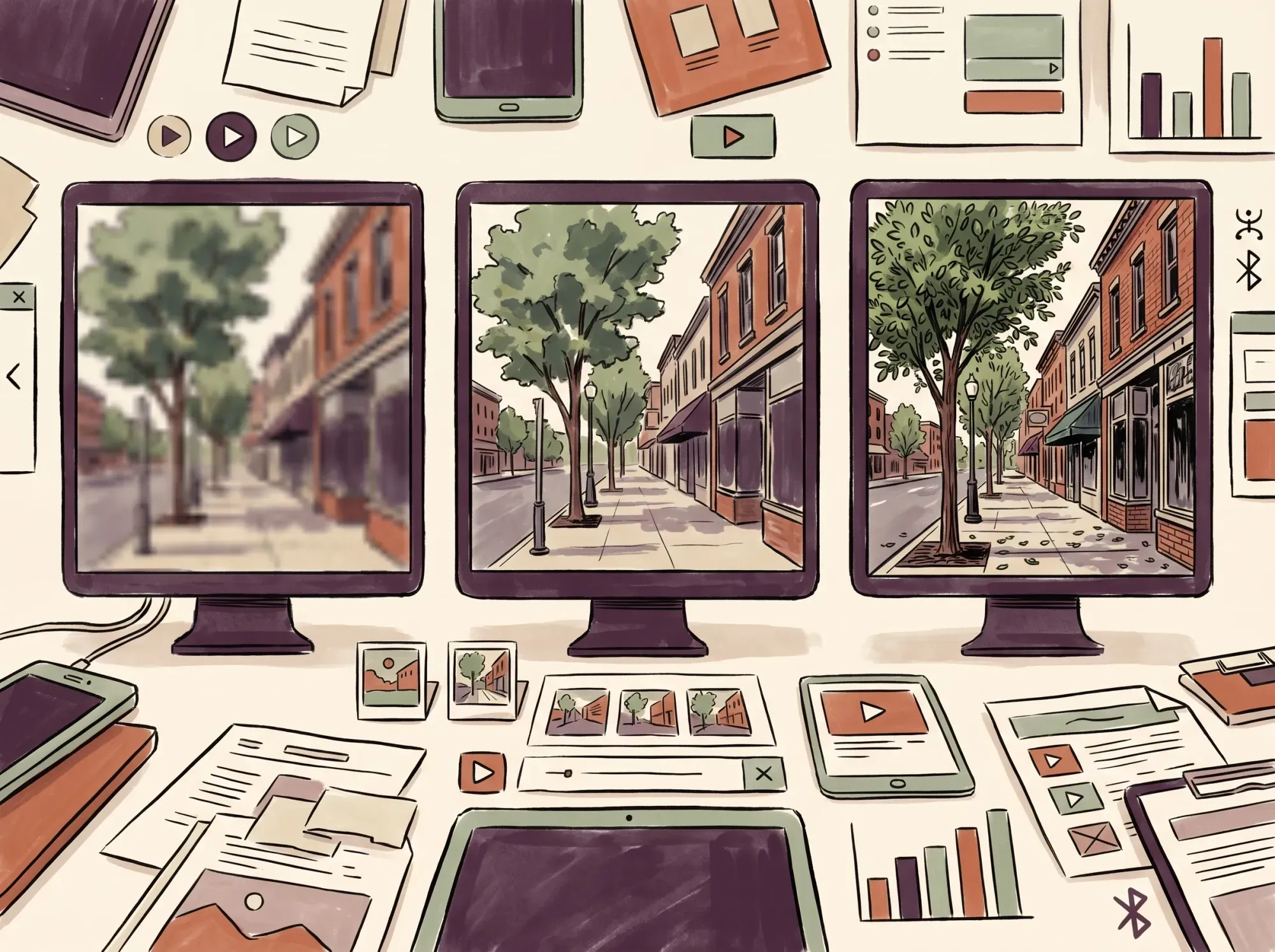 The same frame at three resolutions. Detail you gain from more pixels shows up in edges, foliage, and small text, not in the overall composition.
What is SD video?
Standard definition (SD) covers the resolutions below HD: 240p, 360p, and 480p. In widescreen they measure 426 × 240, 640 × 360, and 854 × 480 (YouTube Help, 2026).
Standard definition in NTSC regions is 720 × 480, which is 345,600 pixels (Wikipedia, 2026). SD files are small: YouTube recommends a 2.5 Mbps upload bitrate for 480p, against 8 Mbps for 1080p (YouTube Help, 2026). On a large display, though, an SD picture is soft, with visible blocks and unreadable small text.
SD still has three uses in 2026:
- Adaptive streaming fallback: players keep a low rung on the ladder so playback continues when a connection drops.
- Mobile data savings: 16% of U.S. adults are “smartphone-only” internet users, meaning they own a smartphone but have no home broadband (Pew Research Center, 2026). A lower resolution helps them stay within data limits.
- Legacy footage: old broadcasts, DVD transfers, and archive material start as SD.
What is HD video?
High definition (HD) adds the widescreen 16:9 frame and many more pixels. YouTube labels 720p (1280 × 720) and 1080p (1920 × 1080) as HD.
The 1080p size is also called Full HD (FHD). 720p holds up for video calls and small embeds, while 1080p has 2,073,600 pixels: 2.25 times the pixels of 720p and about five times those of 480p.
Why 1080p is still the default
- It plays everywhere. Phones, laptops, tablets, and TVs all decode 1080p, so the same file works for nearly every viewer.
- It is light enough to deliver. Apple suggests 6 to 7.8 Mbps for its 1080p H.264 rungs and 4.5 to 5.8 Mbps for HEVC (Apple HLS authoring specification, 2026).
- It suits phone screens. On a phone held at a normal distance, 1080p already exceeds what the eye can resolve (see the viewing-distance section below).
- It is quick to export, upload, and store. That adds up across a library of product demos, courses, and tutorials.
What is 4K video?
The 4K label counts roughly 4,000 pixels across rather than lines down. It covers two standardized sizes (Wikipedia, 2026):
- UHD (Ultra HD), 3840 × 2160: the television and web standard. It keeps the 16:9 shape and has exactly four times the pixels of 1080p.
- DCI 4K, 4096 × 2160: the digital cinema size, slightly wider than 16:9.
In consumer use, “4K” and “UHD” mean the same thing: 3840 × 2160.
 One video, three screens. Each viewer needs a different amount of resolution, and none of them needs the same file.
What 4K gives you, and what it costs
- Detail on large screens. On a big TV or projector, fine textures and small text stay clean where 1080p goes soft.
- Editing headroom. A 4K source on a 1080p timeline lets you crop in or reframe the shot with no resolution loss. A 2× punch-in still fills a 1080p frame.
- Brand perception. 89% of respondents say video quality affects how much they trust a brand (Wyzowl, 2026). That is about overall quality, so it does not mean 4K specifically.
- Heavy bitrate. YouTube’s upload guidance recommends 35 to 45 Mbps for 4K at standard frame rates, against 8 Mbps for 1080p. That is more than four times the data, and about 16 to 20 GB per hour (Mbps × 0.45 GB per hour).
- Heavier files to work with. Editing, storing, and uploading 4K takes more disk space, processing power, and time. Our guide to reducing video file size covers how to shrink them.
What about 8K?
8K is 7680 × 4320, or 33,177,600 pixels: four times 4K and sixteen times 1080p.
YouTube’s upload guidance recommends 80 to 160 Mbps for 8K at standard frame rates, which is roughly 36 to 72 GB per hour.
For web video, 8K has little practical payoff. The files are enormous, few viewers have a screen or connection that can use them, and most people cannot see the extra detail on typical displays at normal distances. It is a niche format for high-end production work.
Resolution is not the whole story: bitrate and codecs
Resolution sets the size of the pixel grid, while bitrate, the data used per second of video, decides how much detail survives compression.
Think of resolution as the canvas and bitrate as the paint.
When an encoder is starved of bitrate, you see:
- Macroblocking: visible squares during fast motion.
- Color banding: stepped transitions in skies and gradients.
- Mosquito noise: shimmer around sharp edges and text.
⚠️ The bitrate trap: A 4K file squeezed to a low bitrate can look worse than a clean 1080p file. Raise resolution only if you can also raise the bitrate to support it.
The codec changes how much bitrate you need. H.264 is the universal baseline. HEVC and AV1 deliver the same quality in fewer bits, but support varies by device and browser. Apple’s HLS specification shows the effect: its HEVC rungs for 1080p run 4.5 to 5.8 Mbps versus 6 to 7.8 Mbps for H.264, about 25% lower. The Alliance for Open Media describes AV1 as an open codec designed for more efficient compression than earlier codecs and optimized for 4K and 8K content (AOMedia, 2026).
| Format | YouTube upload bitrate (H.264, SDR, up to 30 fps) | Apple HLS example rungs (HEVC) |
|---|---|---|
| 480p (SD) | 2.5 Mbps | not listed |
| 720p (HD) | 5 Mbps | 2.4 – 3.4 Mbps |
| 1080p (FHD) | 8 Mbps | 4.5 – 5.8 Mbps |
| 2160p (4K) | 35 – 45 Mbps | 11.6 – 16.8 Mbps |
| 4320p (8K) | 80 – 160 Mbps | not listed |
The YouTube column is for files you upload, and the Apple column is for streams you deliver, which is why they differ. Apple’s specification also advises keeping some UHD variants at or under 15 Mbps for compatibility. Treat both as starting points: Apple says to test the values against your own content. For deeper settings, see our guides to video bitrate, choosing a video format for your website, and video container formats.
Can you actually see the difference? Screen size and viewing distance
Whether 4K looks better than 1080p depends on screen size and viewing distance.
20/20 vision resolves about 60 pixels per degree, or roughly 290 to 350 pixels per inch on a phone held 250 to 300 mm from the eye (Wikipedia, 2026).
- Phones. A 6.1-inch screen at 1080 × 2400 works out to about 430 pixels per inch, above that threshold. A 4K phone video looks the same as 1080p and costs more data.
- Desktop monitors. The closer you sit and the larger the screen, the more a 1440p or 4K source shows. Check the pixel pitch of your own display against the 60-pixels-per-degree figure above.
- Living-room TVs. On a 55-inch 16:9 TV, each 1080p pixel is about 0.025 inches wide. Our arithmetic from the 60-pixels-per-degree figure says that pixel structure stops being visible at about 7 feet. Sit closer than that and 4K looks sharper; sit farther and the two blur together.
The audience matters too. In September 2026, mobile accounted for 60.04% of worldwide page views and desktop for 39.96% (Statcounter, 2026). If most of your viewers are on phones, extra resolution is mostly wasted bytes.
How to choose a resolution
Five rules cover most resolution decisions.
- Capture in 4K when you can. The extra pixels give you room to crop, reframe, and stabilize, and a downscaled 1080p export tends to look cleaner.
- Master and deliver in 1080p for the web. Product demos, tutorials, courses, and social clips rarely need more.
- Keep 4K for places that use it. Hero videos on large screens, TV spots, and archive masters justify the cost.
- Match bitrate to resolution. Do not publish 4K at 1080p bitrates.
- Do not make everyone download the same file. Offer several versions and let the player pick, as the next two sections explain.
Why high resolution can hurt your website
A large video file on a page affects both load speed and viewing.
A good Largest Contentful Paint (LCP) is 2.5 seconds or less, and the metric counts <video> elements, using the poster image or the first frame, whichever arrives first (web.dev, 2025). A heavy hero video that holds up the poster or first frame can push you past that mark.
Buffering is a bigger problem. A Mux analysis of tens of millions of browser-based streams found that a single short buffering interruption led to 39% less time spent watching video on a site (Mux, 2016). The study is a decade old, so read the figure as an indication of direction rather than a current benchmark.
Big files also cost you bandwidth. Our guide on how to save site bandwidth covers practical ways to avoid overage charges.
🚀 Serve the right resolution to every viewer You do not have to pick between sharp video and fast pages. Swarmify SmartVideo optimizes playback for each viewer’s device and connection speed, with no bandwidth metering on any plan. See how SmartVideo handles video delivery →
The better answer: adaptive bitrate streaming
Adaptive bitrate streaming (ABR) serves each viewer the resolution that fits their screen and connection, so you do not have to pick one for everybody.
A single fixed resolution is a compromise: too heavy for some viewers, too soft for others. With ABR, the video is encoded as a ladder of versions at different resolutions and bitrates, cut into short segments, and listed in an HLS or DASH manifest. The player picks the next segment that fits the viewer’s connection and screen, stepping down when bandwidth drops and up when it recovers.
 An adaptive ladder in one picture: small, light versions for small or slow screens, and larger, sharper ones for big screens on fast connections.
A phone on weak cellular might get 360p or 480p, a laptop on broadband gets 1080p, and a 4K TV on a fast line gets the top rung. Nobody downloads more than they can use. ABR reduces stalls but cannot prevent every one, because the CDN, the player, and the ladder design all matter. Our explainer on adaptive bitrate streaming covers the details, and our video hosting platform comparison shows which hosts handle it for you. Our guide to video aspect ratio is also worth a look when you plan vertical and square versions.
Frequently asked questions
What is the difference between SD, HD, and 4K?
The difference is pixel count. SD (480p) has roughly 0.4 million pixels in widescreen, HD (1080p) has about 2.07 million, and 4K (2160p) has about 8.29 million. 4K has exactly four times the pixels of 1080p, but how sharp it looks still depends on bitrate and screen size.
Is 720p HD or SD?
720p (1280 × 720) is HD. YouTube lists both 720p and 1080p as HD and 480p and below as SD. 720p has 921,600 pixels, about 2.25 times the 409,920 of 854 × 480 SD, and it remains common for video calls and small embeds.
Can you really tell 1080p from 4K?
Sometimes. On a large TV viewed from within a few feet, or on a big monitor up close, 4K shows finer detail. On a phone, 1080p already exceeds what the eye can resolve at normal holding distance, so 4K looks the same.
Does 4K use much more data than 1080p?
Yes. YouTube recommends 35 to 45 Mbps for a 4K upload against 8 Mbps for 1080p, more than four times the data. At those rates that is roughly 16 to 20 GB per hour for 4K and 3.6 GB per hour for 1080p. Streaming bitrates are lower with HEVC or AV1, but 4K is still several times heavier.
Why does my 4K video look blurry or blocky?
The usual causes are a low bitrate, a source that was upscaled from lower resolution, or a player that stepped down to a smaller rendition because of a slow connection. Resolution alone does not guarantee detail; the encoder needs enough bitrate to fill the pixel grid.
Should I record in 4K if I only publish in 1080p?
Often yes. A 4K source gives you room to crop, reframe, and stabilize without losing resolution on a 1080p timeline. The trade-off is larger files and slower editing, so skip it if storage or hardware is tight.
What is the difference between 4K and UHD?
Strictly, “4K” is the 4096 × 2160 digital cinema size, while “UHD” is the consumer television standard at 3840 × 2160. In everyday use and in marketing, the two terms are used interchangeably.
Why do videos still use SD in 2026?
SD is the bottom rung of adaptive streaming ladders, so playback can continue on a weak connection. It also saves data for viewers on limited mobile plans, and it is the native format of older footage.
Does higher resolution slow down my website?
It can. A large self-hosted video file can delay the page’s Largest Contentful Paint and increase buffering. Serving video through an adaptive streaming host keeps the file each visitor downloads proportional to their screen and connection.
Will 8K replace 4K?
Not for web video in the near term. 8K needs 80 to 160 Mbps per YouTube’s upload guidance, produces files several times larger than 4K, and offers no visible gain on most screens. 4K remains the practical top end for most publishing.
Bottom line
Default to 1080p for web video, shoot in 4K when you want editing headroom, and match bitrate to resolution. Then let an adaptive player choose the right version for each screen and connection.