The right video upload site in 2026 depends on what you need the upload to do: YouTube and TikTok win for free organic reach, SmartVideo for fast ad-free website embeds, Vimeo for creative portfolios, and Google Drive or Amazon S3 for raw file storage. The catch is that the platform built to grow a social audience is rarely the one that makes your own pages convert. Below: 18 platforms across four categories — free social, business hosting, cloud storage, and developer APIs — with the upload limits and bandwidth ceilings that decide between them. You’ve spent hours producing a professional video, and now you need a place for it to live. It is tempting to grab a free YouTube account, upload the file, and paste the link onto your website. YouTube is the most widely used platform among video marketers (Wyzowl, 2026), but there is a growing shift toward independent professional hosting for website embeds to protect Core Web Vitals. If your goal is to keep visitors engaged on your own pages, a free social platform might actively work against you.
📋 TL;DR • Free Social Reach: YouTube and TikTok are hard to beat for building an audience, but embedding their players on your site leaks traffic and hurts load speed. • Business & Website Embeds: SmartVideo delivers ad-free, CDN-accelerated playback designed specifically to keep users on your site and protect Core Web Vitals. • Creative Portfolios: Vimeo offers a clean aesthetic for filmmakers, though bandwidth caps apply on lower tiers. • Raw Cloud Storage: Google Drive and Amazon S3 are great for internal file sharing and archiving, but lack the infrastructure to stream high-quality video directly to web visitors.
91% of businesses use video as a marketing tool (Wyzowl, 2026). But where you park those files changes how your audience interacts with them. A platform built to maximize ad revenue behaves nothing like a platform built to make your landing pages convert, and the two goals pull in opposite directions. This guide breaks those 18 platforms down by use case, with the storage allowances, bandwidth ceilings, and upload limits that actually determine which one can take your files.
What Are the Hidden Costs of Free Video Hosting?
Free video hosting costs traffic, page speed, and brand control instead of money: that is the price of embedding a free player on a landing page or online course.
None of those costs shows up on an invoice. In our work with teams moving video onto their own sites, the cost that surfaces first is almost never bandwidth — it is the viewers who leave through the player. Platforms like YouTube and social media networks do not charge you to upload gigabytes of video because you are not the customer; your viewers are the product.
The Traffic Leak Problem
Social video platforms are engineered to keep users on their network. When a visitor finishes watching a YouTube embed on your homepage, the player displays a grid of related videos. These recommendations are generated by an algorithm designed to maximize watch time, which often means showing your visitors content from your direct competitors. Instead of clicking your “Buy Now” button, your prospect clicks a related video, leaves your site, and never returns. You paid the ad spend to get them there; the recommendation engine takes it from you for free. We put numbers to that leak in the true cost of YouTube’s video player.
Page Speed and Core Web Vitals
The second, often overlooked cost is website performance. On a realistic blog page carrying a single embed, a plain YouTube iframe transfers 1,513 KB across 25 requests before the viewer clicks play. The same page with a lazy-loaded SmartVideo embed transfers 707 KB across 17 requests. Those numbers come from our own benchmark run on 2026-05-26: Lighthouse mobile emulation (Moto G Power profile, 1.6 Mbps connection, 4x CPU throttling), median of 3–5 runs, total transferred bytes measured at page load before playback. Both pages were identical apart from the video embed — same web fonts, same GA4 analytics, same hero and content images. The gap widens with volume, because each YouTube iframe loads its own copy of the player while a single SmartVideo bundle serves every video on the page: three embeds cost 1,560 KB across 56 requests on YouTube versus 652 KB across 25 on SmartVideo. The YouTube page also contacted 12 third-party domains to the SmartVideo page’s 9, including two DoubleClick ad endpoints. In practice, that payload degrades your site’s Core Web Vitals, specifically the Largest Contentful Paint (LCP) and Interaction to Next Paint (INP) metrics. A slow-loading page frustrates users and signals to search engines that your site offers a poor experience. Slow video kills conversions, and relying on bloated third-party players is a primary cause of sluggish page speeds.
Loss of Brand Control
When you rely on consumer upload sites, you surrender control over the viewing experience. You cannot remove the platform’s logo, customize the player colors to match your brand, or dictate the visual layout of the controls. So every play button doubles as a small advertisement for someone else’s product, parked in the middle of the page you paid a designer to get right. On a pricing page or a sales demo, that is the last logo you want a prospect looking at.
ℹ️ What is Private Hosting? Private video hosting refers to platforms that allow you to store and stream video content without injecting third-party ads, displaying external recommendations, or claiming ownership rights over the uploaded media. These services prioritize the content owner’s branding and website performance.
How Do the Top Video Upload Sites Compare by Use Case?
Bandwidth, not storage, separates these platforms: Vimeo caps every self-serve plan at 2 TB (2,000 GB) a month, Wistia caps its free tier at 200 GB, and SmartVideo meters views instead.
Here is how the top platforms stack up on cost, primary use case, ad presence, and the two specs that decide whether a platform can actually carry your library: storage and bandwidth. Bandwidth is the column most buyers skim past, and it is the one that ends up forcing the upgrade.
| Platform | Best For | Storage (Entry Tier) | Bandwidth / Views | Ad-Free? | Starting Price |
|---|---|---|---|---|---|
| SmartVideo | Website Embeds & Speed | 1 TB | 10,000 views/mo, unmetered bandwidth | Yes | $19/mo |
| YouTube | Organic Discovery & Reach | Unlimited | Unlimited | No | Free |
| Vimeo | Creative Portfolios | 1 GB free / 2 TB on Starter | 2 TB/mo (every plan) | Yes | $12/mo (Billed Annually) |
| Wistia | Marketing Analytics | 25 GB free / 250 GB at $79 | 200 GB/mo free, 1 TB on Business | Yes | Free (25 GB) / $79/mo |
| SproutVideo | Internal Security | 150 GB | Metered (then $0.25/GB) | Yes | $12/mo annual ($15 monthly) |
| Jetpack VideoPress | Basic WordPress Users | 1 GB free / 1 TB paid | No bandwidth limit (per Jetpack) | Yes | $4.95/mo year one, then $9.95/mo (billed yearly) |
| Amazon S3 | Raw File Archiving | Unlimited (billed per GB) | 100 GB/mo free, then $0.09/GB | Yes | Pay-as-you-go |
| Google Drive | Internal File Sharing | 15 GB free | Rate-limited, not for embeds | Yes | Free (15GB) |
Per-upload limits worth checking before you commit: YouTube accepts files up to 256 GB or 12 hours, whichever is less (Google, 2026), though unverified accounts are held to 15 minutes. Vimeo’s free plan allows 1 GB of uploads for the life of the account (Vimeo, 2026). Streamable caps free uploads at 250 MB or 10 minutes, and ScreenPal’s free recordings stop at 15 minutes. Want the enterprise-tier options weighed against each other in more detail? Compare the best video hosting platforms side-by-side.
Category 1: Best Free Video Upload Sites for Social Reach
YouTube, TikTok, and Instagram Reels are the best free upload sites for reach; YouTube alone accepts files up to 256 GB or 12 hours at no cost.
In our experience, these platforms earn their place as discovery channels rather than as the home for video you expect to convert. If your primary goal is to build an audience and generate organic discovery, you must upload your content where the users already exist. These platforms act as search engines and social hubs, making them essential for top-of-funnel marketing.
YouTube
YouTube is the established leader for video discovery and the platform video marketers use most (Wyzowl, 2026). It offers substantial reach for creators and businesses willing to play by its algorithmic rules.
 YouTube excels at organic discovery, but every embed also brings its branding, suggested videos, and tracking onto your own page.
Pros:
- Massive built-in audience: Content uploaded here can rank in both YouTube and Google search results.
- No published storage cap: You can upload thousands of high-definition videos without paying a dime.
- Familiarity: Users are entirely comfortable navigating the YouTube interface.
Cons:
- Ad interruptions: Your viewers will see pre-roll and mid-roll advertisements, often from your competitors.
- Traffic leakage: The platform aggressively recommends other videos, pulling visitors away from your brand.
- Poor embed performance: The player is heavy and slows down the web pages it is embedded on.
For most organizations, YouTube should be treated as a social media channel rather than a primary hosting infrastructure.
TikTok and Instagram Reels
Short-form vertical video continues to lead engagement metrics, and short-form is now the format video marketers create most (Wyzowl, 2026). TikTok and Instagram Reels are the primary destinations for this format. Pros:
- Algorithmic reach: Both platforms feature tuned recommendation engines that can push content to non-followers overnight.
- High engagement: Short-form formats generate significant interaction and shareability.
- Low barrier to entry: Videos can be shot and uploaded directly from a smartphone.
Cons:
- Short lifespans: Content decays quickly; a video that performs well today may be completely forgotten by next week.
- Strict formatting: You are forced into a 9:16 aspect ratio, which may not suit all professional content.
- No embed strategy: Neither platform provides clean embeds for corporate websites.
Other Free Upload Sites Worth Knowing
Beyond the two giants, a handful of smaller platforms cover specific free-upload needs. None solve the embed-and-convert problem, but they earn a spot when your goal is distribution or quick sharing rather than on-site conversion.
- Dailymotion: A YouTube-style host with a global audience in the hundreds of millions, useful as a secondary distribution channel to reach viewers outside Google’s ecosystem. The free tier accepts files up to 2 GB or 60 minutes, but the embeddable player carries the same ad and recommendation baggage as YouTube.
- ScreenPal (formerly Screencast-O-Matic): Built for quick screen and webcam recordings. The free plan caps recordings at 15 minutes and adds a watermark; paid plans start around $3/month (billed annually) to lift those limits — a fit for tutorials and internal walkthroughs, not polished marketing embeds.
- Streamable: A no-frills host for sharing a single clip via link. Free uploads are capped (250 MB or 10 minutes) and auto-expire after 90 days, while the paid tier starts around $9/month for permanent storage. Handy for one-off shares, but there is no analytics, branding control, or conversion tooling.
The best free video hosting strategy involves uploading teaser content to these social networks while keeping the core, conversion-focused videos safely hosted on your own website.
Category 2: Best Video Upload Sites for Business Websites
SmartVideo, Vimeo, Wistia, SproutVideo, and Jetpack VideoPress are the strongest upload sites for business websites because each serves an ad-free player you control on your own page.
When a visitor lands on your product page, your sales funnel, or your membership dashboard, you need a controlled environment. We’ve found the deciding factor here is control — who owns the player, the branding, and whatever the viewer is offered next. The goal shifts from “discovery” to “conversion.” Adding video to a page is one of the more reliable ways to lift that conversion — 83% of video marketers report that video has directly increased sales (Wyzowl, 2026). To capture that value, you need a professional host.
Swarmify SmartVideo
SmartVideo is built for business websites and WordPress users who need fast, distraction-free playback. Instead of pulling in a stack of third-party scripts, it pairs a lightweight player with a global delivery network, so playback starts without the multi-second script load a social embed drags along.
 A dedicated host like SmartVideo serves a clean, ad-free player with no related-video grid or external branding.
Key Advantages:
- Ad-Free and Distraction-Free: No related videos, no competitor ads, and no external branding. Viewers stay focused on your message.
- Speed-Optimized: In the benchmark described above, the lazy-loaded player transferred 707 KB across 17 requests against the YouTube embed’s 1,513 KB across 25 — roughly half the page weight, which protects your Core Web Vitals.
- Predictable Pricing: Plans start at $19/mo (Startup: 10,000 views, 1TB storage), and the Growth plan ($59/mo) steps up to 50,000 views and 3TB with unlimited bandwidth. You never have to worry about surprise overage fees if a video sees a spike in traffic.
- WordPress Native: It includes a dedicated block and shortcode that works cleanly in any widget area or page builder like Elementor or Divi.
🚀 Keep Your Traffic on Your Site SmartVideo replaces heavy, ad-filled players with a fast, branded experience that prevents viewers from leaking to other platforms. Get Faster Video Embeds →
Vimeo
Vimeo has long been the platform of choice for filmmakers and creative agencies. It offers a sleek, customizable player and maintains a reputation for high-quality aesthetics. For more on this topic, see our guide to Vidyard Pricing for Website Video Embeds: When Per-seat Sales Tools Are the Wrong Host.
 Vimeo’s pricing page shown on month-to-month billing ($20, $41, and $125 a month); switching to annual billing drops Starter, Standard, and Advanced to $12, $25, and $75 a month. Storage climbs with each tier, but the 2 TB monthly bandwidth ceiling is identical on every plan, free one included (Vimeo, 2026).
Key Advantages:
- Clean Aesthetic: The player is highly customizable and free of the visual clutter associated with YouTube.
- Collaboration Tools: Vimeo offers internal review and feedback tools for creative teams working on video drafts.
- Live Streaming: Higher tiers include reliable live streaming features.
Considerations: Vimeo has shifted heavily toward enterprise pricing. The Starter plan is $12/month billed annually ($20 month-to-month) and includes 2 TB of file storage. The unusual part is bandwidth: every Vimeo plan, free tier included, shares the same 2 TB per month ceiling (Vimeo, 2026). The free plan is constrained on the other axis instead — 1 GB of uploads for the life of the account, a limit that never resets. So the free tier is not a narrower pipe, it is a smaller bucket, and once your traffic pushes past 2 TB a month you are negotiating enterprise pricing regardless of which paid tier you sit on.
Wistia
Wistia is built for B2B marketers who require deep analytics and CRM integrations. It allows you to add email capture gates directly inside the video player. Key Advantages:
- Deep Analytics: You can view heatmaps detailing exactly which parts of a video an individual user watched or skipped.
- Marketing Integrations: It connects directly to HubSpot, Marketo, and other major CRM platforms.
- Interactive Elements: Features like turnstile email collectors help generate leads directly from the video.
Considerations: Wistia is a premium product. The free tier is storage-based — you get 25 GB of storage and 200 GB of monthly bandwidth with no cap on the number of videos, though uploads carry Wistia branding (Wistia, 2026). To remove the branding and unlock advanced marketing features, you jump to the Business tier at $79/month (billed annually, 250 GB storage and 1 TB of bandwidth).
SproutVideo
SproutVideo focuses heavily on security and internal corporate communications. It is a solid choice for hosting training videos or secure internal updates. Key Advantages:
- Advanced Security: It offers role-based access control, password protection, and single sign-on (SSO) integrations.
- Granular Permissions: You can dictate exactly who is allowed to view specific folders of content.
Considerations: SproutVideo does not offer a native WordPress plugin; you must rely entirely on manual embed codes. The entry-level Seed plan runs $12/month billed annually ($15/month month-to-month) and includes 150 GB of storage, with bandwidth metered per plan and extra usage billed at $0.25/GB (SproutVideo, 2026).
Jetpack VideoPress
Jetpack VideoPress is the WordPress-native option in this category. It stores your files on WordPress.com infrastructure and replaces the default Media Library player with an ad-free one, which keeps the video off your own server and out of your hosting bandwidth. Key Advantages:
- Native editor workflow: Uploads happen inside the block editor. There is no second dashboard to log into and no embed code to paste.
- Ad-free, unbranded player: No related-video grid and no third-party logo sitting on top of your content.
- 1 TB of storage: The paid plan includes 1 TB at $4.95/month for the first year, renewing at $9.95/month, billed yearly (Jetpack, 2026). The free tier is one video and 1 GB.
Considerations: VideoPress requires the Jetpack plugin and a connected WordPress.com account — a dependency you cannot remove without losing playback. Analytics stop at plays and completion rates: no per-viewer heatmaps, no in-player email capture, and no CRM integrations, which makes it a weaker fit than Wistia for teams treating video as a lead source. It is also WordPress-only, so if you run a Shopify storefront or a custom app alongside your blog, those videos have no home here. Jetpack states that VideoPress imposes no bandwidth limit, but each video is capped at 5 GB, so long high-bitrate masters need compressing before upload (Jetpack, 2026). If you are ready to transition away from consumer platforms, explore exactly how to host videos without YouTube for a step-by-step migration guide.
Category 3: Cloud Storage vs. Video Hosting
Use cloud storage like Google Drive or Amazon S3 to store and transfer files, and a video host to stream them; storage alone cannot deliver adaptive playback.
Cloud storage and a video hosting platform are not the same thing, and confusing them is a costly mistake. Cloud storage is essentially a hard drive on the internet—you put a file in, and someone else can download it. A video hosting platform does the work around the file: it transcodes your upload into multiple resolutions and uses a specialized player to stream whichever one matches the viewer’s connection at that moment.
ℹ️ What is a CDN? A Content Delivery Network (CDN) is a geographically distributed group of servers that work together to provide fast delivery of internet content. For video, a CDN ensures that a viewer in London streams the file from a London server, rather than pulling it all the way from a data center in New York, significantly reducing buffering.
Google Drive and Dropbox
Google Drive (15GB free) and Dropbox are excellent for internal file sharing. If you need to send a 5GB raw MP4 file to a freelance editor, these are the tools to use. However, they are not designed for website embedding. While Google Drive does provide an embed code, the player is rudimentary, lacks adaptive bitrate streaming, and can easily hit bandwidth rate limits if multiple people try to watch the video simultaneously on your website. They are strictly for administrative file transfer, not for public broadcast.
Amazon S3 and Wasabi
Amazon S3 and Wasabi provide raw object storage. They are designed for developers and IT teams who need to archive massive amounts of data cheaply.
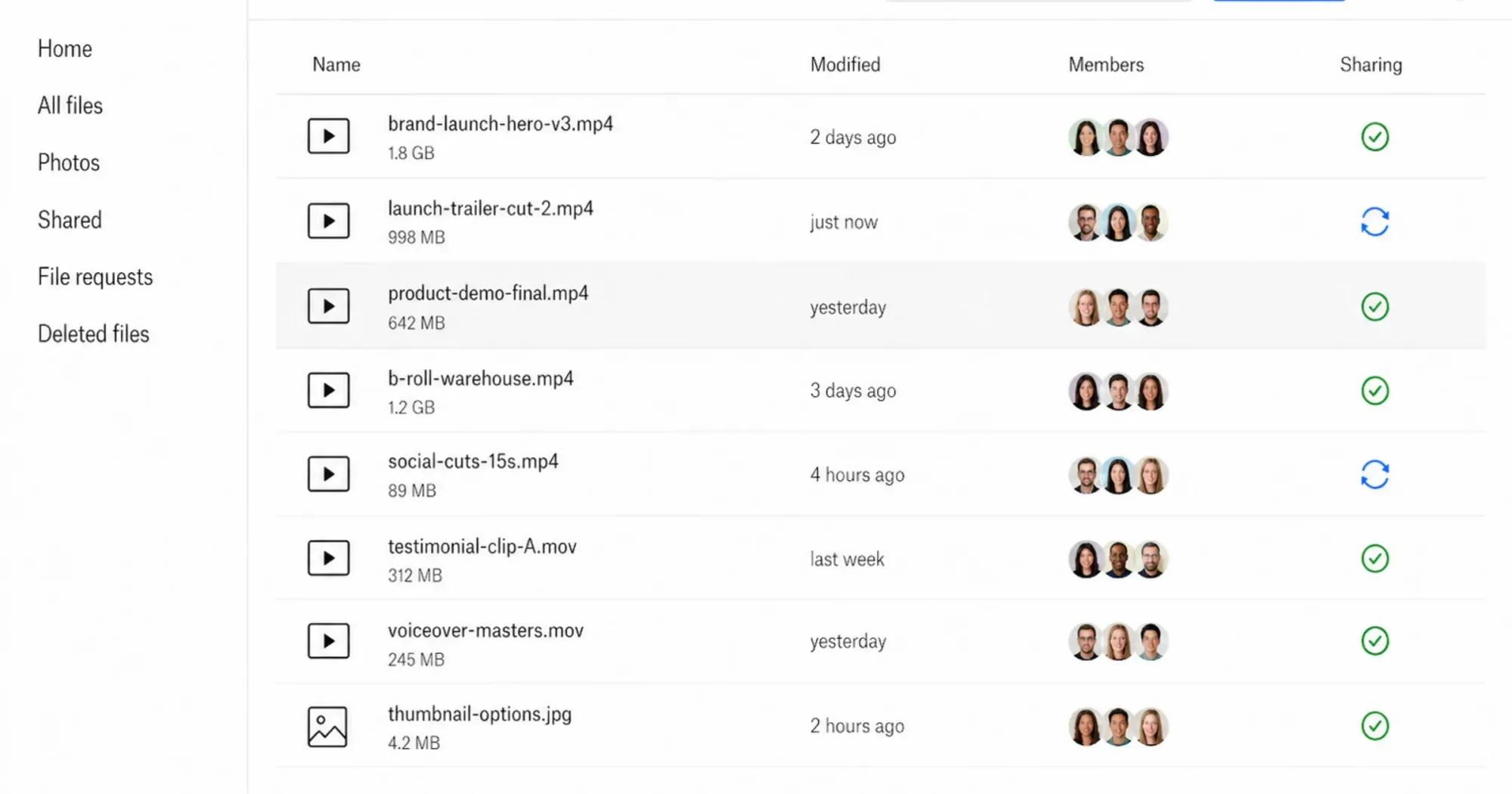 Object storage like Amazon S3 or Wasabi is built to archive raw video files cheaply, but it delivers files rather than an optimized streaming experience.
You should not upload an MP4 to Amazon S3 and paste that direct link into an HTML5 “ tag on your website. Without a CDN and a proper video player to handle the streaming protocols, the video will attempt to download the entire multi-gigabyte file to the user’s browser before playing, causing severe buffering. Then the bill arrives. Egress, not storage, is what makes this approach expensive. Work a single video through the math: a 500 MB file watched 5,000 times in a month moves 2.5 TB out of S3. AWS gives you 100 GB of transfer per month free and charges $0.09/GB on the first 10 TB after that (AWS, 2026), so those 2,400 billable gigabytes cost about $216 for the month — for one video, before storage charges, before request charges, and before you have written a line of player code. A flat $19/month managed plan absorbs the same traffic. Teams that start down this path end up bolting on a CDN and a real video player anyway, which means paying for the delivery layer twice.
Bunny Stream
Bunny Stream is a developer-oriented solution that bridges the gap between raw storage and video hosting. Starting at approximately $1/month (pay-per-use), it offers CDN delivery and video transcoding. The price is hard to argue with, but there is no player customization UI and no WordPress plugin. Deploying it means wiring up the API yourself, so it is a poor fit for a marketing team without a developer on call.
Mux and Cloudflare Stream (API-First Hosting)
If you are building a custom application rather than embedding a video on a marketing page, the developer-oriented platforms are worth a look. They handle encoding, adaptive streaming, and CDN delivery, but expose everything through an API instead of a dashboard or page builder.
 Cloudflare Stream bundles storage, encoding, and global delivery into one usage-based price, around $5 per 1,000 minutes stored and $1 per 1,000 delivered.
- Mux: A video API built for engineering teams, with per-title encoding and detailed playback analytics (Mux Data). Pricing is usage-based — encoding is billed per minute and delivery per minute streamed — so costs scale directly with viewership rather than a flat plan. Strong for apps with user-generated or on-demand libraries; overkill for a single landing-page embed.
- Cloudflare Stream: Bundles storage, encoding, and global delivery into one usage-based price (roughly $5 per 1,000 minutes stored and $1 per 1,000 minutes delivered). It ships a basic embeddable player, which makes it slightly more turnkey than Mux, but it still assumes you are comfortable wiring up uploads and playback yourself.
The trade-off across all three (Mux, Cloudflare Stream, Bunny Stream) is the same: low per-unit cost and full control in exchange for engineering time. If nobody on your team writes code, a managed host like SmartVideo or Wistia will get you live faster. Hosting is only half the stack. Once that decision is settled, pair it with the best video player for your website.
Should You Upload Video Directly to WordPress?
No. Put video on a dedicated host rather than your WordPress Media Library, unless the file is a small background loop of a few megabytes.
One final upload method requires a strong warning: uploading directly to your WordPress Media Library. WordPress allows you to upload MP4 files directly to your server. For a 2MB looping background animation, this is acceptable. For a 300MB marketing video, it is a disaster. Web hosting servers are configured to serve small text files and optimized images, not stream heavy media. Run the arithmetic on a typical shared plan. A 300 MB video encoded at roughly 5 Mbps needs about eight minutes of sustained transfer per viewer, and your server holds an open connection for every one of them across that entire stretch. On the 100 Mbps shared uplink common to budget hosting, about 20 concurrent viewers saturate the link completely — and that is the whole pipe, with nothing left for HTML, images, or checkout requests from everyone else on the site. There is no adaptive bitrate either, so a visitor on a phone pulls the same 300 MB file as someone on fiber. And a library of those files burns through your web host’s storage allowance fast, which turns into an overage line item on the next invoice. A single background loop is fine. A video library is not. To protect your site’s stability and performance, always rely on a dedicated third-party infrastructure. Read more on why you should never upload video to WordPress directly.
Which Video Upload Site Should You Choose?
Choose YouTube for audience growth, Amazon S3 or Wasabi for cheap archiving, and an ad-free host like SmartVideo (from $19/month) for video that must convert on your site.
The upload site you choose is dictated entirely by your objective. If you are a content creator looking to monetize an audience, YouTube is mandatory. If you are an app developer looking to archive user-generated content cheaply, Wasabi or Amazon S3 is the proper tool. But if you are a business owner attempting to convert visitors on your own website, you need a solution that prioritizes speed, branding, and viewer retention. Embedding a free social player on a high-value landing page costs you far more in lost conversions than a professional hosting plan costs in monthly fees. Price the decision that way: not $19 a month against free, but one lost sale a month against free. Most SMBs only have to run that comparison once.
Frequently Asked Questions
What is the top site to host a video that I can embed on my own site?
For embeds on your own site, use a paid ad-free host such as SmartVideo, Wistia, Vimeo, or SproutVideo rather than a free social platform.
Commercial hosts give you more control over branding and player customization than free platforms, and their ad-free players and CDN delivery keep visitors focused on your content rather than clicking away to related videos.
What is private video hosting?
Private video hosting refers to premium platforms that allow you to upload and stream content without exposing it to public search directories or algorithmic recommendations. These services prioritize the publisher’s branding, do not display third-party advertisements, and offer strict privacy controls to prevent unauthorized downloading or embedding.
Are there free video hosting sites without ads?
Fully free, ad-free hosting is rare because storage and streaming are expensive, so free tiers cap the resources your videos consume rather than the number of videos. Wistia’s free plan is capped by storage at 25 GB and adds Wistia branding to the player. Vimeo’s free plan is capped at 1 GB of uploads for the life of the account, though it shares the same 2 TB monthly bandwidth ceiling as the paid tiers. Neither limits your video count outright; both push you toward a paid plan once your library or your traffic grows.
Should I host videos on my own website or a third-party site?
You should almost always use a third-party video host rather than uploading directly to your own web server. Web hosting servers are not configured for heavy media streaming; uploading large video files directly to your WordPress media library can quickly exhaust your storage and cause your website to crash if multiple users stream the file simultaneously.
How does YouTube affect my website’s page speed?
On a realistic blog page carrying a single embed, a standard YouTube embed transferred 1,513 KB across 25 requests before playback, against 707 KB across 17 requests for a lazy-loaded independent player on an otherwise identical page. That extra weight degrades Core Web Vitals metrics like Largest Contentful Paint, slowing page rendering in a way that frustrates visitors and can affect search rankings.
What is the difference between cloud storage and a video CDN?
Cloud storage (like Amazon S3 or Google Drive) is simply a digital warehouse where files are stored for downloading. A video CDN (Content Delivery Network) actively processes the video into multiple resolutions and streams it dynamically based on the viewer’s internet connection, preventing buffering and ensuring smooth playback.
Does Wistia limit the number of videos I can host?
Wistia no longer caps the number of videos on its free plan. The current free tier is storage-based, giving you 25 GB of storage and 200 GB of monthly bandwidth with Wistia branding on your uploads. To remove the branding and access advanced marketing features, you upgrade to the $79/month Business tier (billed annually), which raises storage to 250 GB and bandwidth to 1 TB (Wistia, 2026).
Is Vimeo suitable for enterprise marketing teams?
Vimeo serves enterprise teams, but its bandwidth ceiling can be prohibitive. Every published plan, from free through Advanced, includes the same 2 TB of monthly bandwidth, so a high-traffic publisher hits the same wall on the $75/month Advanced plan as on the $12/month Starter plan (both billed annually; $125 and $20 month-to-month) and has to negotiate a custom enterprise agreement. Marketing teams should forecast monthly bandwidth, not storage, before committing to the platform.
Can I use Google Drive to host videos on my website?
While you can technically generate an embed iframe from Google Drive, it is highly discouraged for public-facing websites. The Google Drive player lacks adaptive streaming technology, provides a poor user experience on mobile devices, and will quickly throttle or block playback if a video receives a surge in concurrent traffic.
Can I upload the same video to YouTube and my own website?
Yes, and for most businesses that is the right approach. The two placements do different jobs: YouTube works as a discovery channel that surfaces your video in search and recommendations, while a self-hosted embed keeps the viewer on your page with no related-video grid competing for the next click. Video is not subject to a duplicate-content penalty, so publishing to both is safe. The usual split is to put the marketing cut on YouTube and the on-page version, such as a product demo or a course lesson, on hosting you control.
What happens to my videos if I stop paying for a video hosting plan?
This varies by platform and it is worth checking before you commit. Most paid hosts stop serving your embeds as soon as the plan lapses, so any video on your site goes dark immediately, and they delete the underlying files after a retention window that is often measured in weeks rather than months. Cloud storage providers behave differently and usually keep charging you for the bytes instead. Whichever route you take, keep your master files somewhere you control rather than treating a hosting account as your only copy.