HTTP Live Streaming (HLS) is an adaptive bitrate streaming protocol that cuts video into short segments, indexes those segments in .m3u8 playlist files, and delivers the whole thing over ordinary HTTP. Apple built it in 2009 for the iPhone, and it is now the most widely used way to move video across the internet — to browsers, phones, and connected televisions alike.
That distinction stops being academic the moment a prospect clicks play on your landing page. Get the delivery protocol wrong and they get a frozen frame and a spinning wheel instead of your pitch, and they leave. What follows is how HLS actually works in production: what the specification really says, what lives inside a playlist file, which containers and codecs Apple requires, where playback still needs a JavaScript shim, and what it takes to serve any of it at scale.
📋 TL;DR • What HLS stands for: HTTP Live Streaming, an adaptive bitrate streaming protocol developed by Apple in 2009. • How it works: It encodes video into multiple quality renditions, slices them into short media segments (typically 6 seconds), and indexes them with
.m3u8playlist files. • Browser support: HLS plays natively in Safari on Apple devices, in Android browsers, and — since Chrome 142 in October 2025 — in desktop Chrome. Desktop Firefox and Edge still need a JavaScript player likehls.jsusing Media Source Extensions (MSE). • Container standard: Fragmented MP4 (fMP4/CMAF) has largely replaced legacy MPEG-2 Transport Streams (.ts) and is mandatory for HEVC, AV1, and browser DRM. • Infrastructure: Because HLS generates continuous HTTP requests, reliable delivery requires edge caching through a dedicated video delivery network.
ℹ️ What is HLS? HTTP Live Streaming (HLS) is an adaptive HTTP-based media streaming protocol that breaks video files into short, downloadable media segments indexed by
.m3u8text playlists. Players dynamically switch video resolutions as bandwidth fluctuates to prevent buffering.
What Is HLS?
HTTP Live Streaming (HLS) is an adaptive HTTP-based video streaming communications protocol developed by Apple in 2009. It delivers video by breaking media files into small, downloadable file segments served over standard HTTP web servers and indexed by .m3u8 playlists. Client players evaluate available bandwidth in real time and switch between visual quality renditions to prevent playback buffering.
Apple introduced HLS alongside the iPhone 3GS to distribute video reliably over mobile cellular networks (Apple, via RFC 8216). Earlier web video depended on stateful protocols like RTMP and RTSP, which required dedicated streaming daemons, persistent TCP connections, and non-standard ports (such as 1935) that firewalls frequently blocked. By segmenting media into HTTP chunks over standard TCP ports 80 and 443, HLS allowed streaming video to traverse commodity web servers, caching proxies, and Content Delivery Networks (CDNs) without custom server software.
Specification status: From RFC 8216 to RFC 8216bis
HLS is not a formal international internet standard. The IETF published HLS in August 2017 as RFC 8216 under the “Informational” category, describing protocol version 7. Informational status denotes documentation published for community convenience rather than an IETF consensus standard.
The active specification is draft-pantos-hls-rfc8216bis-22 (“HTTP Live Streaming 2nd Edition”), authored by Apple’s Roger Pantos. Describing protocol version 13, revision 22 formally obsoletes RFC 8216 and sits in the RFC Editor queue (“Awaiting First Editor”) for publication. Section 1 states plainly:
“This informational specification is not an Internet standard. It is discussed on the IETF hls-interest list… but does not represent the consensus of the IETF. It was developed by Apple Inc.”
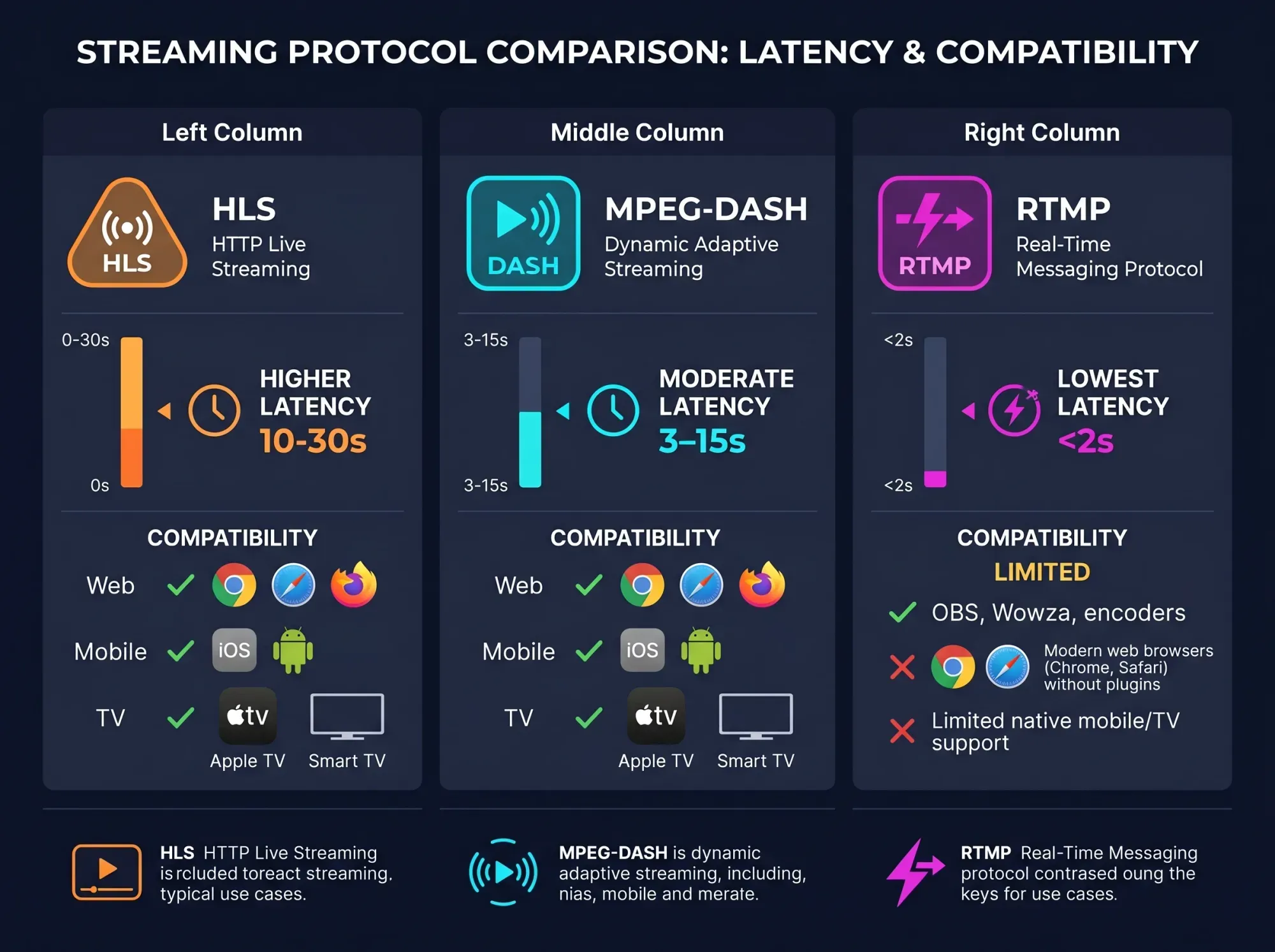
Despite single-vendor stewardship, HLS leads global streaming distribution. In the 9th Annual Bitmovin Video Developer Report (a July 2025 survey of video developers across 49 countries, with results potentially skewed toward Bitmovin’s customer base), 61% of respondents reported using HLS in production, compared to 46% for MPEG-DASH, 23% for CMAF, and 11% for WebRTC. While MPEG-DASH is an ISO/IEC standard, Apple’s requirement for HLS across its ecosystem established it as essential for reaching consumer devices. For architectural differences, see how HLS and DASH compare on latency, DRM and CMAF.
HLS has also expanded into contribution feeds: 43% adoption for live ingest, outpacing SRT (40%) and legacy RTMP (36%) (Bitmovin, 2025). While RTMP is still used for ingest from encoders into cloud pipelines, HLS frequently handles both media ingestion and end-user distribution.
How HLS Works: Playlists and Segments
HLS delivery relies on two core components: media segment files and playlist index files (known as manifests).
 HLS allows commodity web servers and caching edge nodes to distribute adaptive video without specialized streaming server software.
When a user initiates playback, delivery follows four sequential steps:
- Ingestion and Transcoding: An encoder converts mezzanine source video into an “encoding ladder”—multiple parallel renditions sharing identical timecodes but differing in resolution and bitrate.
- Segmentation: Each quality variant is sliced into short media chunks (typically 6 seconds). Every segment begins with an Instantaneous Decoder Refresh (IDR) keyframe, allowing seamless ABR switching without decoding artifacts.
- Manifest Generation: The encoder outputs
.m3u8index files: one “Media Playlist” per quality tier listing its segment URLs, and a “Multivariant Playlist” indexing all available renditions alongside resolution and bandwidth metadata. - Client Playback: The player downloads the Multivariant Playlist over HTTP, parses the streams, requests the initial Media Playlist, and begins downloading media segments sequentially for hardware decoding.
Bitrate switching and delivery at scale
HLS prevents buffering through adaptive bitrate streaming: the player monitors download throughput and buffer levels, requesting higher or lower bitrate segments as bandwidth fluctuates. For client switching mechanics, see how adaptive bitrate streaming works.
Because segment-based delivery generates hundreds of HTTP GET requests per session—a 10-minute video across six tiers creates 600 media files—origin servers face heavy request volume. Reliable delivery requires caching segments at edge nodes close to viewers; see what a video CDN actually does.
VOD versus Live HLS architectures
Playlist handling differs between on-demand and live content:
- VOD Playlists: In Video on Demand, the playlist contains every segment for the title and ends with
#EXT-X-ENDLIST. Once loaded, the client never reloads the manifest. - Live and FAST Playlists: In live broadcasts and FAST channels, the playlist acts as a sliding window of recent segments. The
#EXT-X-ENDLISTtag is omitted, requiring the player to poll the manifest periodically. Adding#EXT-X-PLAYLIST-TYPE:EVENTpreserves older segments for DVR scrubbing.
What’s Inside an .m3u8 Playlist
An HLS playlist is an extended M3U text file encoded in UTF-8 containing structured #EXT tags that guide player assembly. Manifests follow a two-tier hierarchy: the Multivariant Playlist and individual Media Playlists.
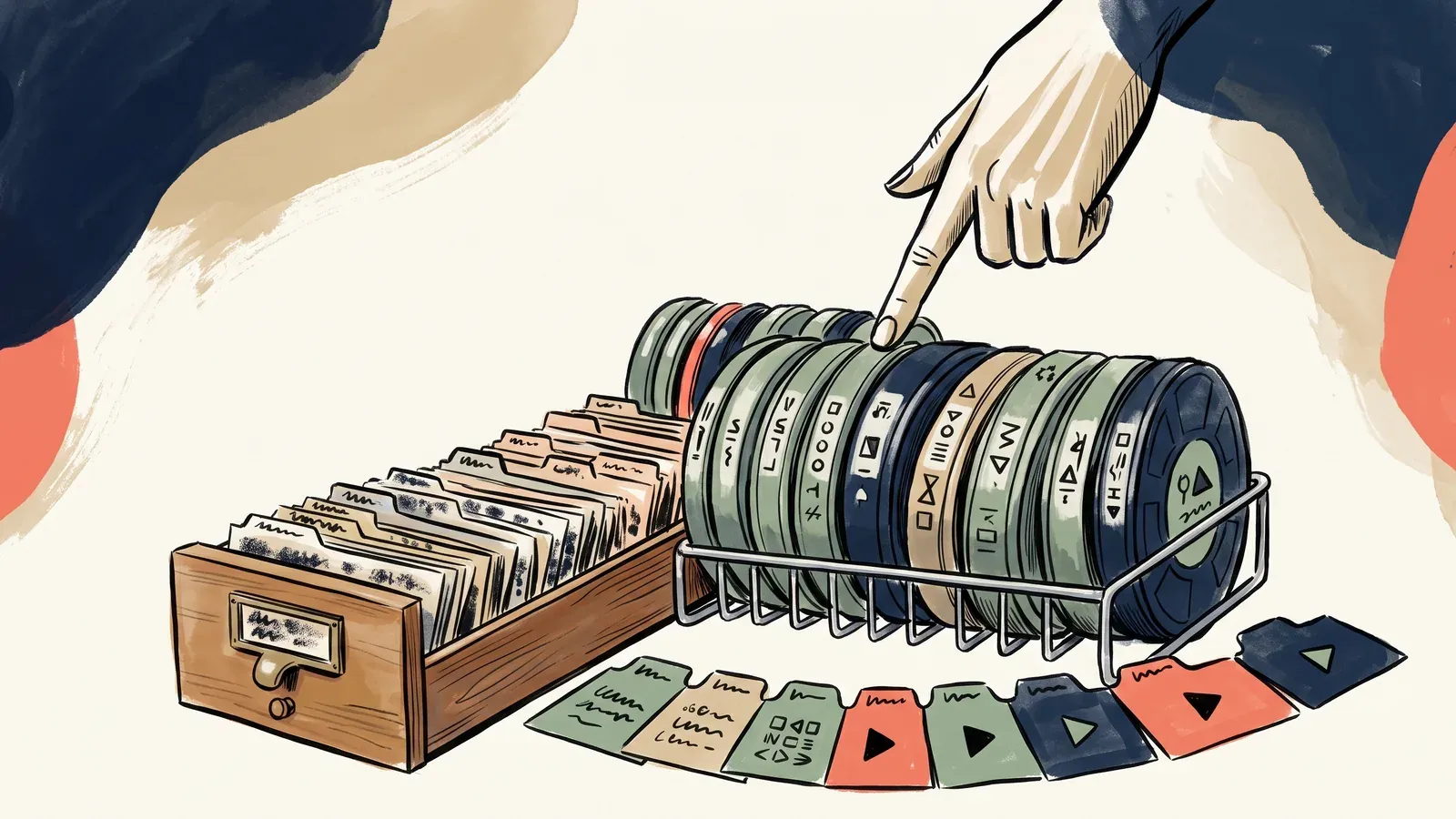 A playlist holds no video at all. It is an index — a small text file whose only job is to tell the player which segments exist, in what order, and at which quality tiers.
1. The Multivariant Playlist (Master Playlist)
The Multivariant Playlist defines the stream’s encoding ladder, alternate audio tracks, and subtitles:
#EXTM3U
#EXT-X-VERSION:7
#EXT-X-INDEPENDENT-SEGMENTS
#EXT-X-MEDIA:TYPE=AUDIO,GROUP-ID="audio-aac",NAME="English",DEFAULT=YES,AUTOSELECT=YES,LANGUAGE="en",URI="audio/en/prog_index.m3u8"

#EXT-X-STREAM-INF:BANDWIDTH=800000,AVERAGE-BANDWIDTH=730000,RESOLUTION=640x360,FRAME-RATE=30.000,CODECS="avc1.4d401f,mp4a.40.2",AUDIO="audio-aac"
video/360p/prog_index.m3u8
#EXT-X-STREAM-INF:BANDWIDTH=3300000,AVERAGE-BANDWIDTH=3000000,RESOLUTION=1280x720,FRAME-RATE=60.000,CODECS="avc1.640020,mp4a.40.2",AUDIO="audio-aac"
video/720p/prog_index.m3u8
#EXT-X-STREAM-INF:BANDWIDTH=6600000,AVERAGE-BANDWIDTH=6000000,RESOLUTION=1920x1080,FRAME-RATE=60.000,CODECS="avc1.64002a,mp4a.40.2",AUDIO="audio-aac"
video/1080p/prog_index.m3u8
Key tags include:
#EXTM3U: Identifies the extended M3U file format.#EXT-X-VERSION: The protocol version required to parse features.#EXT-X-INDEPENDENT-SEGMENTS: Informs the player that all segments begin with keyframes.#EXT-X-STREAM-INF: Defines variant streams withBANDWIDTH(peak bitrate),AVERAGE-BANDWIDTH,RESOLUTION, andCODECS(RFC 6381 profile descriptors).
2. The Media Playlist (Variant Playlist)
When the player selects a quality tier, it fetches that variant’s Media Playlist:
#EXTM3U
#EXT-X-VERSION:7
#EXT-X-TARGETDURATION:6
#EXT-X-MEDIA-SEQUENCE:0
#EXT-X-PLAYLIST-TYPE:VOD

#EXTINF:6.000000,
segment_000.mp4
#EXTINF:6.000000,
segment_001.mp4
#EXTINF:5.833333,
segment_002.mp4

#EXT-X-ENDLIST
Key tags include:
#EXT-X-TARGETDURATION: Maximum segment duration permitted in the playlist.#EXT-X-MEDIA-SEQUENCE: Sequence number of the first listed segment.#EXTINF: Specifies segment duration (in seconds) and file URL.#EXT-X-DISCONTINUITY: Signals encoding or timestamp changes (such as ad breaks).#EXT-X-ENDLIST: Indicates no further segments will be added.
To inspect or debug raw manifests across desktop environments, see our guide on how to open an .m3u8 playlist.
Segment Formats: MPEG-TS, fMP4, and CMAF
Media segments hold encoded video frames and audio packets. Historically, HLS relied on MPEG-2 Transport Stream (.ts). Modern HLS has transitioned to Fragmented MP4 (fMP4) and the Common Media Application Format (CMAF).
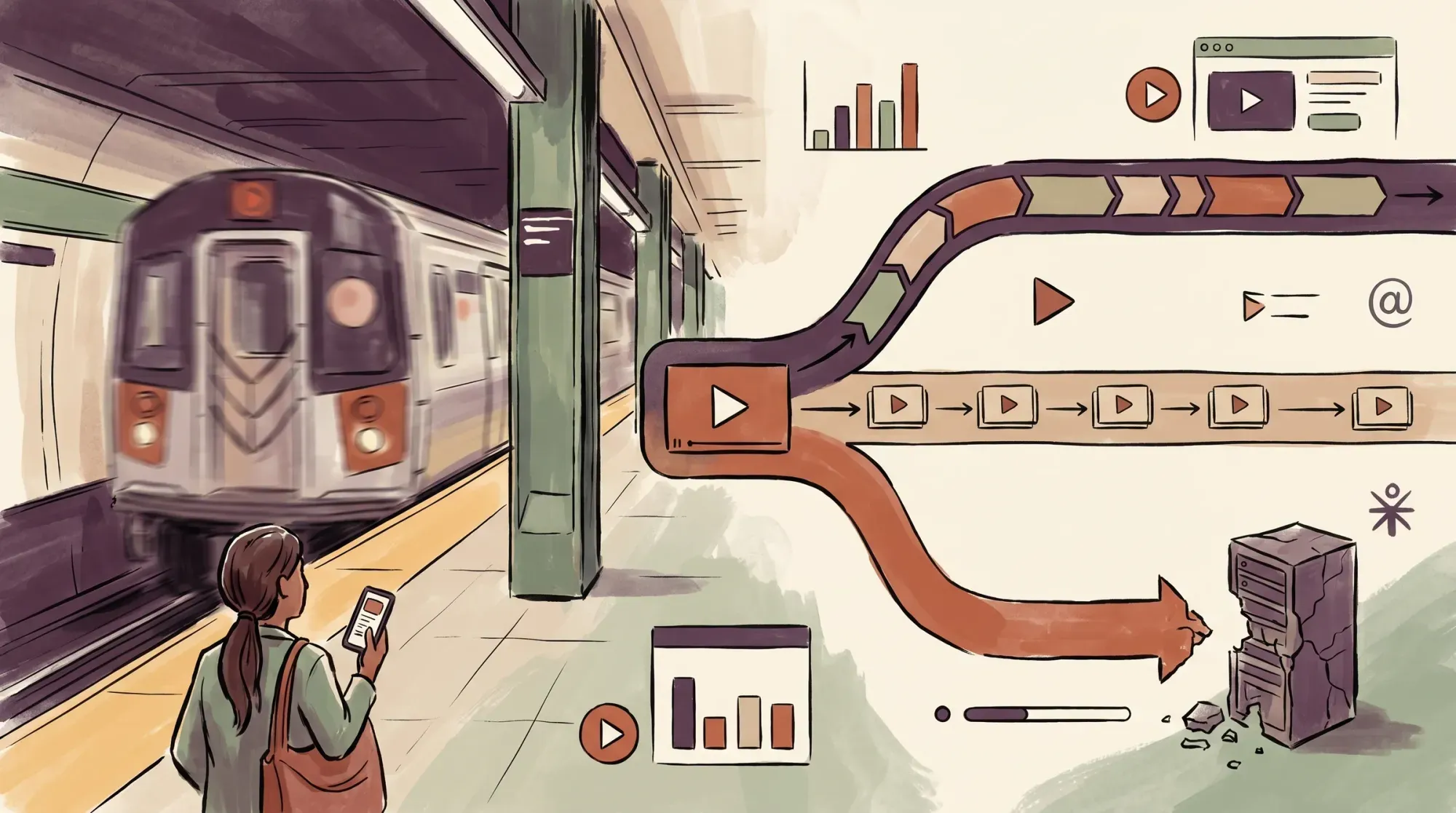 Modern streaming architectures have moved from legacy transport streams to fragmented MP4 containers to maximize decoding speed and reduce protocol overhead.
| Feature / Specification | MPEG-2 Transport Stream (.ts) | Fragmented MP4 (fMP4 / CMAF) |
|---|---|---|
| Primary File Extension | .ts | .mp4 or .m4s |
| Container Overhead | High (fixed 188-byte broadcast packets) | Low (ISOBMFF box structure) |
| Apple Authoring Compliance | Permitted for H.264 only (Rule 1.2) | Mandatory for HEVC (Rule 1.5) & AV1 (Rule 1.39) |
| Browser MSE Playback | Requires client JS transmuxing into fMP4 | Native hardware pass-through via SourceBuffer |
| Studio DRM Compatibility | Unsupported by major browser CDMs | Fully supported via Common Encryption (CBCS / CENC) |
Why fMP4 replaced MPEG-2 TS
MPEG-2 Transport Stream was created for 1990s broadcast television, using fixed 188-byte packets to resist radio interference. Over TCP, those packet headers represent unnecessary overhead.
Fragmented MP4 uses ISO Base Media File Format boxes: an initialization segment (init.mp4, referenced via #EXT-X-MAP:URI="init.mp4") containing codec parameters (moov), followed by media fragments holding headers (moof) and compressed media (mdat).
This architecture delivers three advantages:
- Mandatory modern codec support: Apple’s HLS Authoring Specification mandates fMP4 for HEVC (Rule 1.5) and AV1 (Rule 1.39). Using
.tsfor these codecs violates the specification. - Reduced browser CPU usage: Browser Media Source Extensions (MSE) do not decode MPEG-2 TS natively. When playing
.tsstreams,hls.jsmust unpack and transmux them into fMP4 in JavaScript before passing them to the decoder. Native fMP4 bypasses client-side transmuxing, saving CPU and battery life. - DRM compatibility: Browser Content Decryption Modules (CDMs) require ISOBMFF containers. The
hls.jsclient explicitly lists MPEG-2 TS as unsupported for FairPlay, PlayReady, or Widevine DRM.
For container architecture details, see our comparison of container formats.
Segment duration trade-offs
In practice, balancing segment duration involves clear operational trade-offs:
- Shorter segments (e.g., 2 seconds): Enable faster bitrate switching and lower live latency, but triple HTTP request volume, expand manifest file sizes, and slightly reduce compression efficiency due to frequent IDR keyframes.
- Longer segments (e.g., 6 seconds): Apple’s standard baseline. Delivers higher compression efficiency and superior CDN caching ratios with fewer HTTP requests, but increases live latency to 18–30 seconds.
🚀 Segment count is a delivery problem, not an encoding one. Halving your segment duration doubles the HTTP requests every viewer makes, and that load lands on your delivery tier rather than your encoder. See how SmartVideo’s video CDN handles HLS segment delivery
Which Codecs HLS Supports (and Apple’s Authoring Rules)
HLS is a transport wrapper, but client compliance is governed by Apple’s authoring guidelines. In practice, violating these rules causes playback failures across Apple devices rather than merely degraded quality.
Supported codecs
Under Section 1 of the HLS Authoring Specification for Apple Devices (Apple, 2026):
- H.264/AVC: High Profile, Level 5.2 ceiling (Rule 1.3b) in fMP4 or MPEG-TS (Rule 1.2).
- HEVC/H.265: Main 10 Profile, Level 5.1, High Tier ceiling (Rule 1.6b) in fMP4 (Rule 1.5). HDR must use HDR10, HLG, or Dolby Vision (Rule 1.7).
- AV1: Main Profile, Level 6.2 ceiling (Rule 1.37) in fMP4 (Rule 1.39).
- Audio: AAC-LC, HE-AAC v1/v2, xHE-AAC, Apple Lossless, or APAC (Rule 2.2) in fMP4 or elementary streams (Rule 2.1).
H.264 remains the primary production codec at 65% adoption thanks to universal hardware support, while HEVC sits at 41% and royalty-free AV1 stands at 12% in production with 21% planning deployment within twelve months (Bitmovin, 2025). For encoding selection, see which codec to encode in.
Apple’s authoring rules and bitrate ladder
Apple enforces strict authoring constraints:
- SDR Fallback (Rule 1.24): “For backward compatibility, SDR streams MUST be provided.”
- Keyframe Cadence (Rule 1.13): “Key frames (IDRs) SHOULD be present every two seconds.”
- Frame Rate Ceiling (Rule 1.19): “Frame rates above 60 fps SHALL NOT be used.”
- Bandwidth Accuracy (Rules 1.26 & 1.27): Average segment bitrate must be within 10% of
AVERAGE-BANDWIDTH, and peak bitrate within 10% ofBANDWIDTH.
The spec also covers spatial video (REQ-VIDEO-LAYOUT, MV-HEVC) for visionOS devices, showing ongoing protocol evolution.
Apple publishes an authoritative 16:9 H.264 encoding ladder:
| Dimensions (16:9) | Target Bitrate (kbit/s) | Codec & Profile |
|---|---|---|
| 416 x 234 | 145 | H.264 Main |
| 640 x 360 | 365 | H.264 Main |
| 768 x 432 | 730 | H.264 Main |
| 768 x 432 | 1,100 | H.264 Main |
| 960 x 540 (Default variant) | 2,000 | H.264 Main |
| 1280 x 720 | 3,000 | H.264 High |
| 1280 x 720 | 4,500 | H.264 High |
| 1920 x 1080 | 6,000 | H.264 High |
| 1920 x 1080 | 7,800 | H.264 High |
“The above bit rates are initial encoding targets for typical content delivered via HLS. Apple recommends that you evaluate them against your specific content and encoding workflow, then adjust accordingly.” — Apple HLS Authoring Specification
Under Rule 1.32, Apple designates the 2,000 kbit/s variant (960x540) as the recommended default variant. To balance encoding performance on server infrastructure, consult our guide on software vs hardware encoders.
Where HLS Plays Natively — and Where You Need hls.js
For a decade the answer was simple: Safari and mobile browsers played HLS, desktop Chrome did not, and every desktop player shipped a JavaScript shim. That stopped being true in October 2025 — and most guides still say otherwise. Native OS playback and JavaScript playback via Media Source Extensions (MSE) remain fundamentally different paths, but the line between them has moved:
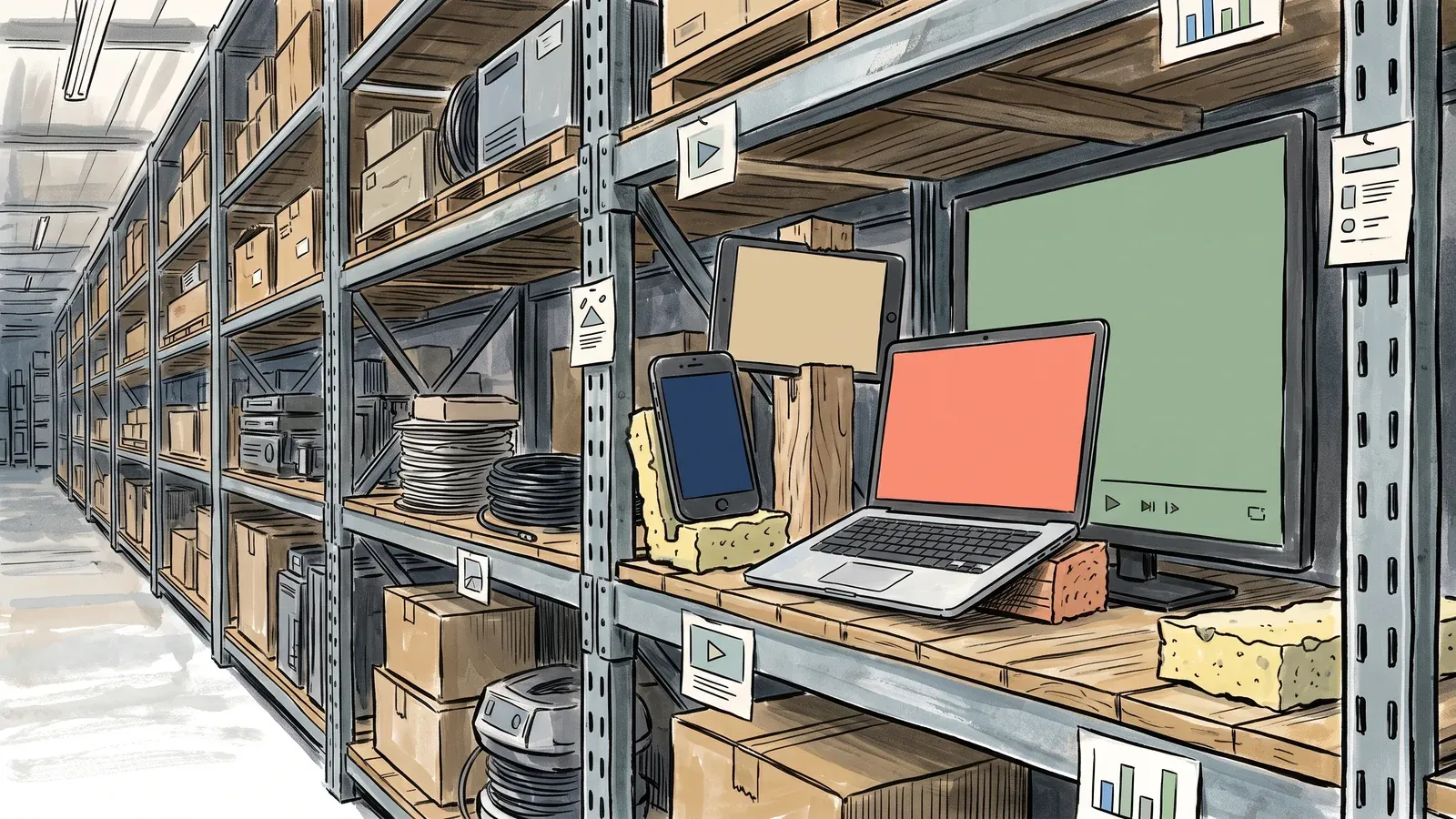 Native HLS support is a property of the browser and operating system, not of the stream. The same URL plays untouched on an iPhone and — since Chrome 142 — on desktop Chrome, while desktop Firefox still needs a JavaScript player.
| Browser & Operating System | Native <video src="..."> Playback | Playback Mechanism |
|---|---|---|
| Apple Safari (iOS, iPadOS, macOS) | Yes | Native AVPlayer / WebKit media pipeline |
| Google Chrome (Android) | Yes | Android Stagefright / MediaCodec framework |
| Mozilla Firefox (Android) | Yes | Android media layer pass-through |
| Samsung Internet (Android) | Yes | Chromium Android multimedia stack |
| Google Chrome (Desktop), 142+ | Yes | Built-in HLS support, stable since 28 October 2025 |
| Microsoft Edge (Desktop) | Not yet | caniuse records no native support despite the shared Chromium media stack; requires hls.js via MSE |
| Mozilla Firefox (Desktop) | No | Requires JavaScript player (hls.js) via MSE |
Native HLS now covers 82.75% of global browser usage (caniuse, 2026), and that figure no longer rests on mobile alone. Chrome 142 shipped built-in HLS playback for Windows, macOS, Linux, and ChromeOS on 28 October 2025. We verified it for this article in Chrome 152: a bare <video src="master.m3u8"> element, with no JavaScript library attached, reached readyState 4 and played a multi-variant test stream straight through. Desktop Firefox is now the significant holdout.
As documented by MDN Web Docs:
“Because many websites’ mobile-specific content assumes that mobile browsers support HLS, Firefox for Android does as well… The desktop version of Firefox, however, does not support HLS.”
How hls.js bridges the remaining gaps
Desktop Firefox — and any Chrome installed before 142 — still plays HLS through a JavaScript library such as hls.js (over 16,900 GitHub stars). Using W3C Media Source Extensions (MSE), hls.js fetches manifests, calculates bandwidth, downloads segments, and feeds them into the browser’s SourceBuffer for hardware decoding. Feature-detect rather than sniffing the user agent — on Chrome 142 and later, the same code now takes the native branch it used to skip:
const video = document.getElementById('my-video');
const videoSrc = 'https://example.com/video/master.m3u8';

if (video.canPlayType('application/vnd.apple.mpegurl')) {
  video.src = videoSrc;
} else if (Hls.isSupported()) {
  const hls = new Hls();
  hls.loadSource(videoSrc);
  hls.attachMedia(video);
}
Cross-device QA remains a hurdle: 31% of teams name playback across all devices as a top challenge (Bitmovin, 2025), driven by fragmented Connected TV platforms such as tvOS, Android TV, Tizen, webOS, and Roku.
Meanwhile, the common claim that Apple mandates HLS for iOS apps streaming cellular video over 10 minutes is obsolete: Apple App Store Review Guideline 2.5.7 now reads verbatim: “2.5.7 Intentionally omitted.”
Low-Latency HLS (LL-HLS), Properly Explained
Standard HLS requires players to buffer at least three target durations before starting playback, creating a 18 to 30-second delay. For scheduled VOD, this is imperceptible; for live sports and webinars, it impairs viewer engagement.
 Latency in HLS is a buffering decision before it is a network one: players wait for whole segments, so segment length sets the floor on how far behind live a viewer sits.
In 2019, Apple introduced Low-Latency HLS (LL-HLS), standardized in revision 7 of the HLS 2nd Edition draft specification (Apple Developer, 2026).
The five mechanisms of LL-HLS
LL-HLS lowers latency while preserving HTTP caching scalability through five mechanisms:
- Partial Segments (
EXT-X-PART): Segments are divided into sub-chunks (200 to 333 ms) published to the manifest while the parent segment is still encoding. - Blocking Playlist Reload: Clients append delivery directives (
?_HLS_msn=105&_HLS_part=2). The web server holds the connection open until that part finishes encoding, eliminating polling delays. - Preload Hints (
EXT-X-PRELOAD-HINT): The server advertises the next part’s URL ahead of time so the player can request it immediately. - Playlist Delta Updates (
EXT-X-SKIP): Using_HLS_skip=YES, the server transmits only newly added parts, preventing manifest bloat. - Rendition Reports (
EXT-X-RENDITION-REPORT): Embeds the sequence and part numbers of alternative renditions so players can switch bitrates without downloading full playlists.
Latency reality check
While marketing materials often claim LL-HLS guarantees sub-two-second latency, Apple publishes no specific figure, stating only that LL-HLS:
“lowers video latencies over public networks into the range of standard television broadcasts.”
In practice, latency depends on edge networks and player buffer configuration rather than on the protocol alone. Self-reported production latencies (Bitmovin, 2025) were:
- 39% reported sub-5 second latency (17% <1s, 10% 1–3s, 12% 3–5s).
- 40% operated in the 10–30 second range (19% 10–20s, 16% 20–30s, 5% >30s).
- 21% did not measure latency.
Among low-latency adopters, 26% deploy LL-HLS, 19% use LL-DASH, and 14% use WebRTC.
Encrypting and DRM-Protecting HLS
Protecting video assets requires distinguishing between transport encryption and studio-grade Digital Rights Management (DRM).
1. Spec-level AES-128 encryption
Defined in RFC 8216 (§5.2), #EXT-X-KEY instructs the player to decrypt segments using AES-128 in CBC mode:
#EXT-X-KEY:METHOD=AES-128,URI="https://auth.example.com/keys/key_102.bin",IV=0x1a2b3c4d5e6f7a8b9c0d1e2f3a4b5c6dThe player fetches the key via HTTPS. However, because keys reside in browser memory, any technical user can extract them. AES-128 prevents casual hotlinking, but it is not studio DRM.
2. Studio-grade DRM (Apple FairPlay Streaming)
For subscription and premium content, Apple devices require FairPlay Streaming (FPS) (Apple Developer, 2026). FPS packages segments via Common Encryption (CENC) with cbcs pattern protection, managing keys inside the hardware secure enclave.
Deploying FPS requires formal approval from Apple:
“Your request will be approved only if your team provides a streaming service to consumers. Please note that requests for third-party accounts acting on behalf of content owners or licensees won’t be approved.” — Apple FairPlay Deployment Policy
Cross-browser deployments require Multi-DRM: FairPlay for Safari, Google Widevine for Chrome/Android, and Microsoft PlayReady for Edge. This requires fMP4/CMAF packaging; hls.js does not support DRM on MPEG-2 TS.
Manifest steering, interstitials, and delivery costs
Protocol version 13 (draft-pantos-hls-rfc8216bis-22) adds advanced orchestration tags:
- Content Steering (
EXT-X-CONTENT-STEERING, §7): Dynamically redirects players to alternate CDNs based on real-time edge congestion. - HLS Interstitials (
EXT-X-DATERANGE, Appendix D): Coordinates programmatic ad insertion and bumpers within manifest data structures.
However, delivering HLS at scale creates substantial overhead: a 15-minute video across six tiers produces 900 segments, and each viewer issues roughly 150 HTTP requests to watch it. Controlling cost — bandwidth and storage — was named the number one industry challenge at 38% (Bitmovin, 2025). To evaluate edge infrastructure and compare video CDN providers, see our dedicated analysis.
Viewer tolerance for video failure is near zero: Nielsen’s Gauge report (published January 2026) revealed streaming reached a record 47.5% of total US TV viewing in December 2025. If a business video stalls, prospects bounce. As detailed in our guide on why buffer rate alone is a vanity metric, the core objective of video delivery is zero-stall conversion.
Frequently Asked Questions
What does HLS stand for?
HLS stands for HTTP Live Streaming. It is an adaptive bitrate media streaming communications protocol developed by Apple in 2009 that serves video over standard HTTP web servers using small media segments and text playlists.
What is an .m3u8 file?
An .m3u8 file is a UTF-8 encoded plain-text playlist file used by HLS. It does not contain binary video or audio data; instead, it contains structured metadata tags describing available video renditions (resolutions, bitrates, codecs) and sequential lists of URLs pointing to the individual media segments that the player downloads and decodes.
Do I need hls.js to play HLS on a website?
You need a JavaScript library such as hls.js for desktop Firefox and Microsoft Edge. You no longer need one for desktop Chrome: Chrome 142, released 28 October 2025, added built-in HLS playback, so a plain HTML5 <video src="...m3u8"> tag now works there — as it has always worked in Apple Safari on iOS and macOS and in Android browsers. The durable approach is to feature-detect with video.canPlayType('application/vnd.apple.mpegurl') and fall back to hls.js through the Media Source Extensions (MSE) API only when that returns an empty string.
What is the difference between .ts and fMP4 segments in HLS?
MPEG-2 Transport Stream (.ts) is a legacy container format based on fixed 188-byte broadcast packets that incurs high protocol overhead and requires client-side software transmuxing in desktop browsers. Fragmented MP4 (fMP4) uses the modern ISO Base Media File Format, provides lower protocol overhead, enables native pass-through to browser hardware decoders, and is required by Apple for HEVC and AV1 streams as well as commercial browser DRM.
Is HLS free to use?
The HLS protocol itself is an open specification published by Apple with no licensing or royalty fees for using the manifest syntax or delivery architecture. However, using specific proprietary video codecs within an HLS stream (such as H.264 or HEVC) may be subject to patent licensing pools (like MPEG LA / Via LA), whereas open codecs like AV1 are royalty-free.
How long should HLS segments be?
Apple’s official HLS Authoring Specification recommends 6-second segments as the standard balance between compression efficiency and playback reliability. Shorter segments (such as 2 seconds) reduce latency and allow faster rendition switching but increase edge HTTP request overhead and reduce video compression efficiency.
Can HLS streams be DRM-protected?
Yes. HLS supports lightweight AES-128 segment encryption natively within the specification, which encrypts transport chunks with a basic key. For commercial studio DRM, HLS integrates with Apple FairPlay Streaming (FPS) using Common Encryption (CBCS). When combined with fMP4/CMAF containers, the same media segments can be served alongside Google Widevine and Microsoft PlayReady through browser Encrypted Media Extensions (EME).
Is HLS an official international standard?
No. HLS is an Informational specification developed and maintained by Apple. It was published as RFC 8216 in 2017 for informational purposes and is being updated via draft-pantos-hls-rfc8216bis (protocol version 13). Unlike MPEG-DASH, which is a formal ISO/IEC international standard, HLS does not represent an IETF consensus standard.
Does YouTube use HLS?
YouTube primarily uses MPEG-DASH for desktop browsers, smart TVs, and Android devices. However, YouTube serves HLS streams to Apple platforms (Safari on iOS and macOS, and Apple TV) to ensure native hardware acceleration, battery efficiency, and compatibility with Apple’s media pipeline.
Is HLS better than standard MP4 for website video?
For video streaming over the internet, HLS is significantly superior to static MP4 files. A standard progressive MP4 file is a single large container that can stall and buffer whenever a viewer’s internet speed dips. HLS uses adaptive bitrate streaming to adjust visual quality dynamically to match available bandwidth, preventing stalls and ensuring uninterrupted playback.
Stop Losing Customers to Video Buffering
Video buffering ruins the performance of landing pages, product demonstrations, and marketing campaigns. When an important business video stalls during the opening seconds, prospective customers bounce, directly destroying conversions and marketing return on investment.
While understanding the inner mechanics of .m3u8 playlists, fMP4 segmenting, and encoding ladders is valuable, building and maintaining an enterprise-grade HLS infrastructure in-house requires immense engineering resources. Transcoding multi-rung ladders, managing hundreds of thousands of segment files, orchestrating low-latency configurations, and maintaining global CDN caching networks is complex and expensive.
SmartVideo removes the technical overhead of video streaming. By delivering video over an enterprise, buffer-free edge acceleration network paired with an unbranded, clutter-free player, SmartVideo ensures that your videos start instantly and stream in crisp resolution across every viewer’s device. Take the technical headache out of video delivery and give your audience a flawless viewing experience that drives conversions.