WordPress Video Hosting, Done Right
Lightweight playback. No ads. No bandwidth limits. SmartVideo replaces heavy, branded YouTube and Vimeo embeds with a CDN-backed player built for WordPress. Copy your Swarm CDN Key from the Dashboard tab of your SmartVideo account, paste it into the plugin’s Setup tab, and click Enable SmartVideo.
14-day free trial · from $19/mo · Card required, no charge until day 15
Why Standard WordPress Video Embeds Slow Your Site Down
External Script Latency
YouTube and Vimeo embeds pull JavaScript, CSS, and tracking code from third-party servers. On a page with 2–3 videos, that adds 2–4 seconds of load time — enough to tank your Core Web Vitals and push you down in Google rankings.
Ads and Branding
YouTube embeds show pre-roll ads, overlay links, suggested videos, and a YouTube logo parked in the corner. Every one of them is a chance for your visitor to leave your site — or to remember the wrong brand.
Bandwidth Cost Surprises
Self-hosting videos burns through WordPress hosting bandwidth fast. A single video viewed 1,000 times can use 500+ GB — enough to trigger overage fees on Bluehost, SiteGround, or Kinsta.
How SmartVideo Fixes WordPress Video Hosting
Global CDN Delivery
Videos served from our own global edge network. Each viewer gets the video from the closest server, regardless of location. Adaptive streaming adjusts quality on the fly.
Automatic Embed Replacement
Enable one setting and SmartVideo automatically replaces Vimeo embeds across your site — no page-by-page editing. Original embed URLs stay intact; disable SmartVideo and everything reverts. For YouTube and other videos, upload to the SmartVideo library and use embed codes or shortcodes.
Lightweight Player — Works in Every Builder
The SmartVideo player loads asynchronously and weighs a fraction of YouTube’s iframe. Drop videos into Gutenberg, Elementor, Divi, Beaver Builder, or Bricks — SmartVideo works everywhere. Sites consistently see significant LCP improvements compared to YouTube embeds.
Unlimited Bandwidth and Encoding
Every plan includes unlimited bandwidth and automatic video encoding, with generous storage included (1 TB to 5 TB) and no per-video charges. Plans start at $19/month.
A sample video in the live SmartVideo player — no branding, no related videos, no logo in the corner.
See it inside a page →How SmartVideo Compares
Each row leads with SmartVideo’s answer, then YouTube’s and Vimeo’s.
| Feature | YouTube Embed | Vimeo Embed | SmartVideo |
|---|---|---|---|
| Ads on your site | Yes | No (paid plans) | No |
| Suggested videos | Yes | Vimeo content | No |
| Player branding | YouTube logo | Vimeo logo | Your brand only |
| Page load impact | Heavy | Moderate | Minimal |
| Bandwidth | Unlimited (ad-supported) | Capped by plan | Unlimited |
| Storage | Unlimited (YouTube platform) | Capped | 1–5 TB by plan |
| WordPress plugin | No | No | Yes |
| Replaces existing embeds | N/A | N/A | Yes |
| CWV friendly | No | Varies | Yes |
Set Up in 2 Minutes
- 1
Install the SmartVideo plugin
Go to Plugins → Add New in WordPress and search “SmartVideo.” Install and activate.
- 2
Enter your Swarm CDN Key
Sign up at swarmify.com/pricing, copy your Swarm CDN Key, open SmartVideo in the admin sidebar, paste the key on the Setup tab, and click Enable SmartVideo. Replace YouTube & Vimeo embeds is on by default.
- 3
You’re done
Save the settings. From here on the video already on your site is served through SmartVideo — with one exception, below.
Self-Hosted WordPress
SmartVideo runs on any self-hosted WordPress.org install on your own hosting, with no platform requirements beyond the plugin from the WordPress.org directory.
What happens next depends on where each video lives today.
- Vimeo embeds
- Swapped across the site automatically. The original embed URLs stay in your posts, so turning SmartVideo off puts them back.
- Videos you upload to SmartVideo
- Re-encoded and served from the Swarm CDN, with adaptive streaming picking the right quality per viewer.
- Self-hosted MP4 and HTML5 video
- Served through the CDN with no change to your markup, your shortcodes, or where the file lives.
- YouTube embeds needs you once
- The one case we can’t do for you: upload the video to your SmartVideo library, then replace the YouTube embed on the page.
Selling Courses on WordPress?
LearnDash
Add video to LearnDash lessons and topics. See LearnDash video hosting →
LifterLMS and other LMS plugins
Works with LifterLMS and other WordPress-based LMS platforms. See LMS video hosting →
No per-student fees
Pricing is based on monthly video views, not student count.
SmartVideo WordPress Plugin
Free plugin, installed in under 2 minutes — see the plugin details.
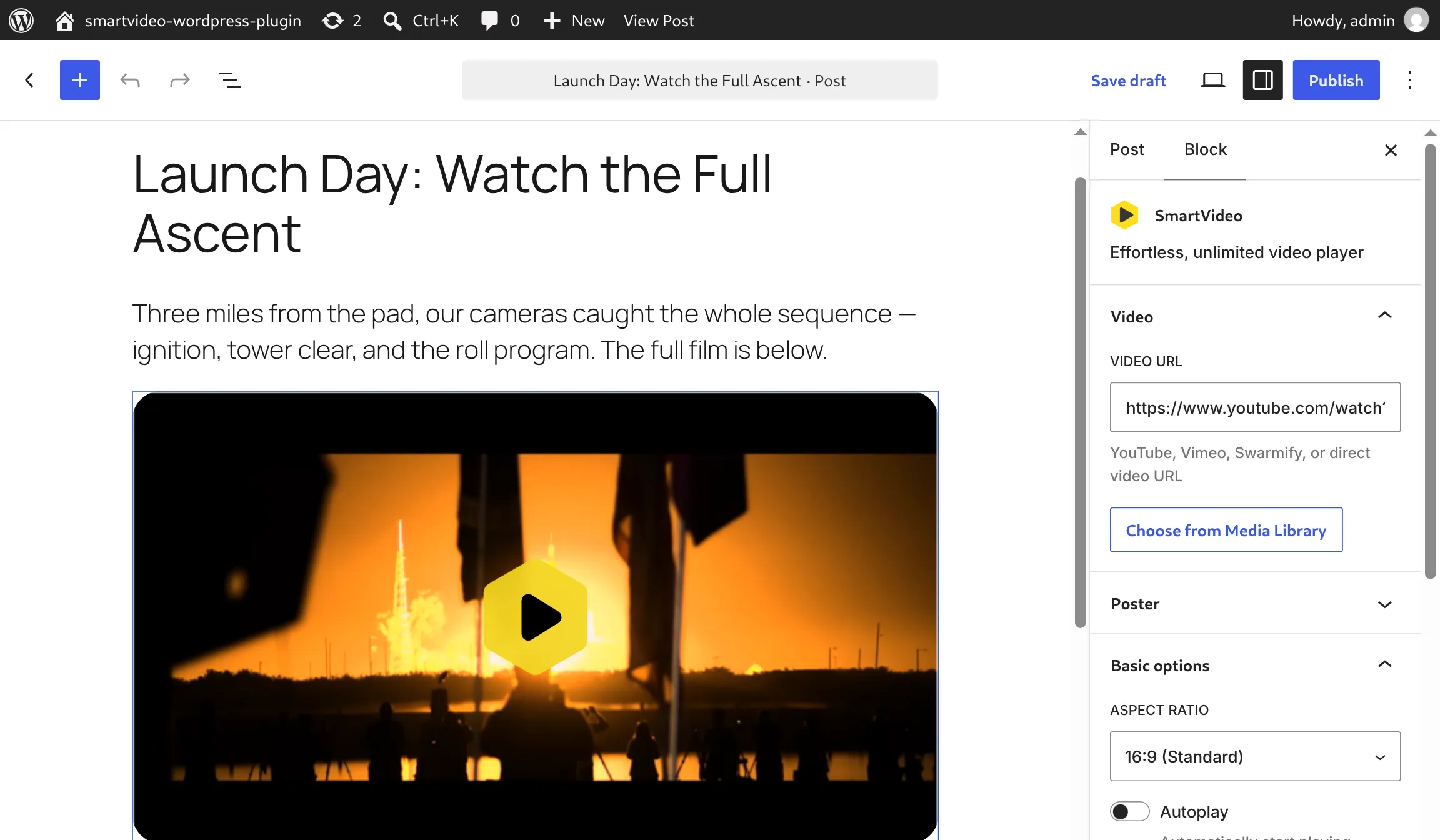
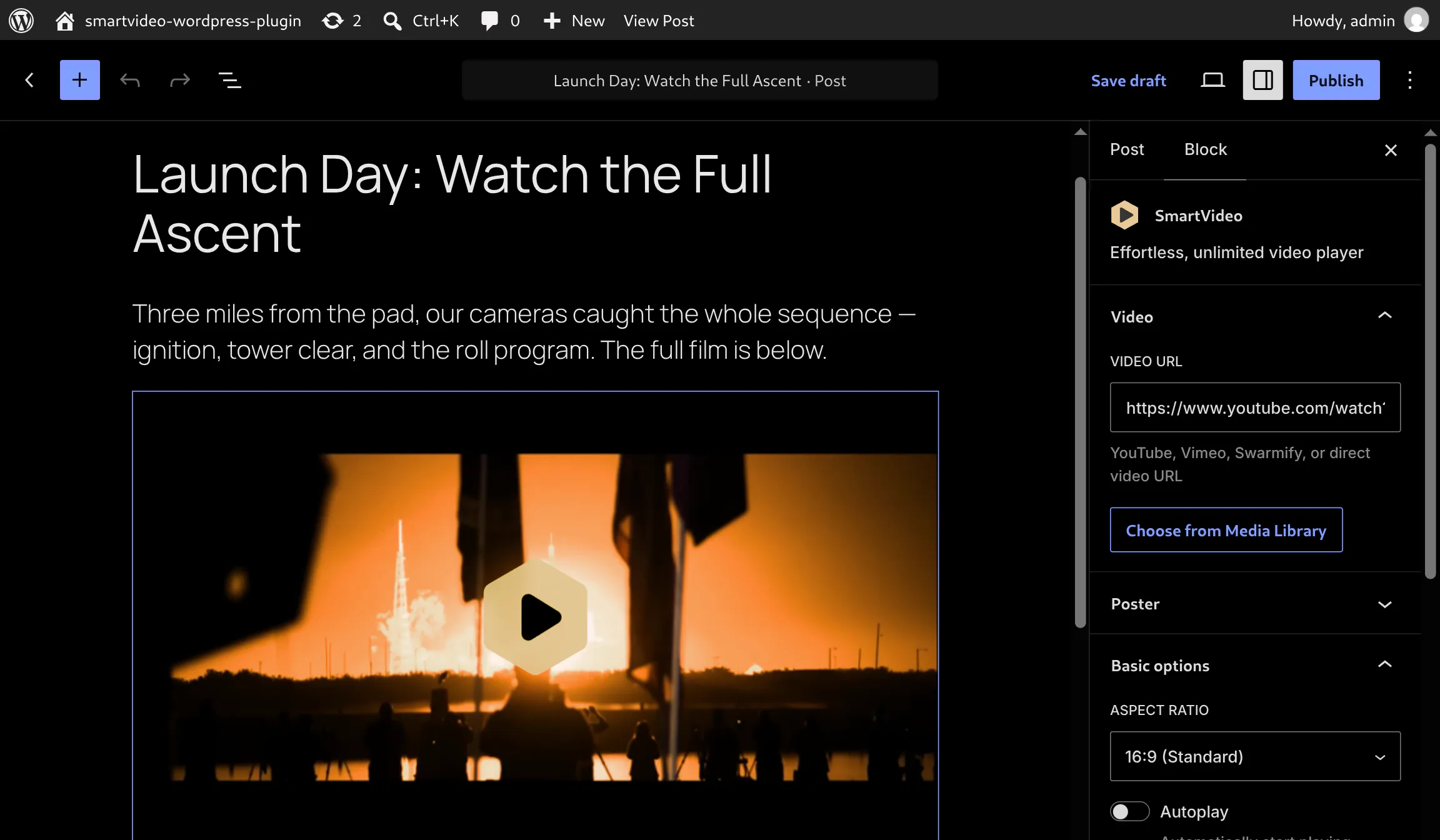
Works with Your Page Builder
Native blocks and widgets for the builders you already use. No shortcodes, no workarounds.
Gutenberg
BlockElementor
WidgetDivi 5
ModuleBeaver Builder
ModuleBricks
ElementBuilt for WordPress Owners Who Take Video Seriously
More than 150 million video plays a year run through SmartVideo.
- EasyWordPress install via the plugin
“Love this app. I have videos on my site and this takes away the annoying suggested videos, makes them look more professional and faster. I installed Swarmify on my Wordpress site and the process was very easy via the plugin.”

- Divione snippet, every site on one plan
“Very easy to add to my Divi Wordpress website - just add a small chunk of code to the Headers and nothing else is needed. In return, I get all the benefits of using the YouTube server with none of the downside of ads or additional content at the end of clips. It’s really genius and one subscription covers all my sites.”
- Rankingswent up after switching
“Our search-engine rankings went up after we switched over to Swarmify. Making the switch has led to a significant increase in our business.”

- Hiddenall YouTube branding and end screens
“It’s an absolutely great plugin that I highly recommend… HIDES ALL THE YOUTUBE BRANDING, and all the annoying Related Videos pop-ups at the end. Makes our videos look super-professional.”
WordPress Video Hosting FAQs
Still have questions? Get in touch or browse the help center.
Is there a WordPress plugin?
Yes. Install “SmartVideo” from the WordPress plugin repository — it’s free. You need a SmartVideo account (from $19/month) for the Swarm CDN Key. The plugin includes a video library right inside wp-admin.
Does SmartVideo work with Gutenberg, Elementor, and Divi?
Yes. SmartVideo works with Gutenberg, Elementor, Divi, Beaver Builder, and Bricks. Use shortcodes, the SmartVideo block, or paste smartvideo tags into any HTML widget.
How do I migrate from Vimeo?
Install the plugin and SmartVideo detects your Vimeo embeds automatically, then re-encodes and serves each video from our CDN. The Replace YouTube & Vimeo embeds setting is on by default. Your original Vimeo embeds stay intact; cancel SmartVideo and everything reverts. SmartVideo imports Vimeo videos whose Who can watch setting is Anyone. To keep those videos private to your own site while SmartVideo serves them, set Where can this be embedded to Specific domains and list your website’s domain. Password-protected and Only me videos stay on Vimeo. SmartVideo starts converting a Vimeo video the first time a page carrying it is opened, so every such page needs to be opened once. That includes pages behind a login: open each of those pages yourself once while logged in. See our full Vimeo migration guide.
Why not just use YouTube embeds?
YouTube embeds are free but add ads, suggested videos, and 2–4 seconds of load time. For business sites where speed and conversions matter, the trade-off isn’t worth it.
Does SmartVideo improve Core Web Vitals?
Yes. The player loads asynchronously and weighs far less than YouTube’s iframe. Most WordPress sites see improvements in LCP and Total Blocking Time after switching.
What happens if I exceed my view limit?
You’re never cut off. Startup includes 10,000 monthly views, Growth 50,000, and Pro 150,000. A small per-thousand overage rate applies. No throttling, no interruption. Use the price calculator for an estimate.
Is there a free trial?
Yes. Every plan comes with a 14-day free trial. A credit card is required to start, but you are not charged until day 15 — cancel before the trial ends and you will not be charged.
Install the plugin and the Vimeo embeds already in your posts swap site-wide. The original embed URLs stay intact — disable SmartVideo and every one of them reverts, with no page-by-page editing and nothing re-uploaded.
Try SmartVideo on Your WordPress Site
Deliver fast, ad-free video to every visitor. Install the SmartVideo plugin and set up in 2 minutes — no code changes. Vimeo embeds upgrade automatically — no re-uploads required.
14-day free trial · from $19/mo · Card required, no charge until day 15