TL;DR
- FreeMockup.video allows watermark-free commercial exports, according to its terms. Alion documents watermark-free export, but its FAQ and general terms need clarification for commercial work.
- Jitter, CoAnimator, and Rotato document free video routes with watermarks; that limitation belongs in the comparison, not the fine print.
- Mixkit supplies an editable After Effects project, not a ready-made MP4 or a free copy of the editing software.
- Replace the screen with your own recording, save the finished video, then choose playback for the website you control.
For free video mockups of your app or website, start with FreeMockup.video: its browser editor produced a watermark-free MP4 in our test. Other routes trade a watermark, additional editing, or software requirements for more control over the presentation.
The goal is a video you can keep: your product doing something useful inside a device frame. A free account, a moving preview, and a downloadable image are not equivalent to a free video export. This guide separates documented output from inspected files and flags licensing uncertainty.
We checked official pages and project downloads in October 2026, then tried browser exports with a generated test clip on November 11. One export showed the clip; another produced a black device screen in the frames we inspected. For help deciding what interaction to show, start with our product-video planning guide.
Which free video mockup tools and templates fit the job?
The six routes divide into browser generators, a local animation studio, and editable scenes. Choose by the file you need and the limitation you can accept, rather than by the nicest preview.
| Source | Documented deliverable | Watermark or requirement | Commercial-use boundary | Best starting point |
|---|---|---|---|---|
| FreeMockup.video | MP4 or transparent MOV, up to 4K | No watermark; transparent 4K clips limited to 15 seconds | Generated exports allowed; underlying assets cannot be redistributed separately | A simple app or website recording in a device |
| Alion Mockup Video Maker | WebM; Safari records MP4 | No watermark; video export is not transparent | FAQ permits commercial exports; general site terms need clarification | A local-browser render with several device types |
| Jitter | MP4, GIF, or Lottie | Free video is 720p, 30fps, with a watermark | Jitter’s template collection allows commercial finished animations; outside templates may differ | Editable device motion and layered presentation |
| CoAnimator | Desktop MP4; browser WebM preview | Desktop Free is 720p with a watermark; browser preview is also watermarked | Free and paid output may be used commercially; underlying sample assets cannot become a competing library | A device scene within a longer product video |
| Rotato for Mac | MOV or MP4; editable scene templates | Unlimited trial exports are watermarked; requires the Mac app | Finished mockups may be used commercially; check the specific template’s terms | Local 3D scene and camera control |
| Mixkit Smartphone Promo | After Effects project inside a ZIP | Requires After Effects and a separate render | Video Templates Free License, subject to User Terms | An editable phone promotion for an existing AE workflow |
The table’s formats are not interchangeable. An MP4 is a rendered video; an After Effects project is a recipe that still needs your media and a render. Lottie is an animation format, not an MP4 master of your recording. Keep that distinction in view when a site puts several export types under one “Download” button.
What happened when we exported a test clip?
On November 11, 2026, we exported and measured videos from two tools, FreeMockup.video and Alion, using a three-second portrait test pattern in Chrome on Linux. We repeated the Alion test with an eight-second H.264 MP4. We reviewed the other four sources using their own pages, and downloaded but did not open the Rotato and Mixkit projects. We measured downloaded videos with ffprobe and inspected frames; these are individual runs, not guarantees about every device or setting. Export time is the elapsed time from clicking export to the browser reporting a download, not a benchmark.
| Browser tool | Downloaded file | Watermark in inspected frames | Result and elapsed time |
|---|---|---|---|
| FreeMockup.video | H.264 MP4, 1080 × 1920, 10.0 seconds | None visible | Test pattern visible; about 84.5 seconds |
| Alion, eight-second retest | VP9 WebM, 1080 × 1920, 7.964 seconds | None visible at two seconds | Screen black in the sampled frame; about 8.1 seconds |
The FreeMockup export showed the test pattern inside the phone. The three-second source ended on a frame marked 2.958 seconds, which was still visible seven seconds into the ten-second export; we did not determine why the scene lasted ten seconds. Alion produced a black screen in sampled frames from the first export and again at two seconds in the longer H.264 retest. We did not establish why. Check the saved file with your own source before relying on a workflow.
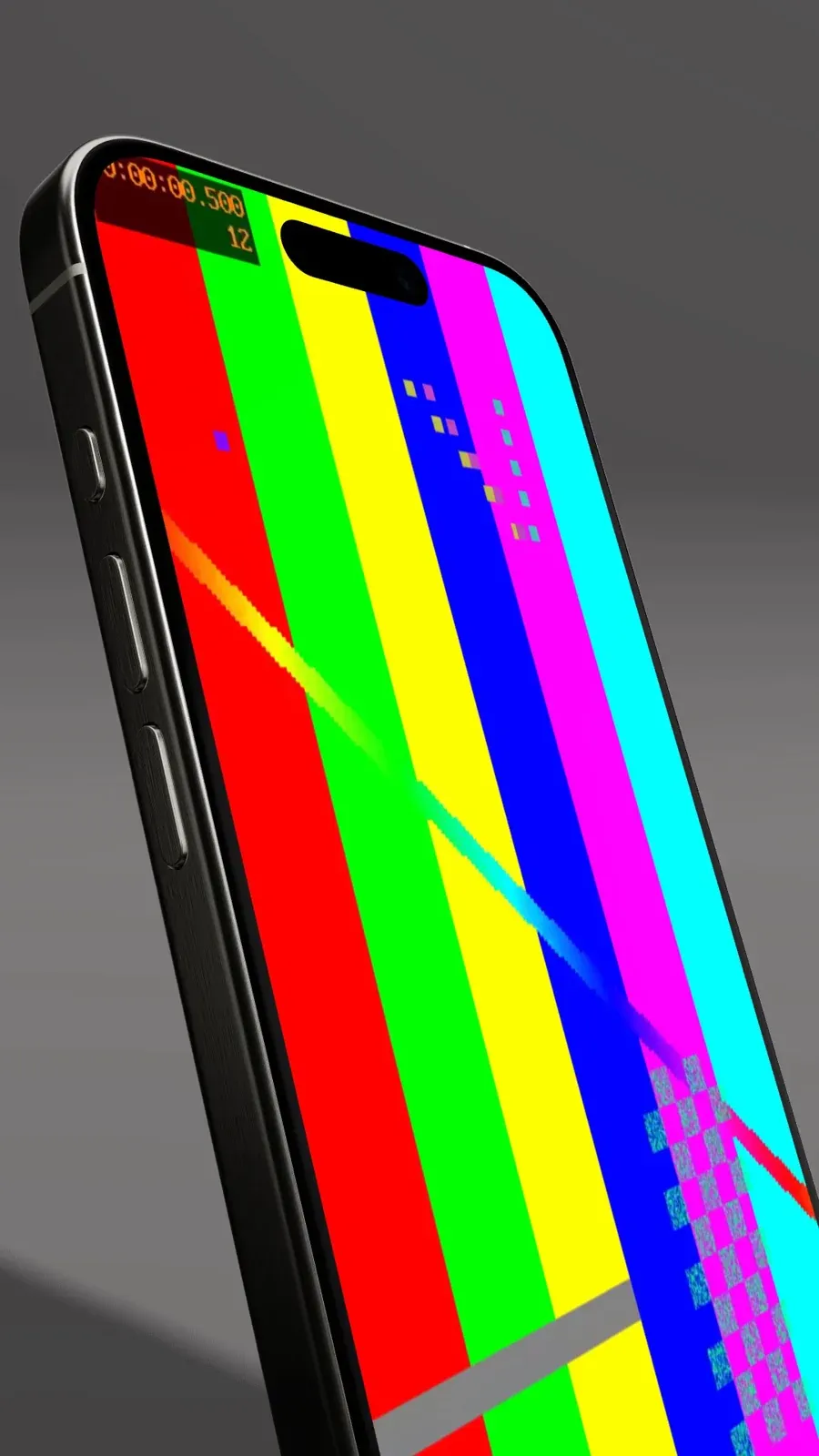 A frame half a second into our FreeMockup.video export of a synthetic test clip.
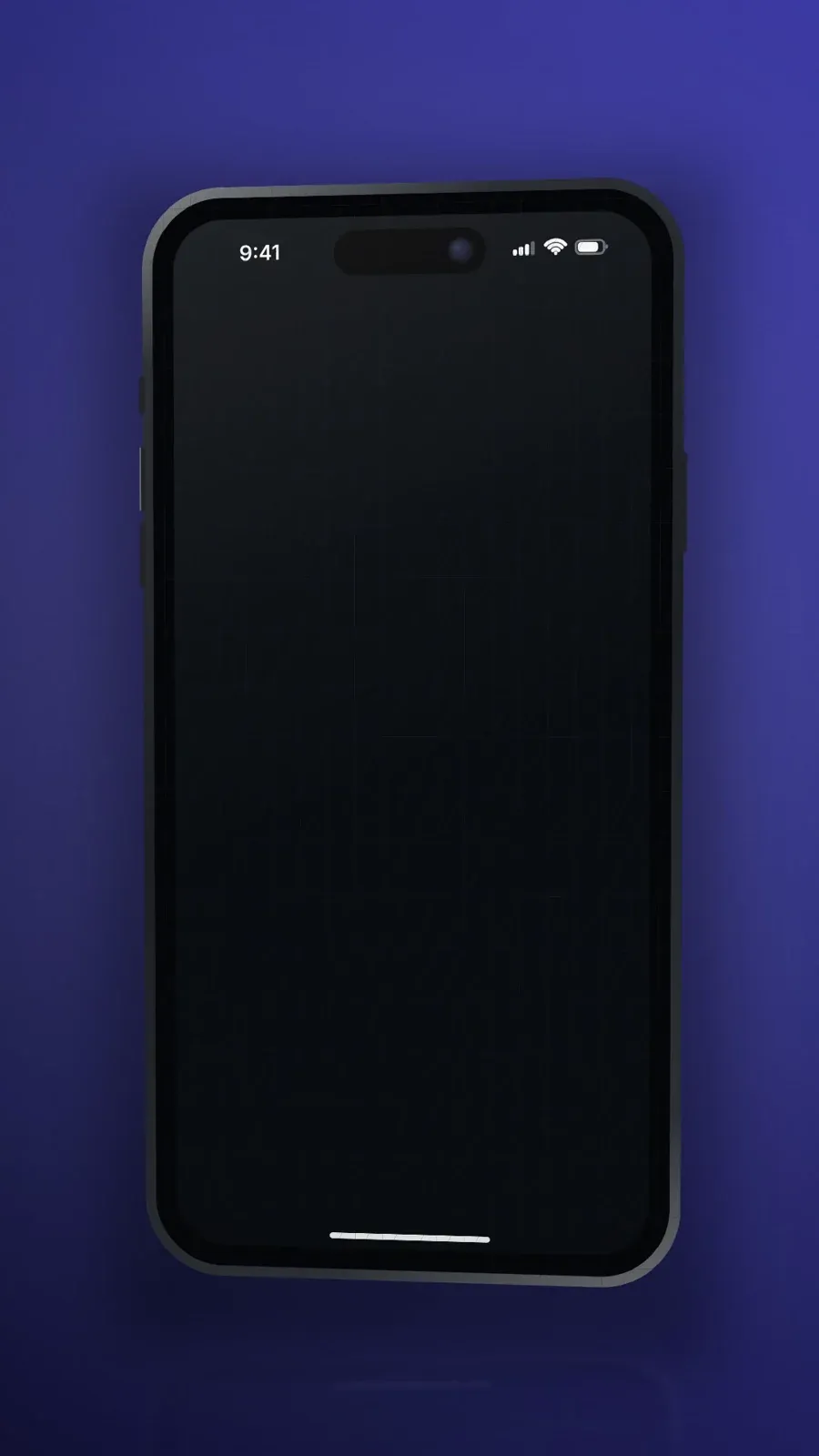 The uploaded pattern was not visible in a sampled frame from our first Alion export; the longer retest also showed a black screen.
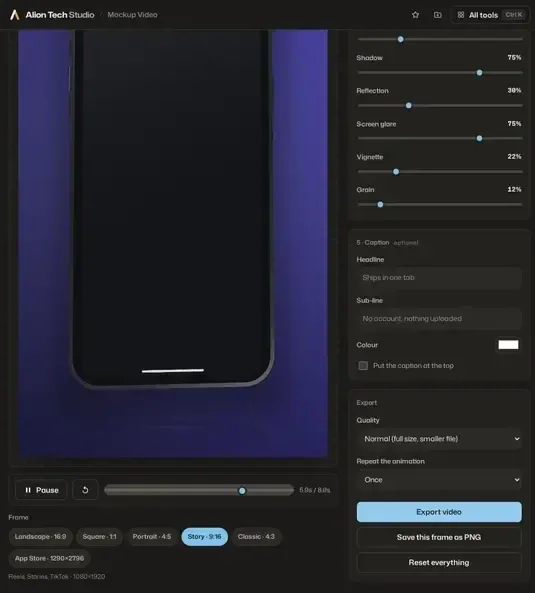 Alion’s editor after the longer-clip test, with export controls visible.
Our earlier command-line checks downloaded a Rotato scene and Mixkit project, not finished videos. The Mixkit archive contained an After Effects project and component media; neither project was opened or rendered.
How do browser generators differ from downloadable scenes?
A browser generator renders the composition for you; a downloadable scene leaves that work to its editing application. Both can produce a product video, but they ask for different skills and leave you with different working files.
With a generator, the useful questions are immediate: can it import your recording, does the chosen device belong to the free tier, what file can you download, and will a watermark appear? Style the smallest workable scene first. A successful preview does not establish that the free export has the same resolution, background, or branding.
With a template, check the required application, the supplied project format, and how the device screen is built. A moving phone in the preview may still contain a static image. Open the actual project, identify the screen layer or replacement composition, and check whether your recording can occupy it without rebuilding the shot. You may need to change timing as well as media.
A static PSD, PNG, or screenshot is a third category. It can be a poster or an opening card, but it does not demonstrate a working interface by itself. Turning it into a video requires a separate composition. Our free video template guide covers broader sourcing; keep this decision focused on the device-framed recording you need to retain.
How do you turn your recording into an exported device video?
Prepare one interaction, match the recording to the device, replace the screen media, and inspect a short rendered file. The following workflow uses FreeMockup.video’s documented free controls; apply the same checkpoints when choosing another source.
Prepare the recording before opening the mockup editor
Show one action with an understandable result: a search returns useful items, a booking is confirmed, or a report appears. Remove mistakes, waiting, unrelated navigation, and notifications. Record with demo data, and review the clip for customer names, internal URLs, access tokens, and unpublished information before using it anywhere.
Match the source to the frame. A wide dashboard belongs in a laptop scene; a portrait interaction belongs in a phone scene. FreeMockup.video’s help warns that a wide desktop recording needs heavy cropping to fit a phone. Our aspect-ratio guide helps before you choose a device.
Keep the original recording separate from the trimmed version. You may later need a different crop or a longer pause at the result, and the rendered mockup is a poor substitute for that source. If the capture still needs trimming, use our video-editing workflow before decorating it.
Choose an included device and replace its screen
Open the free editor, choose the device in Device, then open Media or drag your recording into the scene. According to FreeMockup.video’s free-editor help, common browser-friendly files such as MP4 are preferred. Wait for the preview to update before adjusting the composition or starting an export.
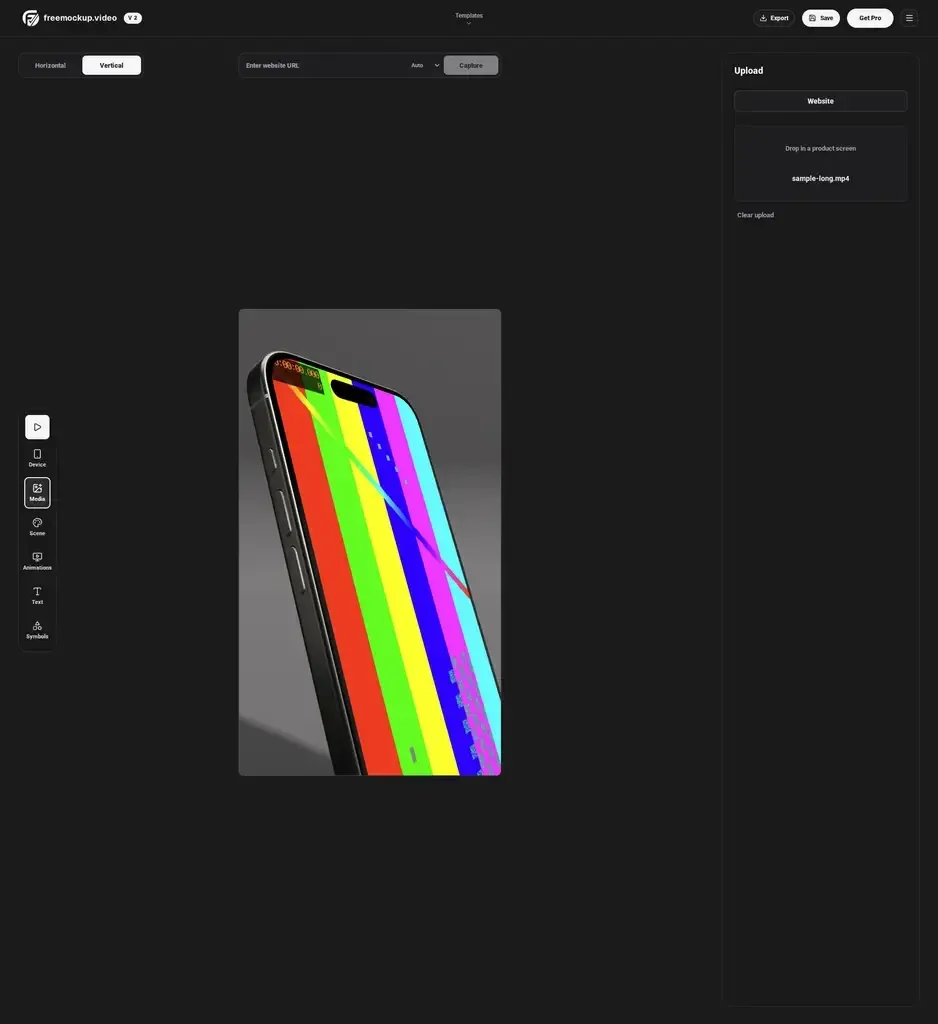 The FreeMockup editor with a longer, eight-second sample clip loaded after our measured export.
Uploading an existing recording is different from capturing a website URL. FreeMockup.video allows local media uploads without an account, while public-URL capture requires sign-in. The URL tool opens a public page without your logged-in session, so it is not a substitute for footage of a private dashboard or account workflow.
Adjust media fit until important labels, controls, and results remain visible. In practice, preview the entire device movement, not just the opening frame. A phone can turn away precisely when the product does something useful. Reduce the motion or use a more front-facing composition when that happens.
Export a test, watch it, and save the master
Start with a short test at a practical resolution. According to FreeMockup.video’s export instructions, HD is for quick checks and 4K for final assets. Choose Scene for an MP4 or Transparent for a transparent MOV; both are included in Free. The transparent 4K option is limited to 15 seconds, so use HD for a longer transparent clip.
Watch the downloaded file outside the editor. Check the beginning, the main interaction, and the ending; listen for audio you did not intend to include. A convincing editor preview does not prove that the saved recording has correct timing or readable text. Make corrections to the source when a problem exists in both the unframed recording and the export.
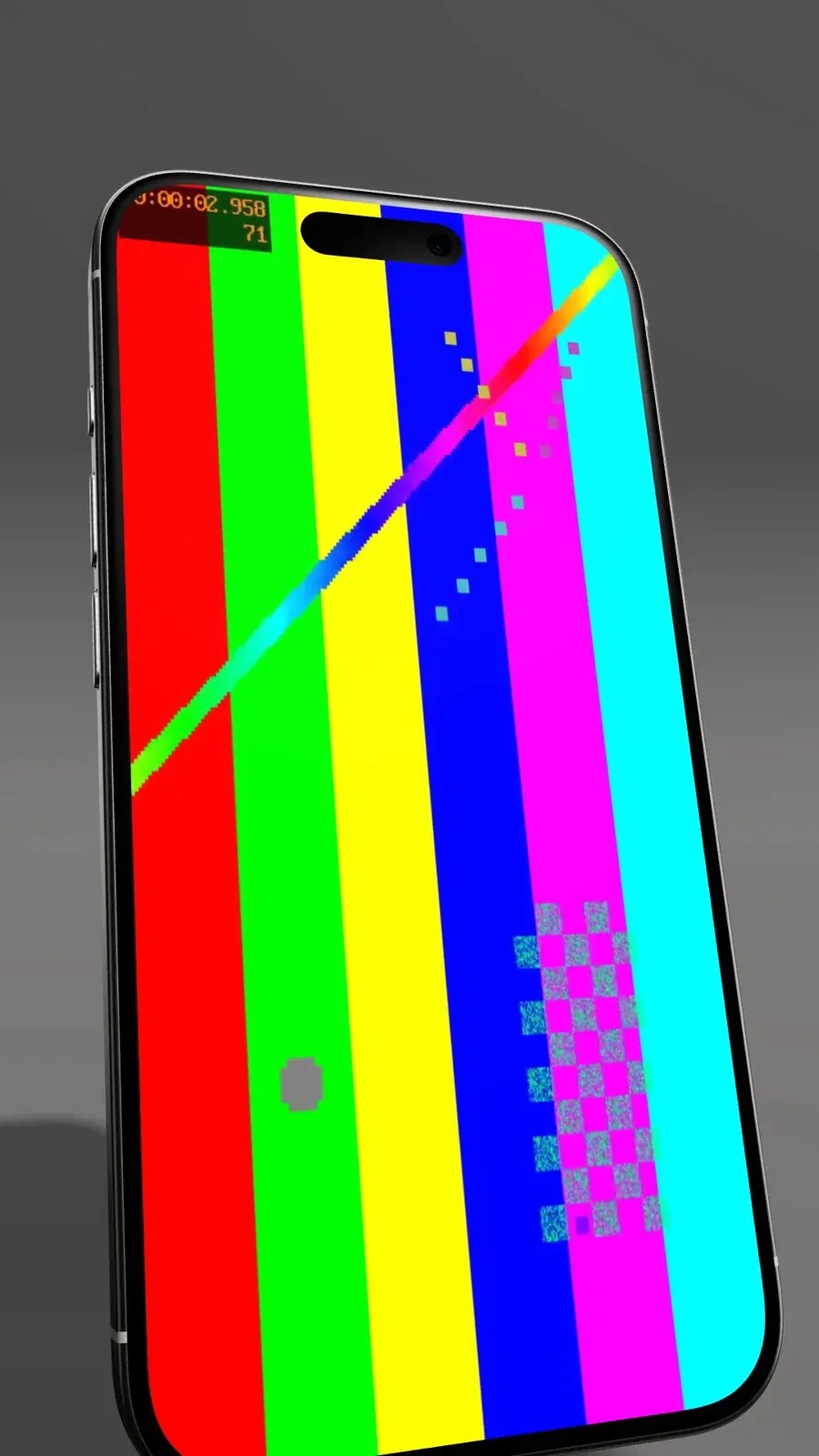 At seven seconds, the ten-second export still displayed the source’s last marked frame.
Save the original capture, the trimmed source, the editable scene where available, and the finished video. Use filenames that distinguish those roles, such as product-recording.mp4 and product-device-demo.mp4. For a watermarked tool, keep that mark intact unless the applicable paid plan removes it; ownership of your content is not permission to circumvent the editor’s free-tier conditions.
Your finished mockup belongs in your own product page, not inside the creation tool’s preview. Choose a website video-hosting setup for the saved demo, then test the player at the page’s desktop and mobile widths.
What do the six sources offer?
The sources trade export branding, software setup, or licensing clarity for different scene controls.
FreeMockup.video: start here for a simple MP4
FreeMockup.video is a direct starting point when you want a phone or laptop scene without another editing application. Its free editor includes iPhone 15 Pro, Samsung S22 Ultra, and MacBook devices, more than 50 animation options, and watermark-free MP4 export up to 4K. Local creation and export do not require an account. (FreeMockup.video, 2026)
The website-mockup guide labels its concrete MacBook scene as Pro; free users should choose the base MacBook with Color or Gradient. Transparent MOV is now included in Free. Transparent 4K clips are limited to 15 seconds; use HD for longer clips.
The terms of service permit generated exports in lawful personal or commercial projects, but prohibit extracting, selling, or redistributing underlying templates, models, or service assets as standalone resources. You also need permission for the recording, logo, and other uploaded content.
Alion Mockup Video Maker: local browser rendering
Alion’s Mockup Video Maker accepts a screenshot or a screen recording and places it inside a device while the scene moves. According to Alion’s FAQ, the content is read locally, without an upload or account. Its 13 device treatments include phone, tablet, laptop, desktop, browser-window, watch, and screen-only options.
The free download is a watermark-free WebM; Safari records MP4 instead. That browser-dependent difference matters if your next editor or hosting workflow expects an MP4. Check the file you actually receive rather than changing its extension. A renamed WebM has not been converted into an MP4.
In our browser tests, Alion produced a 2.745-second WebM from a three-second MP4 and a 7.964-second WebM from an eight-second H.264 MP4. The device screen was black in sampled frames from both exports; we did not determine the cause.
Alion’s commercial-use FAQ says its device art and animations are original, and exports may be used for clients and paid campaigns without attribution. However, its linked general terms grant only “personal, non-commercial transitory viewing” of website materials. Those terms do not explain whether they cover generated exports. Get clarification before relying on this route for commercial delivery; neither statement clears third-party material in your recording.
According to Alion’s export FAQ, recording happens in real time, and keeping the tab in front avoids stretched timing. Transparent PNG is available, but transparent video is not. If local browser processing matters to you, test your own recording and inspect the export before committing to this route.
Jitter: editable animated-device templates
Jitter’s device collection supplies free, customizable animations that you duplicate into its browser editor. This is a motion-design route rather than just a device-frame selector: useful when you want to adjust timing, add text, or combine several scenes around the recording.
Jitter’s Free plan includes video, GIF, and Lottie export at 720p and 30fps, with a watermark. According to Jitter’s pricing page, Free also includes 3 workspace files and a 20 MB maximum upload size, relevant when importing a recording. Its export help specifies MP4 (H.264) for free video and paid plans for watermark removal. The pricing table lists transparency for Max, Ultra, and Enterprise; export help mentions only Max and Ultra.
Before choosing a Jitter template, confirm that it accepts your recording and keep the interface legible while the device moves.
According to Jitter’s template licensing guidance, its template collection can be remixed for commercial purposes, including client work and distributing finished animations, without attribution. Templates obtained from outside websites or marketplaces may impose other terms. Pick this route for editable branded motion, provided the free watermark and resolution are acceptable for the intended placement.
CoAnimator: a local studio for a larger product video
CoAnimator is a desktop animation studio for macOS, Windows, and Linux, using an agent-led workflow. It renders locally to MP4 and keeps projects editable. It is broader than a drop-in mockup generator: the useful case here is a device scene that belongs inside a longer product video with titles, narration, or other motion.
Its free tier costs $0, does not expire, and allows unmetered local rendering. Exported video is capped at 720p with a “Made with CoAnimator” watermark; the paid license unlocks watermark-free and 4K export. (CoAnimator, 2026)
For a simpler no-install route, its browser device-mockup tool instead offers watermarked WebM previews. Do not apply the desktop tier’s MP4 format or resolution ceiling to that separate preview workflow.
According to CoAnimator’s terms, commercial use is permitted on the free tier with the watermark included. You own your projects and rendered videos, may sell or publish them, and owe no per-video royalty. Supplied templates and sample assets may be used inside your videos, not extracted and resold as a competing asset library.
Third-party AI services connected with your own keys have their own terms and charges. A free local renderer does not make those external services free.
Rotato: free scene templates, watermarked Mac trial
According to Rotato’s generic-device page, the Mac app offers an unlimited trial with watermarked exports and permits commercial use of what you create. The page lists 13 generic mockups. The native application accepts screen recordings and gives you control over the device, scene, and animation. Keep this comparison scoped to Rotato for Mac; the web product has separate accounts and pricing.
For a verified downloadable scene, the iPhone 12 Pro Silver Vignette template provides a .rotatotemplate download, requires Rotato, and explicitly permits personal and commercial use. Its page also permits redistribution of that particular template. Do not transfer that item-specific permission to other providers’ assets.
Rotato’s official format reference lists standard H.264 or HEVC video in MOV or MP4, as well as other export types. For a website delivery workflow, choose and test the actual codec and container rather than assuming any MOV belongs directly in the browser. The free trial’s watermark remains the main production limitation described on the current trial page.
Mixkit Smartphone Promo: an After Effects project
According to Mixkit’s Smartphone Promo page, this free After Effects project supplies animated phone frames and clean text. That is an editable project, not an MP4 you can immediately upload to a hosting service. Inspect the screen replacement and required media in the project before committing to it.
The item page links the Video Templates Free License, which permits commercial and non-commercial projects without required attribution, subject to limits in the User Terms. Mixkit’s User Terms clarify that downloads confer a non-exclusive license, not ownership of the underlying item (Mixkit User Terms, 2026). Our download also contained a font-link text file rather than a bundled font; that link does not establish a font license.
What rights should you check before using the result commercially?
Check the generated video’s permitted use separately from the underlying scene’s license. A provider may allow a mockup in your product page while prohibiting resale of its device model, template, or generated clip as a standalone stock asset.
The recording needs its own review. A tool’s commercial permission does not clear a client’s unpublished interface, customer information, a third-party logo, a licensed font, or music added later. Use a demonstration account and material you own or have permission to use. For client work, confirm who will publish the result and what the asset license allows them to receive.
Keep the source link and the applicable terms with your working files. When handing over an editable scene, recheck the template’s transfer or redistribution rules; permission to show a rendered video is not automatically permission to pass along the source project. Rotato’s verified scene has its own stated redistribution permission, while several generators explicitly restrict their underlying assets.
Do not remove a free-tier watermark by covering, cropping, or patching it without permission. Where the provider documents a paid watermark-free export, that is the legitimate route. The distinction is useful at selection time: a legally usable watermarked draft may still be unsuitable for a polished product page.
What makes the saved mockup ready for your website?
A website-ready mockup must remain readable at the real page width and work through the chosen player. Exporting the scene is only the creation stage; it does not establish loading behavior, browser compatibility, or usable playback controls.
MP4 names a container, not one codec. According to MDN’s container guidance, browser support for a container does not establish support for the specific codecs inside it. Test your actual delivery file, including audio if present, instead of relying on the filename. Keep a useful-quality master separate from any compressed or converted delivery version.
In practice, try the video inside a draft video landing page at desktop and phone widths. Can a visitor identify the action and result without your explanation? If the frame leaves tiny text inside another phone-sized screen, enlarge the interface or simplify the composition. The fullscreen render is not the final viewing condition.
For an explanatory demo, click-to-play with visible controls is a sensible starting point. W3C’s Pause, Stop, Hide guidance requires a pause, stop, or hide mechanism for nonessential moving content that starts automatically, lasts more than five seconds, and appears alongside other content. Include that control when designing automatic motion. (W3C, 2026)
Our web-video optimization guide covers delivery and compression choices; the background-video guide covers that more specific placement. Neither requires recreating the device scene when you have kept an independent export.
Why does the exported video mockup look wrong?
Compare the raw recording with the rendered file first. When the same blur, rushed action, or missing information appears in both, fix the source rather than switching mockup tools.
- If controls are cropped, match the recording’s aspect ratio to the device, then adjust media fit. Do not hide the task’s final result to fill the frame.
- If text becomes too small, enlarge the screen in the composition, reduce the device angle, or simplify the recorded view. Extra export resolution cannot compensate for a tiny display area on the page.
- If timing changes, check whether the selected tool records in real time and requires a visible foreground tab, as Alion documents. Compare the actual saved file with the source.
- If the ending is abrupt, hold the successful result long enough to read it. For a loop, check the last-to-first transition rather than only the middle of the clip.
- If the file will not play, inspect the actual format and codec, then test the delivery path. Conversion changes the file; renaming its extension does not.
You are finished when the downloaded video explains the product at the intended size, its usage fits the license, and you have saved the source materials for later revisions. You do not need another animation simply because the editor offers one.
Find hosting for your finished product demo
What else should you know about free video mockups?
The questions below distinguish the scene-making step from the file and rights you keep. Check both before committing a product launch to a free workflow.
What is a video mockup?
A video mockup places a recording or other moving content inside a device scene. The rendered file contains the device and the screen content, so viewers do not need the creation tool to watch it.
Are free image mockups also free video mockups?
No, a free image export does not establish that video export is included. Check whether the free workflow accepts your recording and downloads a playable video, rather than a still image or a preview link.
Can I use a free video mockup commercially?
Only when the applicable license permits the intended use. Check the finished-output rights separately from source-project redistribution, and make sure you have permission for the recording, logo, and any other material you add.
Does free video export mean there is no watermark?
No, several tools offer free downloadable video with visible branding. Confirm the free plan’s watermark rule before building the scene, especially when the finished demo belongs on a customer-facing product page.
Do I need After Effects to make a device video?
No, a browser generator can render a device-framed recording without an After Effects project. You need the specified editing software when you choose an editable template designed for that application.
Can I put a desktop website recording in a phone frame?
You can attempt it, but a wide desktop view may need substantial cropping to fit a portrait screen. Prefer a laptop scene for the desktop experience or record the real mobile layout for a phone scene.
Does an MP4 export guarantee browser playback?
No, playback also depends on the codecs inside the container and the delivery setup. Test the actual exported file through the player you plan to use on desktop and mobile browsers.
Can I host the exported mockup somewhere else?
A downloaded video can be uploaded to a separate hosting service, subject to its license and that service’s requirements. Keep the original recording and final export so you can change the playback setup without recreating the device scene.