
To create a Vimeo embed, open the video in your Vimeo Library, select Share, choose Embed, keep the default Responsive size, copy the iframe code, and paste it into an HTML or embed block on your website. Publish the page, then test it in a logged-out browser so your Vimeo owner session cannot hide a privacy problem.
The tricky part is making sure the same player works for visitors, on the production domain, at mobile widths, and under the privacy rules you intended. This guide handles the working setup first, then traces the failure modes that cause most Vimeo embed errors.
📋 TL;DR • Start in Share: Use Vimeo’s generated iframe instead of assembling a player URL by hand. • Keep it responsive: Responsive is selected by default; use Fixed only when the layout calls for fixed dimensions. • Check privacy twice: Viewer privacy controls who can watch, while embed privacy controls where the player can appear. • Test as a stranger: Check the published production page in an incognito window and on a narrow screen. • Treat DNT precisely: The setting disables Vimeo session data and analytics, but essential cookies can remain.
How do you embed a Vimeo video on your website?
To embed a Vimeo video, copy the iframe generated from its Share panel, then confirm that viewer privacy, embed privacy, and the production hostname allow the intended audience to play it.
- Open the video in Vimeo. Sign in, go to your Library, and select the video you want to place on the page.
- Select Share, then Embed. The Share panel generates the current player code for that exact video.
- Leave the size set to Responsive. Vimeo selects Responsive by default. Choose Fixed only if a controlled layout needs exact pixel dimensions.
- Review the available player options. Set autoplay, mute, loop, colors, and visible controls if your plan exposes them. Browser rules still govern whether autoplay can begin.
- Copy and paste the code. Add it to an HTML file, a CMS Custom HTML block, or the page builder’s embed/code element. Publish and test the live page while logged out.
Vimeo’s Share-to-Embed workflow provides the current player code for the selected video (Vimeo Help, 2026). If you use WordPress, a Vimeo block can accept a public video URL, but a Custom HTML block gives you the complete iframe and its privacy parameters. Our WordPress video embedding guide explains the editor-specific choices.
You do not need to recopy the iframe after changing the video’s Appearance settings in Vimeo. Vimeo’s embedded-player customization guide has you save those choices once under Appearance → Embed: autoplay and mute defaults are set “for every embed from one place,” and looping can be enabled “without editing embed code.” A parameter you type into one iframe URL, by contrast, belongs to that iframe alone, so repeat it in any other placement that needs the same behavior.
What does a Vimeo embed code look like?
 An embed code defines the outer container dimensions and permissions for the player frame. Conceptual illustration, not real code.
A standard Vimeo embed uses an iframe URL for the selected video and includes dimensions and playback permissions, as this code shows:
<iframe
  src="https://player.vimeo.com/video/VIDEO_ID"
  width="640"
  height="360"
  frameborder="0"
  allow="autoplay; fullscreen; picture-in-picture"
  allowfullscreen>
</iframe>
ℹ️ What is a video embed? An embed places a hosted player inside your page through an iframe. The video stays on the host’s infrastructure while the visitor watches it without leaving your site; our guide to embed-code anatomy and security covers the broader mechanics.
The src identifies the video and carries player parameters. The allow attribute grants iframe features such as autoplay and fullscreen. Width and height provide an aspect ratio, while Vimeo’s responsive wrapper lets the player scale with its container. The code copied from Share may include more wrapper markup than this simplified example; keep the generated structure intact.
For an Unlisted video, the player URL also contains a privacy hash:
https://player.vimeo.com/video/VIDEO_ID?h=PRIVACY_HASH&autoplay=1&muted=1The hash must be the first query parameter: ?h=.... Additional parameters follow with &. Do not replace the hash or move it behind a second question mark when editing the URL.
How do you test a Vimeo embed as a visitor?
In practice, a player that works while you are signed in to Vimeo is not proof that the public page works. Run this short acceptance test after publishing:
- Open the production URL in a logged-out or incognito window.
- Press play and seek to a later point in the video.
- Test on a narrow mobile viewport as well as on desktop.
- Confirm captions, keyboard controls, fullscreen, and sound behave as intended.
- If embedding is domain-restricted, test the production hostname and any preview hostname separately.
Wyzowl’s 2026 survey of 266 unique respondents, conducted in late 2025, found that 89% of consumers say video quality affects their trust in a brand. Treat that as a reason to test a finished embed, not as a promise that one player or host earns more trust (Wyzowl, 2026).
Wistia’s 2026 State of Video Report found that 90% of teams surveyed are taking steps to make video accessible, with captions the most common starting point. The survey does not verify the captions or controls of a particular Vimeo embed, so check the published page (Wistia, 2026).
- The Wyzowl trust figure was 91% in 2025 and 87% in 2024, putting the current result below the first and above the second (Wyzowl, 2026).
- The same report found that 96% of people have watched an explainer video to learn more about a product or service (Wyzowl, 2026).
Why is your Vimeo embed not working?
| What you see | Likely cause | Fix |
|---|---|---|
| It plays for the owner, not visitors | Viewer privacy is Private | Choose a viewer setting intended for outside viewers |
| “This video does not exist” | Missing or damaged Unlisted hash | Copy fresh code and preserve ?h=... |
| Privacy error on one site | Domain or referrer mismatch | Allow the hostname and send a usable referrer |
| Player is cropped or overflows | Theme or builder CSS overrides the iframe | Restore responsive container and iframe sizing |
| Autoplay or a control is missing | Browser policy, plan gate, or narrow player | Mute autoplay; verify owner plan and player width |
Private video plays for you but not visitors
Private controls who may view the video; it is not a website-only mode. Vimeo’s Private setting limits viewing to the owner and team members. A signed-in owner can therefore see a player that an ordinary visitor cannot play.
Changing “Where can this be embedded?” does not override Private viewer access. Choose a viewer setting suited to your audience—such as Unlisted, Password, or Embed only—then configure embed privacy separately. Vimeo’s video privacy documentation lays out who can watch under each setting. If access must follow a course or membership login, remember that a secret link or domain allow-list is not the same as authorizing each viewer; see our guide to gating the stream for membership sites.
Unlisted video says it does not exist
An Unlisted Vimeo video requires its privacy hash. If a CMS sanitizes the URL, someone copies only the numeric video ID, or a parameter edit removes ?h=..., visitors may see “This video does not exist” even though the video remains in the owner’s Library.
Copy fresh code from Share and compare the complete src. The correct pattern is ?h=HASH¶meter=value. Vimeo’s troubleshooting page confirms that a missing hash causes this message and explains how to recover the correct code (Vimeo Help).
Privacy settings say the video cannot play here
In practice, this message points to embed privacy, not necessarily viewer privacy. Under Specific domains, Vimeo must identify the page’s hostname from the request referrer and match it to the video’s allow-list.
Specific domains supports up to 50 entries and does not accept wildcard characters. An allowed root domain covers its direct subdomains, but deeper nested levels need careful verification. The setting is also unavailable on Vimeo’s free tier (Vimeo Help). Add the real production hostname—not merely the CMS editor URL—and test redirects, preview domains, and alternate hostnames such as www.example.com.
If the hostname is already allowed, open browser DevTools, select Network, reload the page, open the Vimeo player request, and inspect its Request Headers. A site header such as Referrer-Policy: same-origin or a meta tag using no-referrer can suppress the cross-site referrer Vimeo needs. Masked preview domains and third-party wrappers can cause the same mismatch. Vimeo provides a focused referrer-policy diagnostic.
💜 Tired of fragile Vimeo embed rules? If plan-gated controls, privacy hashes, or referrer checks keep turning routine page updates into playback incidents, SmartVideo can replace Vimeo embeds with a branded, ad-free player and CDN delivery. See the Vimeo replacement path.
The embed is not responsive or looks wrong
Start with a fresh Share code set to Responsive. If the player still overflows, appears tiny, or is cropped, inspect the page’s CSS before changing Vimeo settings. A theme or builder may force a fixed iframe width, constrain the wrapper, apply an incompatible aspect ratio, or hide overflow.
In DevTools, select the iframe and its parent elements. Look for fixed width values, restrictive max-width, absolute positioning, and aspect-ratio rules inherited from a generic media class. If the CMS removed Vimeo’s wrapper, repaste the complete generated embed into a raw HTML block. For methods beyond Vimeo’s iframe, compare the options in our guide to embedding video on a website.
Autoplay, fullscreen, or other controls do not work
In practice, autoplay is governed by the browser as well as Vimeo. Modern browsers block autoplay with audible sound, so pair autoplay=1 with muted=1. If the player sits inside another iframe created by a page builder, that outer iframe may also need permission through allow="autoplay". Vimeo’s autoplay troubleshooting guide covers browser restrictions.
For fullscreen, keep fullscreen in the iframe’s allow attribute and retain allowfullscreen when Vimeo includes it. Then separate a broken feature from an unavailable one: player parameters and controls can depend on the video owner’s Vimeo plan, not the visitor’s account. Check Vimeo Player Parameters for the current availability of each feature.
What do Vimeo’s privacy settings control for an embedded video?
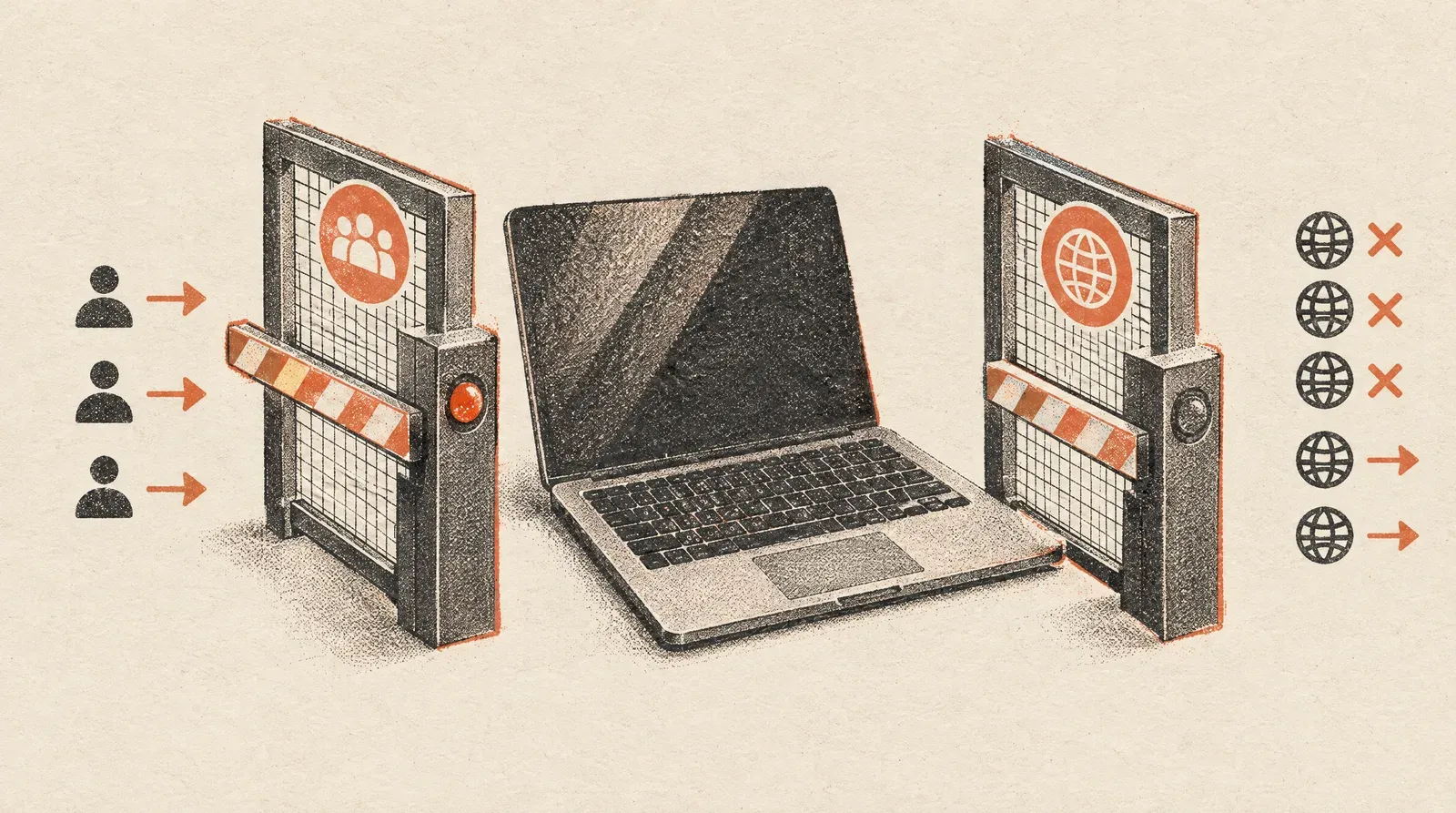 Viewer privacy and domain embed permissions operate as two separate security gates. Conceptual illustration, not vendor interface.
Vimeo separates who can watch the video from which websites can load its embedded player; the two settings answer different access questions.
- Viewer privacy: who is allowed to watch the video.
- Embed privacy: which websites are allowed to load the player.
- Player capabilities: which controls and settings the owner’s plan makes available.
Treating them as one switch creates confusing repairs. Private can block outside viewers even on an allowed domain. Unlisted can permit viewing but fail when its hash disappears. Specific domains can reject an eligible viewer when the site withholds its referrer. A useful security design starts by choosing the audience, then the permitted sites, then the player behavior.
For sensitive material, decide what you are protecting. Unlisted hides the video from public discovery but anyone with the complete URL can share it. Password adds a shared secret. Embed only limits presentation to approved sites. None of those alone creates user-by-user membership authorization. Our private video hosting explainer maps those controls to different access risks.
Does dnt=1 make Vimeo cookie-free?
 The do-not-track parameter blocks analytics data while allowing essential playback cookies. Conceptual illustration, not technical diagram.
No. Adding dnt=1 blocks the player from collecting session data and analytics, but it does not make the player cookie-free.
Vimeo says essential cookies including player_clearance, cf_clearance, _cf_bm, and _cfuvid may still be set for playback, security, and bot protection. Cookies already stored for Vimeo can also be sent by the browser. The precise behavior is documented in Vimeo’s player cookie reference.
Describe dnt=1 as an analytics-limiting or privacy-enhanced mode, not a zero-cookie embed. Your consent implementation should follow the rules that apply to your visitors and your site’s complete data flow. The same naming trap appears across video platforms, as our explanation of privacy-enhanced YouTube embeds shows.
When should you change the video host instead of fixing the embed?
A Vimeo embed that fails because of one missing hash or a CSS override should be repaired, not replaced. A different host becomes the cleaner long-term choice when the recurring problem is structural:
- Required player controls stay behind a plan entitlement that does not fit the project.
- Domain and referrer validation repeatedly breaks across previews, builders, or customer-owned sites.
- Your consent design requires a data and cookie model the Vimeo player cannot meet.
- Your team spends more time auditing embed variants than managing the videos themselves.
- You want an ad-free, branded player with one installation path across WordPress and non-WordPress sites.
That is a host-fit decision, not a reason to abandon a working embed. Keep pricing, bandwidth, and platform comparisons out of the diagnosis; first prove whether the failure is code, privacy, referrer handling, browser policy, or entitlement. Readers making a broader platform decision can use our focused YouTube versus Vimeo business comparison.
Vimeo embed FAQs
How do I get the embed code for a Vimeo video?
Open the video from your Vimeo Library, select Share, choose Embed, and copy the generated iframe. Copy from the owner-side Share panel rather than from a third-party page so the code includes the current video ID, responsive wrapper, and any required privacy hash.
Can I embed a private Vimeo video on my website?
No, Vimeo’s Private viewer setting limits playback to the owner and team members, so ordinary website visitors cannot watch it. For a controlled external audience, evaluate Password, Unlisted, or Embed only, then test the result in a browser that is not signed in to the owner’s Vimeo account.
Why does my Vimeo embed say “This video does not exist”?
For an Unlisted video, this often means the iframe lost its privacy hash. Compare the player URL with a fresh Share code and make sure the h parameter follows the first question mark; a second parameter must begin with an ampersand, not another question mark.
Why does my Vimeo embed work in the editor but not on the live site?
The editor and live site can use different hostnames, referrer policies, and HTML sanitizers. Check whether the production hostname is on Vimeo’s allowed-domain list, then compare the final iframe src in the published DOM with the code you pasted; this catches builders that strip query parameters.
Can I use a wildcard for Vimeo embed domains?
No, Vimeo does not accept wildcard characters in its Specific domains list. The list accepts up to 50 domains, and a listed domain covers direct subdomains but not every deeper hostname pattern, so test each production route that matters.
Why will a Vimeo video not autoplay on mobile?
Vimeo’s guidance requires muted autoplay for Safari 11+ and Chrome 66+, and says iOS devices cannot autoplay in Low Power Mode. Preserve the allow=autoplay permission on the Vimeo iframe and any iframe containing it; Vimeo says its default code includes this permission, but custom or nested embeds may need it added to each frame. Leave a visible play control as the fallback.
Why are Vimeo player controls missing?
A control can be unavailable because the video owner’s plan does not support its player parameter or because the iframe does not allow the feature. Check Vimeo’s Player Parameters documentation for the current availability of each feature and inspect the iframe’s allow attribute.
Does changing a Vimeo thumbnail require new embed code?
No, saved Appearance changes such as a new thumbnail propagate to existing embeds without replacing the iframe. By contrast, a URL parameter manually added to one iframe belongs only to that embed, so repeat the parameter in any other placement that needs the same behavior.
Does dnt=1 stop all Vimeo cookies?
No, dnt=1 blocks the player from collecting session data and analytics, but essential cookies can remain. It also does not stop the browser from sending Vimeo cookies stored from earlier visits.
Should you fix the Vimeo embed or consider another host?
Start with Vimeo’s Share-generated responsive code, verify the viewer and embed privacy settings independently, preserve any Unlisted hash, and test the production page while logged out. Those steps resolve the code and configuration failures without turning a repair into a platform project.
If the same privacy, control, or referrer constraints keep returning across your site, SmartVideo offers a more direct ad-free embed workflow with WordPress tools and a script option for other sites. You can test the fit with a free trial after you have confirmed the host—not the page code—is the recurring problem.