As you can probably tell from our site: we love yellow 💛
But, we know you have certain colors that you love too. That’s why, with SmartVideo, you can change the accent color of the player!

Just follow the simple instructions below :
If you’re using the SmartVideo plugin for WordPress:
Open SmartVideo in your WordPress admin sidebar and select Settings. Under Player appearance, use Primary color to choose a color with the picker or type a hex code. Your choice saves automatically.
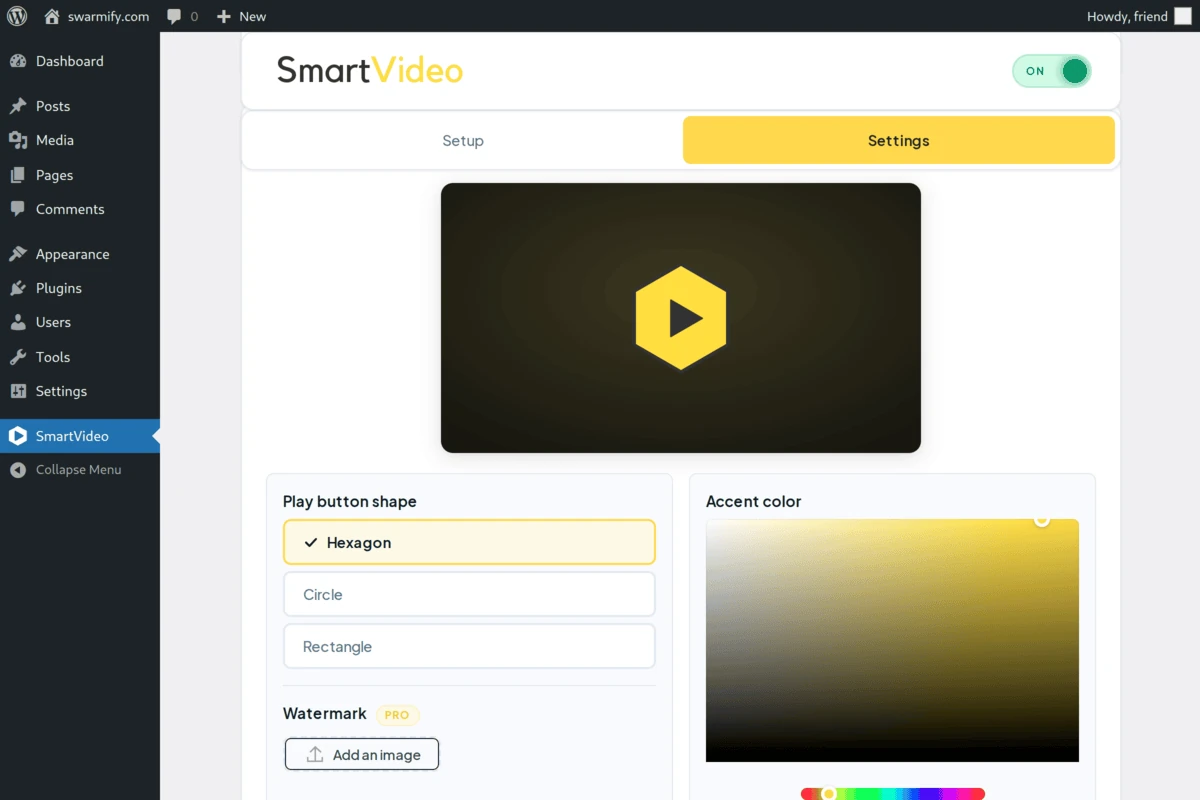
This screenshot shows an older plugin interface. In the current plugin, the color picker is labeled Primary color under Player appearance.
If you’re not using the plugin for WordPress:
Visit the Configuration tab in your Swarmify Dashboard. That tab will allow you to change the color of your player, outputting a new script to replace your old script in your site’s head tag.
If you want to manually edit the script in your head tag*:*
Note: this method will not work if you have SmartVideo enabled on your site via our WordPress plugin.
1. Add this snippet to the SmartVideo script in the head tag of your site:
theme: {
    primaryColor: "YOUR_HEX_CODE"
}
2. Replace YOUR_HEX_CODE with the hex code corresponding to the color of your choice, such as #ffde17.
Tinting the frosted-glass surfaces (optional)
The SmartVideo player’s control bar, menus, and overflow panel use a frosted-glass treatment that subtly picks up your primary color. If you’d like to dial that effect up or down, add a glassTint value alongside primaryColor:
theme: {
    primaryColor: "YOUR_HEX_CODE",
    glassTint: 5
}
glassTint accepts whole numbers from 0 to 15 (we clamp anything outside that range). The default is 3 for a gentle wash; bump it higher for a more saturated brand feel, or set it to 0 to opt out and keep the glass neutral. 🎨
Example configuration :
<script data-cfasync="false">
    var swarmoptions = {
        swarmcdnkey: "YOUR_SWARM_CDN_KEY",
        theme: {
            primaryColor: "YOUR_HEX_CODE",
            glassTint: 5
        },
        iframeReplacement: "iframe",
        autoreplace: {
            youtube: true
        }
    };
</script>
<script async data-cfasync="false" src="https://assets.swarmcdn.com/swarmcdn.js"></script>
If you still experience issues or need some help, please give us a shout using the support widget on this page.