Black Friday sale: 25% off your first year on annual plans. Ends Dec 6. Start your trial

The Swarmify dashboard, rebuilt

Built from scratch and live now at dashboard.swarmify.com. Here’s a look around.

14-day free trial · Card required, no charge until day 15

Tour of the dashboard

A short tour with no sound: Home, then the Library, Player and Analytics.

Why we rebuilt it

We wanted to modernize the dashboard, bring you the features you’ve been requesting, and make it a pleasure to use.

It also gives us a strong foundation to build out more functionality. Library, Player, Analytics and Account are now one app, with one sidebar to move between them. Nothing changes for your viewers: the videos on your site keep playing as before.

What’s new

Your first five minutes

Start a trial and your account opens with a sample video in the Library and a checklist on Home that walks you through four steps.

  1. Configure the player Set your colors, play button and controls.
  2. Install it on your site Copy the install snippet into your site.
  3. Upload or import your first video Import takes up to 50 links at once, and public Dropbox and Google Drive links work.
  4. See your analytics Check views over the last 7, 30 or 90 days.
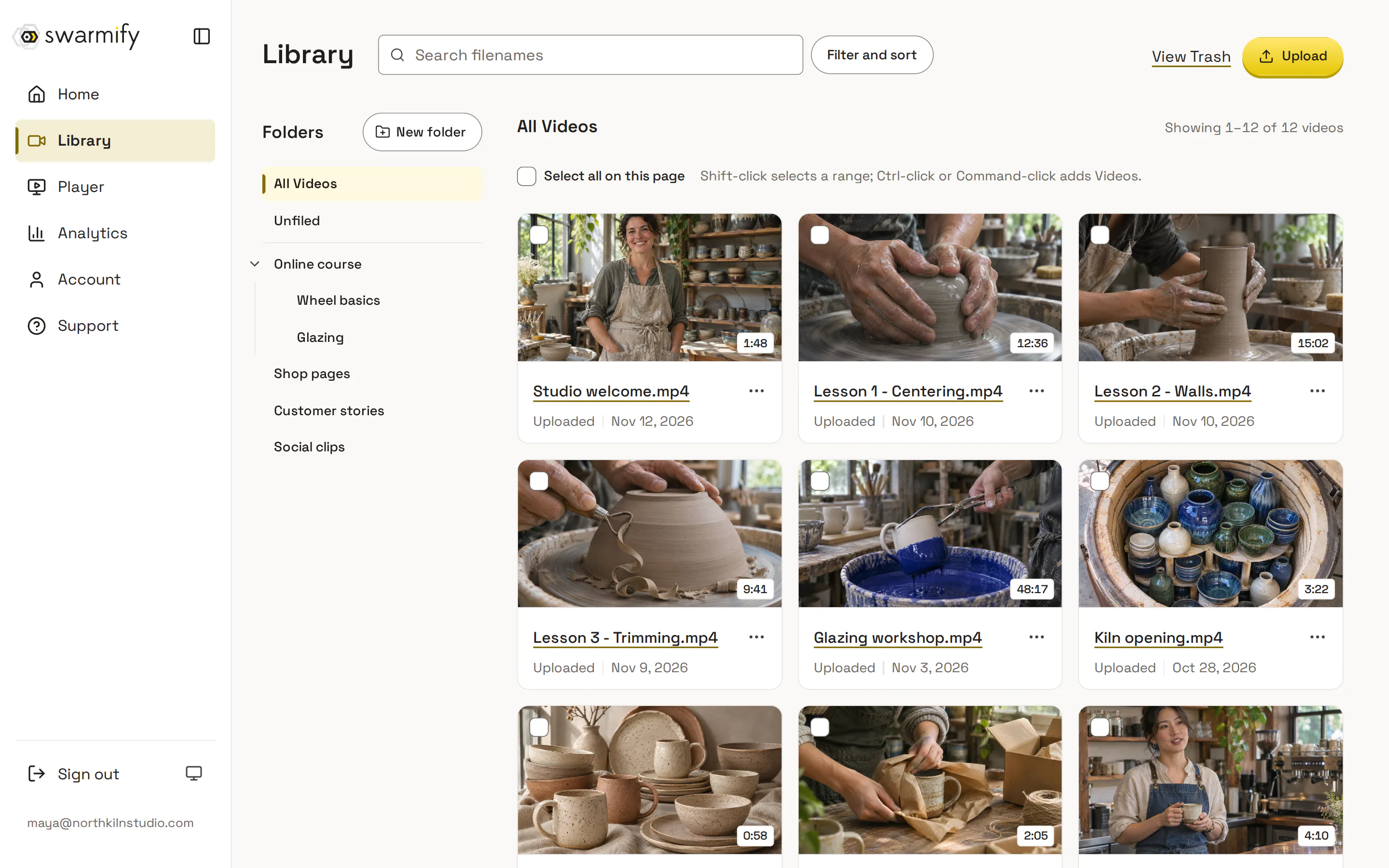
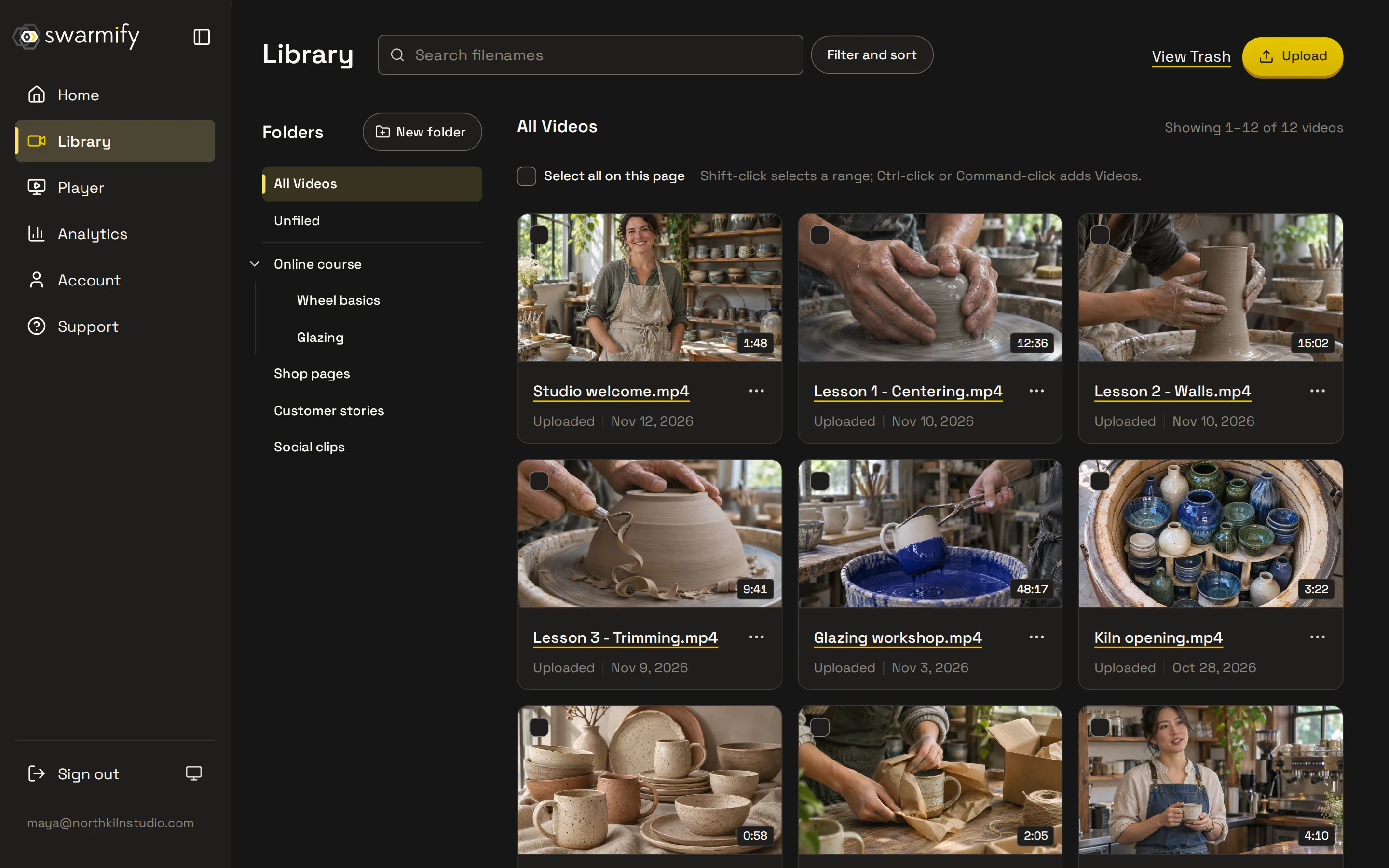
Library

Every video you host, in folders you set up.

  • Search, filter and sortFind a video by name, then narrow and order the list.
Folders inside foldersMake folders, then subfolders inside them.
Grid or listSwitch between a grid of thumbnails and a list.
Move several at onceSelect several videos and move them into a folder in one step, or drag them onto a folder.
Delete several at onceSelect several and delete them together. Deleted videos stay in the trash for seven days.

Player

Colors, the play button and the controls, set in one place for the player on your site.

  • Install snippetCopy the snippet that puts the player on your site.
  • One video, its own settingsGive a single video its own settings when it needs to differ from the rest.
Colors and play buttonPick a primary color for the buttons, progress bar and control bar, and a color for the play icon. Then choose the play button’s shape and how rounded its corners are.

Analytics

How your videos are doing, and how much of your plan you have used.

  • Each domainWhen you use more than one domain, views and bandwidth for each.
Views over timeViews over the last 7, 30 or 90 days.
CSV downloadPick the range, then download the numbers as a CSV.
AudienceViews by country, device and browser.
Plan usageViews against your plan, and the storage you have in use.

Home and Account

Your numbers when you sign in, and your account details together.

  • AccountAPI key, password, plan and billing in one place.
  • Google accountLink a Google account on the Account page.
  • Recovery emailAdd a recovery email for security messages and sign-in codes.
Video countHow many videos you host, as soon as you sign in.
ViewsYour views, on the same page.

Light or dark

Choose Light, Dark, or match your system.

The Library in the light theme The same Library in the dark theme
The same Library page: Light on the left, Dark on the right.

Startup, Growth and Pro all include the video library and player configuration.

What’s next

A few things on our list. No dates yet.

  • Stats for each video, and heat maps of where people watch, rewatch and drop off
  • Automatic captions
  • Thumbnails picked for you, or chosen by you
  • Your YouTube and Vimeo videos in the Library, next to your uploads
  • Domain locking, renaming videos, and chapters, from the dashboard

Already a customer?

  • Sign in with the same email and password.
  • Old bookmarks and dash.swarmify.com links redirect to the new dashboard.
  • There’s nothing to change on your site.
  • If your password doesn’t work, use Forgot password? on the sign-in page.
Open your dashboard

Try it with your own videos

Start a free trial and the sample video and setup checklist are waiting when you sign in.

14-day free trial · Card required, no charge until day 15