Short answer: A video sitemap is an XML file that tells Google where your videos are, what they are about, and how to index them. You create one by listing each video’s page URL, thumbnail, title, description, and either the direct file URL or player URL — then submit it through Google Search Console.
You uploaded a product demo to your website last month. It looks great on the page. But search “product demo” on Google, switch to the Video tab, and your video is nowhere. Meanwhile, a competitor’s shaky screen recording sits in position three.
The difference is almost always a video sitemap. Google’s regular crawler can find text and images on its own, but video is different. Without explicit signals, Googlebot often skips embedded videos entirely — especially when they load behind a click, inside a JavaScript player, or from a third-party CDN.
A video sitemap fixes that. It hands Google a structured list of every video on your site: where to find it, what it covers, and what thumbnail to display. This guide covers everything from the raw XML to automated tools, so you can pick the approach that matches your technical comfort level.
📋 TL;DR • A video sitemap is a specialized XML file that helps Google discover and index your videos. • Required fields: page URL, thumbnail, title, description, and either a direct video file URL or player URL. • Submit through Google Search Console and monitor the Video Indexing Report for errors. • WordPress users can automate this with AIOSEO, Rank Math, or Yoast SEO Pro.
What Is a Video Sitemap?
A video sitemap is an XML file — separate from your regular sitemap — that provides metadata about the videos hosted on your site. It follows Google’s video sitemap specification and uses the http://www.google.com/schemas/sitemap-video/1.1 XML namespace. Google also supports mRSS feeds as an alternative format, though most sites use XML.
Think of your regular XML sitemap as a directory of pages. A video sitemap is a directory of videos, with each entry pointing to the page where the video appears and including structured metadata like the title, description, thumbnail URL, and duration.
When Google processes your video sitemap, it uses that information in three ways:
- Discovery: Google learns that a video exists on a specific page, even if the player loads via JavaScript or behind a user interaction.
- Rich results: The thumbnail, title, and duration can appear directly in search results as a video snippet.
- Video tab: Your video becomes eligible for Google’s dedicated Video search results.
Without a sitemap, Google relies on rendering your page with a headless browser to detect videos. That process is slow, unreliable for JavaScript-heavy players, and often misses videos entirely — particularly those behind lazy-load facades or click-to-play interactions. If you are using embed codes with deferred loading, a video sitemap is essential.
How Do Video Sitemaps Impact Google Video Search and YouTube Embeds?
When users perform a video search on Google or navigate to the dedicated Google Video search tab, Google must determine whether to attribute the search result to your website or to an external hosting platform. Understanding how Google crawls embedded videos helps ensure your domain captures that search traffic:
- Embedded YouTube Videos: If you embed a YouTube video on your site without structured sitemap data, Google search almost always indexes the native YouTube watch page (
youtube.com) instead of your article. Submitting a video sitemap with your article’s URL as<loc>and the embed player URL in<video:player_loc>signals that your web page is the primary host of the content. - Self-Hosted & CDN Videos: When hosting MP4 or WebM files on your own server or CDN, Googlebot cannot easily parse video streams hidden behind JavaScript players. A video sitemap provides direct access via
<video:content_loc>, allowing Google to fetch video metadata, generate video rich snippets, and display your domain in search results. - Google Video Search Eligibility: To get video snippets and carousel placements in Google search results, Google requires clean structured metadata alongside proof that the video is prominent on the landing page.
Do You Actually Need a Video Sitemap?
Sites that embed only YouTube or Vimeo videos rarely need a video sitemap — those platforms handle their own indexing.
You do need a video sitemap if any of these apply:
- You self-host videos (on your own server, a CDN, or a platform like SmartVideo) and want them to appear in Google Video results linked to your domain.
- Your video player loads via JavaScript — including facade patterns, lazy loading, or any player that requires a click before the video element appears in the DOM.
- You have time-sensitive video content (news, events, product launches) where waiting for Google’s natural crawl cycle is too slow.
- You see Video Indexing Report errors in Google Search Console and need to give Google clearer signals.
For most business websites with self-hosted video, a video sitemap is one of the highest-impact video SEO actions you can take. According to Google’s video sitemap documentation, submitting a sitemap “reduces the time it takes for us to discover your video” and is especially recommended for time-sensitive content (Google Search Central, 2026). In our experience setting up video hosting for hundreds of businesses, the difference between “invisible in Video search” and “indexed within days” almost always comes down to whether a video sitemap exists. We have seen customers go from zero video impressions in Search Console to appearing in the Video tab within 48 hours of submitting a sitemap.
How Do You Create a Video Sitemap XML?
A video sitemap is a standard XML file you create in any text editor or generate with a script.
Required Tags
Every video entry needs these fields or Google will reject it.
| Tag | What It Does | Notes |
|---|---|---|
<loc> |
Page URL where the video appears | Must be a page users can visit, not the video file itself |
<video:thumbnail_loc> |
URL of the video thumbnail | Must be publicly accessible. Minimum 60x30px; 1280x720 recommended |
<video:title> |
Video title | Appears in search results |
<video:description> |
Video description | Max 2,048 characters |
<video:content_loc> or <video:player_loc> |
Direct video file URL or embed player URL | At least one required. Use direct MP4 URL if available, not HLS/DASH manifests |
Copy-Paste XML Template
Here is a minimal working video sitemap you can adapt. Replace the placeholder values with your actual URLs and metadata.
<?xml version="1.0" encoding="UTF-8"?>
<urlset xmlns="http://www.sitemaps.org/schemas/sitemap/0.9"
xmlns:video="http://www.google.com/schemas/sitemap-video/1.1">
<url>
<loc>https://example.com/product-demo/</loc>
<video:video>
<video:thumbnail_loc>https://example.com/thumbs/demo.jpg</video:thumbnail_loc>
<video:title>Product Demo - How It Works</video:title>
<video:description>A 3-minute walkthrough of the core features.</video:description>
<video:content_loc>https://cdn.example.com/videos/demo.mp4</video:content_loc>
<video:duration>180</video:duration>
<video:publication_date>2026-01-15T08:00:00+00:00</video:publication_date>
</video:video>
</url>
<url>
<loc>https://example.com/tutorial/getting-started/</loc>
<video:video>
<video:thumbnail_loc>https://example.com/thumbs/tutorial.jpg</video:thumbnail_loc>
<video:title>Getting Started Tutorial</video:title>
<video:description>Step-by-step setup guide for new users.</video:description>
<video:player_loc>https://example.com/embed/tutorial</video:player_loc>
<video:duration>420</video:duration>
</video:video>
</url>
</urlset> Each URL block maps one page to its video metadata — title, thumbnail, and file location.
Save this file as video-sitemap.xml in your site’s root directory (alongside your regular sitemap.xml). Each <url> block represents one page, and each <video:video> block represents one video on that page — a single page can contain multiple video entries.
Optional Tags Worth Adding
These are not required, but they improve how Google displays your videos in results.
| Tag | When to Use |
|---|---|
<video:duration> |
Always. Duration in seconds (1-28,800). Appears in search snippets and helps users decide whether to click. |
<video:publication_date> |
Always. W3C date format. Signals freshness. |
<video:tag> |
If your videos cover distinct topics. Up to 32 tags per video. |
<video:expiration_date> |
For time-limited content (webinar replays, seasonal promos). Google stops showing the video after this date. |
<video:live> |
For livestreams. Set to "yes" while live, remove or update after. |
File limits: Each video sitemap can hold up to 50,000 URLs and must be under 50MB uncompressed (Google Sitemap Guidelines). If you exceed either limit, split into multiple sitemap files and reference them from a sitemap index file. Very few business websites come close to this limit.
How Do You Submit a Video Sitemap to Google?
You submit a video sitemap through Google Search Console in three steps.
- Host the file on your website at a publicly accessible URL (e.g.,
https://yoursite.com/video-sitemap.xml). It must not be blocked byrobots.txt. - Open Google Search Console, select your property, and navigate to Sitemaps in the left sidebar.
- Enter the URL of your video sitemap and click Submit.
Google will download and parse the file within a few hours. Check back in the Sitemaps report for status and errors. For video-specific issues, also check Index > Video pages — this is Google’s dedicated Video Indexing Report, and it surfaces problems that the regular sitemap report misses.
Important: If your video files are served from a separate CDN domain (e.g., cdn.yoursite.com), make sure that domain is not blocked by robots.txt and that the video URLs are accessible without authentication. You do not need to verify the CDN domain in Search Console, but Googlebot must be able to reach those files.
What Is the Difference Between a Video Sitemap and VideoObject Schema?
A video sitemap and VideoObject schema markup serve different purposes — you typically need both for full video SEO coverage.
| Video Sitemap | VideoObject Schema | |
|---|---|---|
| What it is | Standalone XML file listing all videos | JSON-LD markup embedded in each page's HTML |
| Primary purpose | Discovery -- tells Google which pages have videos | Context -- tells Google what the video on this page is about |
| When Google reads it | During scheduled sitemap crawls | When rendering the individual page |
| Best for | Large video libraries, CDN-hosted videos, crawl efficiency | Rich results, lazy-loaded players, confirming video exists |
| Maintenance | Must be updated when videos are added or removed | Auto-generated per page (if using a CMS or plugin) |
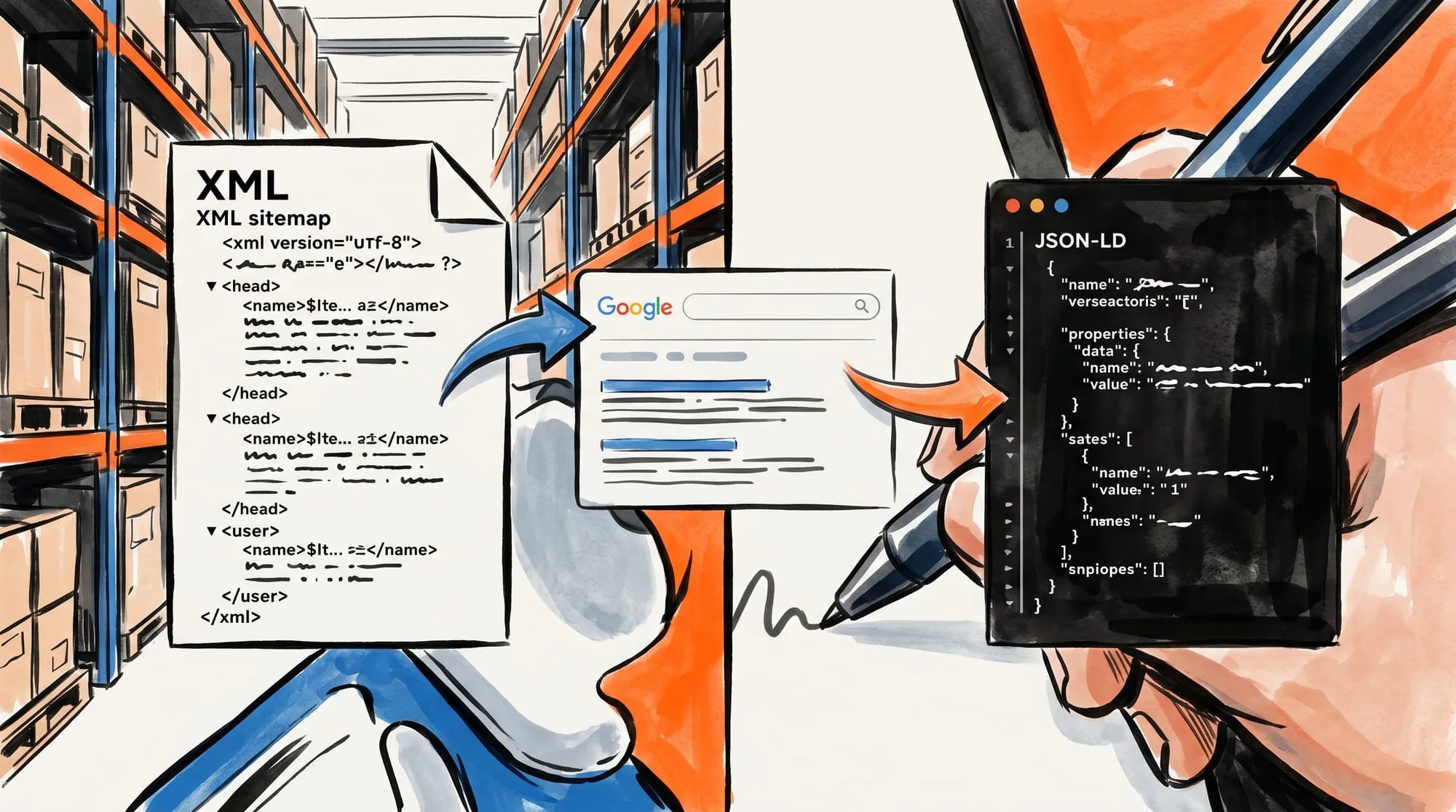 Sitemaps handle discovery; schema handles context. Both feed into how Google displays video results.
JavaScript-loaded video players — including facade patterns and lazy-load implementations — are cases where both signals matter. The schema tells Google “there is a video here” even before the player initializes, while the sitemap ensures Google knows to visit that page for video content in the first place. In practice, pages with both VideoObject schema and a video sitemap give Google redundant signals, which improves your chances of appearing in video carousels.
If you use SmartVideo, the VideoObject schema half is handled for you automatically (via the WordPress plugin). The sitemap half still requires either a manual XML file or a WordPress SEO plugin.
🚀 SmartVideo handles the schema — you handle the sitemap. SmartVideo auto-generates VideoObject JSON-LD for every page with an embedded video, covering the rich results and lazy-load detection half of video SEO. Pair it with a video sitemap (manual or plugin-generated) and Google has both signals it needs to index your videos.
What Is the Best Video Sitemap Generator to Generate Video XML Sitemaps?
A video sitemap generator is an automated tool, CMS plugin, or script that scans your web pages for embedded video files (MP4, WebM) or player embeds and produces a valid, Google-compliant video XML sitemap (video-sitemap.xml). Using a generator prevents manual XML formatting errors, extracts metadata automatically, and keeps your video index synchronized as you publish new content.
Video XML Sitemap Generators Compared
| Generator | Type | Pricing | Best For |
|---|---|---|---|
| Rank Math | WordPress Plugin | Pro (€7.99/mo billed annually, ex. VAT) | Automatic post scanning and sitemap updates on WordPress |
| AIOSEO | WordPress Plugin | Pro ($199.50/yr sale) | WordPress sites running custom video embed blocks |
| Yoast Video SEO | WordPress SEO feature | Included with Yoast SEO Premium ($118.80/yr ex. VAT) | Existing Yoast Premium installations |
| TechnicalSEO / XML-Sitemaps | Web Generator | Free | Small static websites needing a one-off video XML sitemap |
| Custom Python / Node Script | CLI / Build Script | Free / Open Source | Headless CMS setups, Jamstack, and custom web applications |
How to Generate a Video Sitemap in 4 Steps
- Choose your generator: Use a WordPress SEO plugin (Rank Math Pro, AIOSEO Pro) for CMS automation, or a free web generator / custom script for static or headless architectures.
- Extract video metadata: Ensure your generator pulls the essential tags for each video: landing page URL (
<loc>), thumbnail URL (<video:thumbnail_loc>), title, description, and direct media link (<video:content_loc>or<video:player_loc>). - Validate the XML schema: Verify that the output adheres to the
http://www.google.com/schemas/sitemap-video/1.1namespace and stays under the 50,000 URL / 50MB uncompressed limit. - Deploy and submit: Place the generated file at
/video-sitemap.xmlin your root domain and submit the URL in Google Search Console.
Why Is My Video Not Showing Up in Google?
Google Search Console’s Video Indexing Report (under Index > Video pages) surfaces specific errors when videos fail to index.
| Error | What It Means | Fix |
|---|---|---|
| Video is not the main content of the page | Google considers the video supplementary, not primary | Create a dedicated video page or move the video above the fold as the dominant element |
| No thumbnail URL provided | Missing or inaccessible thumbnail in sitemap or schema | Add poster attribute to your video tag and thumbnail_loc in sitemap |
| Cannot determine video position and size | Player only loads after user interaction | Ensure the player renders at full dimensions without requiring a click. Add VideoObject schema as a fallback signal. |
| Thumbnail blocked by robots.txt | Your robots.txt disallows the thumbnail URL path | Update robots.txt to allow the thumbnail directory |
| Video not found on host service | Video was deleted or the URL changed | Verify the video is still live. Update or remove the sitemap entry. |
The most frustrating error is “Video is not the main content of the page.” Google is strict about this — their video best practices state that the video must be “the main content” of the page (Google Video Best Practices, 2026). A blog post with an embedded demo video in the middle of 2,000 words of text usually will not qualify. If you want blog-embedded videos indexed, consider creating a dedicated “watch” page for each video and linking to it from the blog post.
Frequently Asked Questions
What is a video sitemap?
A video sitemap is a specialized XML file that tells search engines where your videos are, what they are about, and how to display them. It follows Google’s video sitemap specification and includes metadata like the video title, description, thumbnail URL, and the direct video file or player URL.
Do I need a video sitemap if I already have a regular XML sitemap?
Yes. A regular XML sitemap tells Google about your pages. A video sitemap tells Google about the videos on those pages. They serve different purposes. Without the video sitemap, Google may find the page but completely miss the video — especially if the player loads via JavaScript.
Does submitting a video sitemap guarantee my videos will appear in Google?
No. A video sitemap helps Google discover your videos, but indexing and ranking are not guaranteed. Google still evaluates whether the video is the main content of the page, whether the metadata is accurate, and whether the video provides value to searchers. The sitemap improves your chances significantly but does not bypass Google’s quality evaluation.
What is the difference between content_loc and player_loc?
content_loc points to the actual video file (e.g., an MP4 URL on your CDN). player_loc points to a page or embeddable player that plays the video. You need at least one. If you have the direct MP4 URL, prefer content_loc because it gives Google the most direct access. Do not use HLS or DASH streaming manifest URLs in content_loc — Google does not support them. Use player_loc instead for streaming-only setups.
Can I use a CDN URL in content_loc?
Yes. Point content_loc to the direct MP4 URL on your CDN (e.g., https://cdn.yoursite.com/videos/demo.mp4). Just make sure the CDN URL is publicly accessible without authentication and is not blocked by robots.txt. You do not need to verify the CDN domain in Google Search Console.
How often should I update my video sitemap?
Update it whenever you add, remove, or change a video. For most sites, this means editing the XML when you publish new video content. If you use a WordPress SEO plugin with video sitemap support, updates happen automatically when you save a post. For hand-built sitemaps, set a calendar reminder to audit quarterly.
What is the maximum number of videos in one sitemap?
50,000 URLs per file, with a maximum file size of 50MB uncompressed. If you exceed either limit, split your videos across multiple sitemap files and reference them from a sitemap index file. Most business websites will never hit this limit.
Do WordPress SEO plugins generate video sitemaps automatically?
AIOSEO (Pro), Rank Math (Pro), and Yoast SEO (with the Video SEO add-on) all offer automatic video sitemap generation. They scan your posts for video embeds and build the XML for you. Free tiers of these plugins typically do not include video sitemap support.
Does my video hosting platform generate a video sitemap for me?
It depends on the platform. Some generate VideoObject structured data (which helps with rich results) but not the sitemap XML file. Check your platform’s documentation. If it only provides schema markup, you still need to create the sitemap separately — either manually or through a WordPress SEO plugin like AIOSEO Pro, Rank Math Pro, or Yoast Video SEO.
What is the best free video sitemap generator?
For non-WordPress sites or static setups, free tools like TechnicalSEO.com’s Video Sitemap Generator or open-source Python sitemap scripts allow you to generate a Google-compliant video XML sitemap at no cost. For WordPress, premium plugins like Rank Math Pro and AIOSEO Pro provide automated scanning and continuous sitemap generation.
Can I generate a video sitemap for embedded YouTube videos to rank in Google Video search?
Yes. You can create a video sitemap entry for pages containing embedded YouTube videos by listing your website URL in the <loc> tag and the YouTube embed link in <video:player_loc>. This tells Google your page contains the video, helping your domain compete for impressions in Google Video search instead of sending all traffic directly to YouTube.
Where do I submit my video sitemap in Google Search Central?
In Google Search Console (formerly Google Search Central), open your domain property, navigate to Indexing > Sitemaps in the left menu, enter your video sitemap URL (e.g., https://example.com/video-sitemap.xml), and click Submit. Once processed, track your indexed videos under the Video Pages report.
Final Thoughts
A video sitemap is not glamorous, but it is one of the few video SEO actions with a clear, measurable payoff. You create a file, submit it, and within days you can see whether Google has started indexing your videos in the Video Indexing Report.
The biggest mistake is assuming Google will figure out your videos on its own. It will not — especially if your player loads dynamically, your files live on a CDN, or your videos are supplementary content on a text-heavy page. A video sitemap removes the guesswork.
Combine it with VideoObject structured data (which your embed solution may already handle) and you have given Google every signal it needs to discover, understand, and surface your videos.