
Why Course Creators Are Leaving Vimeo (And Where They're Going in 2026)
Vimeo was the default video host for online courses — until Bending Spoons bought it and laid off the engineering team. Here's why course creators are migrating, what to look for in an alternative, and how platforms like SmartVideo, Bunny Stream, and Wistia compare for LMS video hosting.

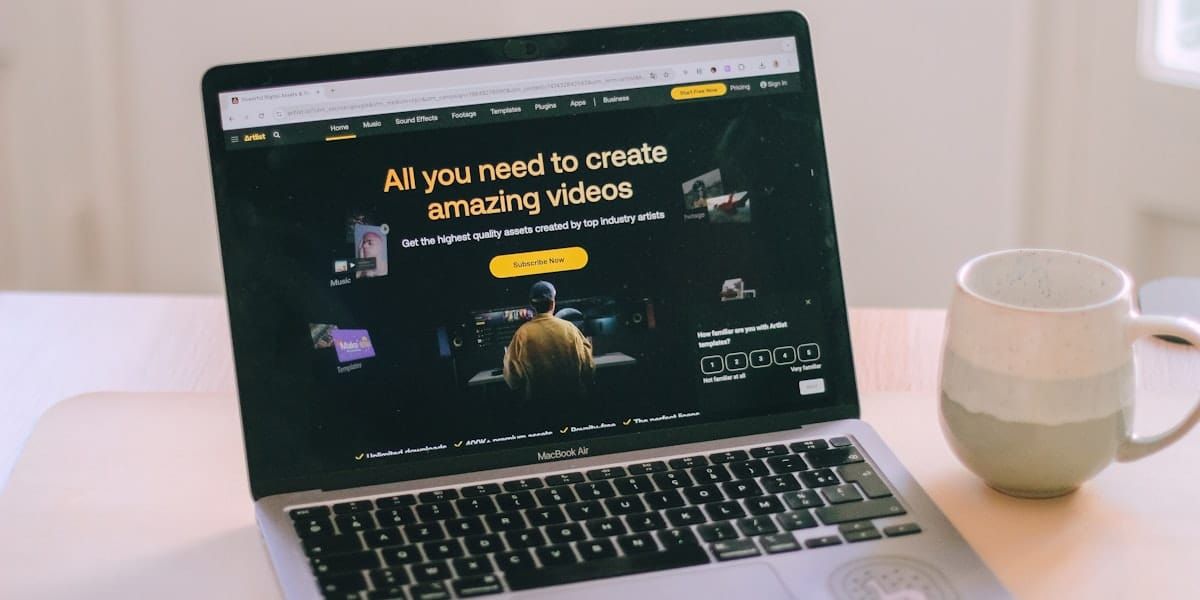
If you built an online course in the last five years, there's a good chance your videos live on Vimeo. And if you're researching video hosting for online courses, you're not alone — this is one of the most common questions we hear from course creators right now.
It made sense. Vimeo gave you a clean, ad-free player. Privacy controls kept your lessons behind paywalls. The embed code dropped into LearnDash, Teachable, Thinkific, or Kajabi without drama. And Vimeo OTT let bigger course businesses run their own subscription platforms.
That was before November 2025. Since Bending Spoons closed their $1.38 billion acquisition of Vimeo, the platform has shed over 1,000 employees, restructured its pricing tiers, and left course creators wondering how long the tool they depend on will keep working the way they need it to.
This isn't a speculative "what if" post. Course creators are already migrating. The ones doing it well are moving methodically — testing alternatives, mapping their LMS integrations, and switching before the next price increase forces them to rush. Here's what you need to know to do the same.
Why Vimeo worked so well for course creators
Before getting into what broke, it's worth understanding why Vimeo became the default. It wasn't an accident — the platform genuinely solved problems that YouTube couldn't.
No ads during lessons
This was the dealbreaker for most course creators. YouTube shows ads on embedded videos — even on channels that aren't monetized. When a student is halfway through a lesson on financial modeling or surgical technique, a pre-roll ad for a mattress company destroys the learning experience. Vimeo's paid plans eliminated that entirely.
Privacy controls that worked with paywalls
Vimeo's domain-level privacy let you restrict video playback to specific URLs. If you sold a course through Teachable or Kajabi, you could lock videos so they only played on your course platform — not if someone shared the direct Vimeo link. For course creators selling $200-2,000 courses, this was essential protection against content theft.
Clean embed experience
No YouTube logo. No "suggested videos" at the end that pull students away from your curriculum. No algorithmic recommendations sending them down a rabbit hole when they should be watching Module 3, Lesson 4. The Vimeo player just played the video and stopped.
Vimeo OTT for subscription courses
For larger course businesses, Vimeo OTT (later folded into Vimeo's enterprise offering) provided a white-label platform for subscription video. Course creators could run their own Netflix-style experience — monthly subscriptions, pay-per-course, or bundles — all on Vimeo's infrastructure.
It wasn't cheap, but it worked. And for course creators who didn't want to build a custom platform, it was one of the few turnkey options available.
What changed: the Bending Spoons acquisition
In September 2025, Bending Spoons announced the acquisition. By November, it had closed. By January 2026, the consequences were clear.
Mass layoffs gutted institutional knowledge
Bending Spoons laid off more than 1,000 Vimeo employees within four months of closing the deal. Reports from Gizmodo and PetaPixel confirmed this included the entire video engineering team, with only a skeleton crew remaining through a transition period.
For course creators, the engineering cuts matter more than you might think. Video encoding, adaptive bitrate streaming, player updates, API maintenance — these aren't features that run on autopilot. When the people who built and maintained those systems are gone, bugs take longer to fix, integrations break without warning, and new LMS platform support stops entirely.
Pricing restructuring that hits course libraries hard
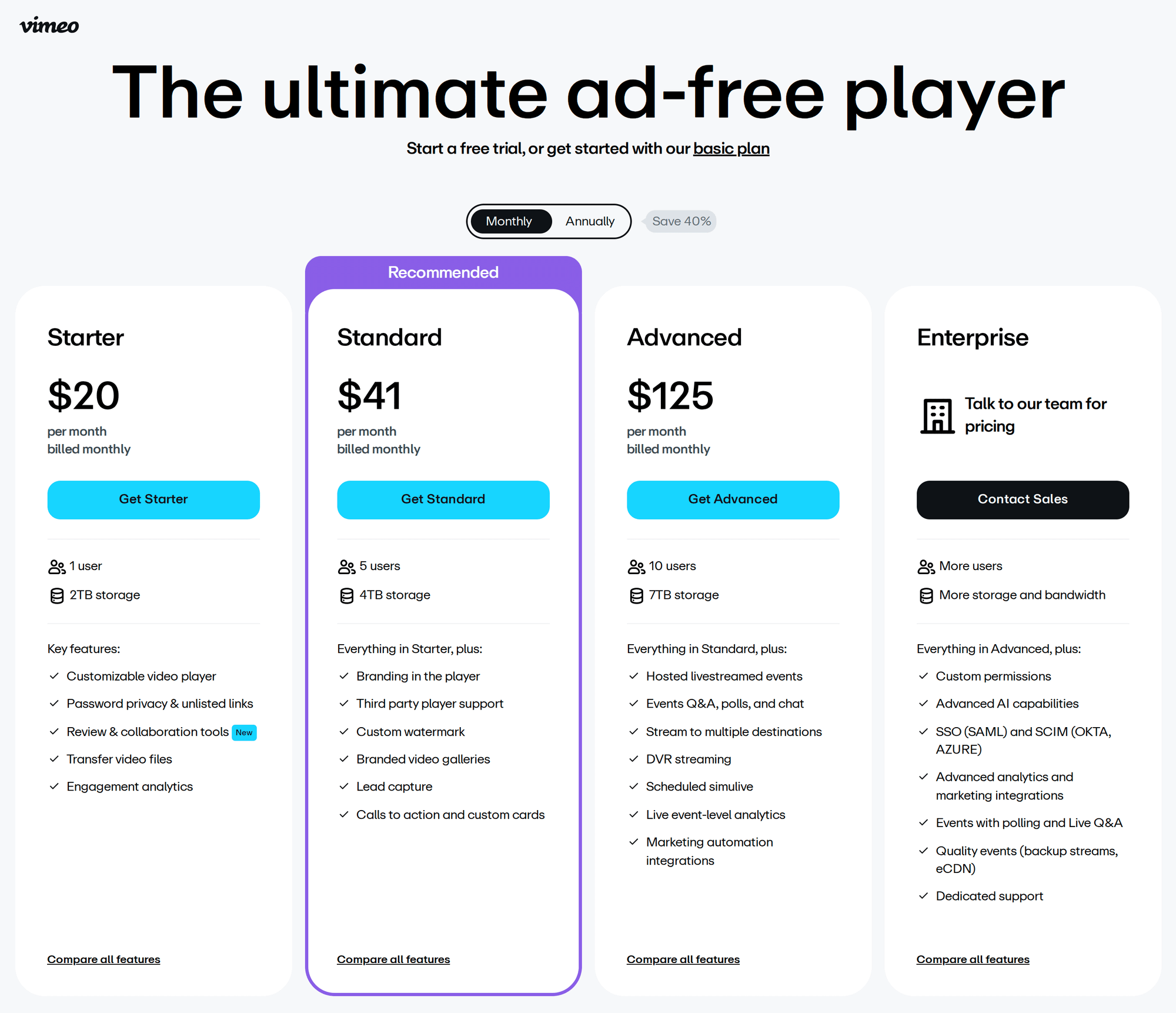
Vimeo has already restructured its pricing tiers, replacing the old Plus/Pro/Business plans with a new structure. The direction is clear: higher prices for features that course creators depend on — particularly storage, privacy controls, and API access.
This follows Bending Spoons' established pattern. After acquiring Evernote, they roughly doubled subscription prices within a year. After acquiring WeTransfer, they cut 75% of staff and capped free transfers. There's no reason to think Vimeo will be different.
For a course creator with 100-500 video lessons, Vimeo's bandwidth caps and storage limits are already a pressure point. With pricing likely to climb further, the per-lesson cost becomes harder to justify — especially when alternatives offer unlimited storage at a fraction of the price.
Support response times have collapsed
This is the complaint I hear most often from course creators who haven't left yet. Before the acquisition, Vimeo's support team was responsive — not outstanding, but competent. Now, with the majority of staff gone, support tickets that used to get resolved in hours are taking days or weeks.
When a student can't play a lesson — or worse, when an entire course module goes down during a launch — waiting days for a response isn't just inconvenient. It costs real money in refund requests, support emails, and lost trust.
Vimeo OTT's future is uncertain
Bending Spoons' playbook is to acquire brands, reduce operational costs, and extract revenue from the existing customer base. Features that serve niche audiences — like OTT for course creators — are typically deprioritized or sunset when they don't justify their maintenance costs.
If you're running a subscription-based course business on Vimeo OTT, the risk isn't that it shuts down tomorrow. It's that development stops, integrations break, and you're locked into a platform that nobody is maintaining.
What course creators actually need from video hosting
Before comparing alternatives, it's worth being specific about what "video hosting for courses" actually requires. It's not the same as hosting a marketing video or a YouTube channel. Course video has unique constraints that most general-purpose platforms don't address well.
Zero ads and zero distractions during lessons
This isn't just about aesthetics. Research from the EDUCAUSE Review has consistently shown that interruptions during learning — even brief ones — significantly reduce retention and comprehension. An ad before Lesson 7 of your Python course doesn't just annoy your student. It measurably degrades the learning outcome you're selling.
Buffer-free playback, especially on mobile
Course students aren't watching on fiber connections at a desk. They're on phones during commutes, on tablets at coffee shops, and on laptops with spotty Wi-Fi. Buffering is the number-one reason students abandon a lesson partway through — and they blame your course, not their internet connection.
A video platform that uses adaptive bitrate streaming and a global CDN handles this automatically, adjusting quality based on connection speed so the video keeps playing rather than stalling. This is why video speed directly impacts conversions — and course completion rates follow the same pattern.
Video privacy and content protection
If you're selling a $500 course, you need to control who can watch your videos. At minimum, that means domain-level restrictions (videos only play on your LMS). Better platforms offer signed URLs, token-based authentication, or hotlink protection to prevent unauthorized sharing.
This isn't about paranoia — it's about the business model. Course creators who can't protect their content end up competing with pirated versions of their own work on YouTube. (For a deeper look at the YouTube embed problem, see why YouTube embeds hurt your website.)
LMS compatibility
Your video platform needs to work with your course platform. That means clean embeds (iframe or custom tag) that play nicely with:
- LearnDash — WordPress-based, the most common LMS for self-hosted courses
- Teachable — hosted platform, widely used by solo course creators
- Thinkific — similar to Teachable, popular in the coaching space
- Kajabi — all-in-one platform with built-in marketing tools
- Podia — simpler alternative for creators with smaller catalogs
- Moodle — open-source LMS used by universities and corporate training
If your video host requires complex JavaScript embeds or custom API integrations to work with your LMS, you'll spend more time on tech support than on teaching.
Video progression tracking (nice to have)
Some course platforms track whether a student has watched a video to completion before unlocking the next lesson. This requires either JavaScript callbacks from the video player or an API integration between the video host and the LMS. Not every platform supports this, but for structured learning paths, it matters.
Affordable pricing for large libraries
Here's where the math gets real. A typical online course has 30-80 video lessons. If you run multiple courses, you're looking at 100-500+ videos. At 1080p, that's 200 GB to 1+ TB of storage.
Platforms that charge per video, per GB of storage, or impose low bandwidth caps become expensive fast at course-library scale. The most cost-effective options for course creators use either flat-rate pricing with generous storage or pay-per-GB with no base fee.
Honest comparison: five alternatives for course video hosting
I've looked at these platforms specifically through the lens of course creators — not marketers, not media companies, not enterprise video teams. Where each falls short, I'll tell you.
| Feature | SmartVideo | Bunny Stream | Wistia | Vimeo (current) | Self-Hosted (S3+CDN) |
|---|---|---|---|---|---|
| No ads | Yes | Yes | Yes | Yes (paid plans) | Yes |
| Domain-level privacy | Yes | Token auth | Yes | Yes | Manual config |
| LearnDash compatible | Native plugin | Iframe embed | Iframe embed | Iframe embed | Custom setup |
| Teachable/Kajabi/Thinkific | Script tag embed | Iframe embed | Iframe embed | Iframe embed | Custom setup |
| Storage (200+ lessons) | 500 GB–5 TB by plan | Pay per GB | Limited by plan | Limited by plan | Unlimited (you pay) |
| Global CDN | Yes | Yes (114 PoPs) | Yes | Yes | Depends on setup |
| Adaptive bitrate | Yes | Yes (HLS) | Yes | Yes | Requires transcoding |
| Starting price | $19/mo (annual) | ~$1/mo + usage | $19/mo | $12/mo (Starter) | Variable |
| Cost at 500 lessons / 1 TB | $19-59/mo | ~$5/mo storage + bandwidth | $319+/mo | $75+/mo (Advanced) | ~$10-25/mo |
| Best for | WordPress/LearnDash courses | Technical creators at scale | Marketing-heavy course funnels | Existing users (for now) | Developers with video infra skills |
SmartVideo (Swarmify) — best for WordPress-based courses
SmartVideo was built for website owners who need fast, ad-free video without managing complex infrastructure. For course creators, the pitch is straightforward: generous storage (500 GB to 5 TB by plan), flat-rate pricing, and a player that works natively with WordPress and LearnDash.
The LearnDash integration is where SmartVideo stands out for course creators specifically. The WordPress plugin handles video delivery automatically — you add your videos, and SmartVideo accelerates playback through its global CDN without requiring manual embed codes on every lesson. For creators with 100+ lessons across multiple courses, that saves significant time compared to iframe-based approaches.
Real-world example: Proficiens Academy switched from YouTube to SmartVideo to eliminate ads from their e-learning content. ProDigi, an online learning platform serving over 20,000 students, uses SmartVideo for their entire video library. And Learning Inclusion, an e-learning management company, chose it specifically for reliability and ad-free delivery.

Strengths: Flat-rate pricing ($19/mo Startup, $59/mo Growth). Storage from 500 GB to 5 TB depending on plan, with $12/TB overage if you exceed it. Native WordPress plugin works with LearnDash, Divi, Elementor, and other builders. No ads, no branding. Global CDN with adaptive bitrate streaming. Also works with Teachable, Thinkific, Kajabi, Podia, and Moodle via the script embed method.
Weaknesses: Not a standalone video platform — it's a delivery and optimization layer, so you need a source for your files (upload directly, or connect Google Drive/S3/Dropbox). Analytics are basic compared to Wistia. No built-in lead capture or email gating on the video player itself. Brand recognition is smaller than Vimeo or Wistia. The Startup plan's 500 GB cap may be tight for course creators with 200+ HD lessons — the Growth plan at $59/mo gives 2 TB, which covers most libraries comfortably.
Best for: Course creators running WordPress + LearnDash who want a drop-in Vimeo replacement without per-video costs or bandwidth surprises.
Bunny Stream — cheapest at scale, but more DIY
Bunny Stream is built on top of Bunny.net's CDN, and its pricing model is what makes it attractive: pay per GB of storage ($0.005/GB/month) and bandwidth ($0.01/GB delivered), with no per-video fees. For a course library with 500 videos totaling 1 TB, your monthly bill might be $5-15 depending on how many students are actively streaming.
Strengths: Remarkably cheap at scale. 114+ CDN points of presence for fast global delivery. Built-in transcoding and HLS adaptive streaming. Token-based authentication for content protection. No contracts — pay only for what you use.
Weaknesses: The interface is designed for developers, not course creators. No native integrations with LMS platforms — you'll work with iframe embeds everywhere. Setting up domain-level privacy requires manual configuration. If something breaks, you're debugging CDN headers, not filing a support ticket with a "course creator" tag.
Best for: Technically comfortable course creators with large libraries who want the absolute lowest cost per video and don't mind a more hands-on setup.
Wistia — best analytics, but pricing scales painfully
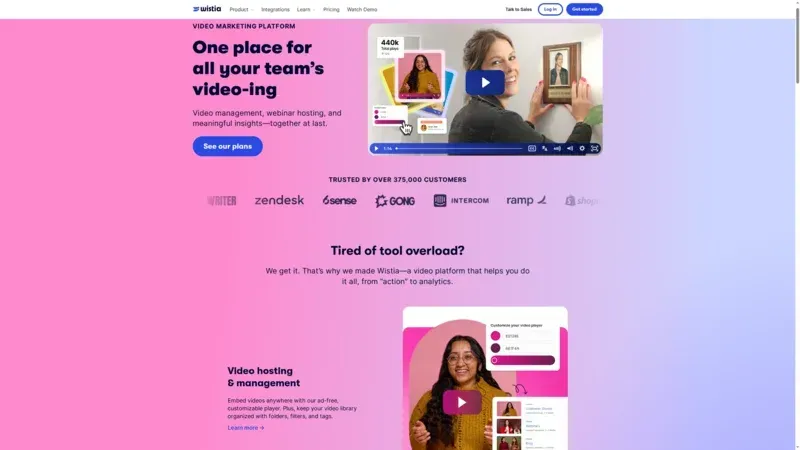
Wistia is the marketing team's video platform, and some course creators love it for the analytics: heatmaps showing exactly where students drop off, engagement graphs per lesson, A/B testing for video thumbnails, and email capture overlays.
Strengths: Best-in-class viewer analytics and engagement data. Polished, customizable player. Email gating and CTA overlays built in. Strong brand — no acquisition risk in sight. Good API for custom integrations.
Weaknesses: Expensive for large course libraries. Plans start at $19/month but scale quickly with video count and bandwidth. A course creator with 200+ videos will need the Advanced plan at $319/month or higher — Wistia's Pro plan caps at just 50 videos. And since Wistia charges by video count rather than storage, large course libraries get expensive fast. The analytics are brilliant for marketing funnels, but overkill for most course delivery scenarios where you just need the video to play reliably.
Best for: Course creators who sell through webinar funnels and need detailed engagement data to optimize conversion. Less ideal for straightforward lesson delivery at scale. (For more comparisons, see our video hosting platforms comparison.)
Vimeo (staying put) — still works, but plan for change
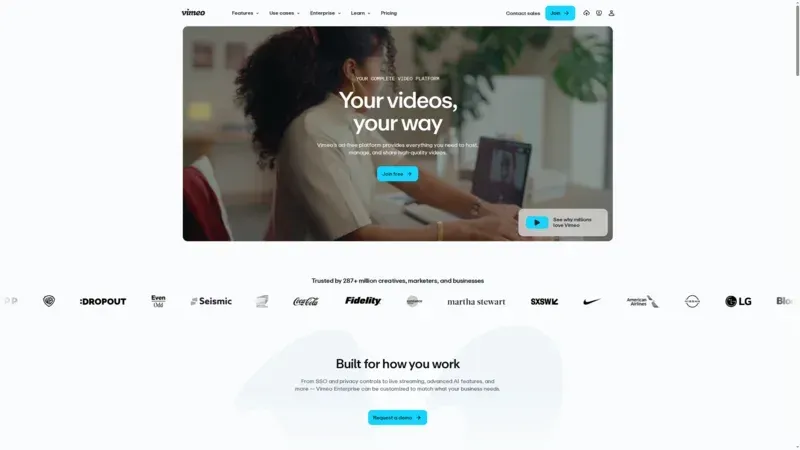
Vimeo isn't dead. The platform still works, the player is still clean, and your existing embeds still function. If your current plan is adequate and you're locked into annual pricing, there may not be an urgent reason to migrate today.
Strengths: You already use it. Existing embeds work. The player quality is still good. Domain-level privacy still functions.
Weaknesses: Pricing will almost certainly increase. Support has degraded significantly since the layoffs. API maintenance and new features are unlikely with a skeleton engineering team. Vimeo OTT's roadmap is unclear. And you're dependent on Bending Spoons' cost-cutting priorities for every feature you rely on.
Realistic assessment: Staying on Vimeo makes sense as a short-term position while you test alternatives. It does not make sense as a long-term strategy without a migration plan. Lock in your current pricing if possible, but don't sign a multi-year deal.
Self-hosted (S3 + CloudFront / Backblaze + Bunny CDN) — full control, full responsibility
For technically skilled course creators, hosting video files on object storage (AWS S3, Wasabi, or Backblaze B2) with a CDN in front gives you the most control and often the lowest cost at very large scale. If you're curious about the nuts and bolts, our guide to reducing video file size for streaming covers the encoding decisions you'd need to make.
Strengths: Zero vendor lock-in. Full control over files, access, and delivery. Can be extremely cost-effective for large libraries (Wasabi offers $6.99/TB/month for storage with no egress fees). You own your infrastructure.
Weaknesses: You're responsible for everything Vimeo used to handle: transcoding to multiple bitrates, building or configuring an HLS player, managing access tokens, monitoring CDN performance, and troubleshooting playback issues across devices. This is a genuine engineering project, not a weekend setup. Most course creators underestimate the ongoing maintenance.
Best for: Course businesses with a developer on staff (or on retainer) and video libraries large enough that the cost savings justify the complexity.
How to migrate your course videos from Vimeo: step by step
Migration sounds daunting when you have 200+ lessons, but the process is methodical. Here's how to do it without breaking your live courses.
Step 1: Export your video library from Vimeo
Download every source file. Go to your Vimeo Video Manager, select your videos, and download the originals — not the compressed versions. Also export your metadata: titles, descriptions, and any custom settings.
Do this regardless of whether you migrate. Having local copies of your source files protects you against any future platform changes.
Step 2: Audit your course structure
Before you touch a single embed code, map out exactly what you have:
- How many courses and lessons? Count them. Total storage will inform your plan choice.
- Which LMS platform? WordPress/LearnDash, Teachable, Kajabi, Thinkific, Podia, Moodle, or custom?
- Do you use video progression tracking? If lessons require completion before unlocking the next, note which videos need this.
- Are any videos behind privacy restrictions? Domain locks, password protection, or token-based access?
- What's your monthly bandwidth? Check Vimeo analytics — this determines whether flat-rate or pay-per-GB is cheaper for you.
Step 3: Test with one course module first
Pick a single module — ideally 5-10 lessons — and upload those videos to your chosen alternative. Embed them in your LMS alongside the existing Vimeo embeds (don't replace yet). Then test:
- Does the video play reliably on desktop, mobile, and tablet?
- Does the player look clean inside your course layout?
- Do privacy controls work as expected?
- Is playback fast enough on slower connections? (Test with Chrome DevTools throttling.)
- Does video progression tracking still function (if applicable)?
Step 4: Migrate course by course, not all at once
Once you've validated the new platform on a test module, migrate one full course at a time. Update the embed codes in your LMS, verify each lesson plays correctly, and keep the Vimeo versions available (don't delete them yet) as a fallback.
If you're on WordPress/LearnDash with SmartVideo, the process is simpler — the plugin can automatically handle videos you upload to your SmartVideo account, so you don't need to update individual embed codes across every lesson.
Step 5: Monitor for 2-4 weeks, then decommission Vimeo
After migrating all courses, keep your Vimeo account active for at least a month. Monitor student-facing analytics: completion rates, support tickets about video playback, and any reports of buffering or access issues. Once you're confident the new platform is working, cancel your Vimeo subscription.

What smart course creators are doing right now
Based on conversations with course creators who have already migrated (and a few who are mid-process), here's the pattern I'm seeing:
Solo creators with small libraries (under 50 videos) are typically moving to Bunny Stream for cost reasons or SmartVideo for simplicity. Their libraries are small enough that migration takes a weekend.
Mid-size course businesses (50-300 videos, WordPress/LearnDash) are gravitating toward SmartVideo because the LearnDash plugin integration eliminates the manual embed-replacement work that makes migration painful. ProDigi's 20,000-student platform is a good example of this scale working well.
Course businesses with marketing funnels — where video analytics drive enrollment optimization — are keeping Wistia for their sales pages and marketing content, but switching course delivery to a cheaper platform. Split-platform is more common than I expected.
Larger operations and institutions on Moodle or custom LMS platforms are evaluating self-hosted options (Backblaze B2 + Bunny CDN is a popular combination) or hybrid approaches where critical content lives on their own infrastructure and supplementary material uses a SaaS platform.
The common thread: nobody is signing long-term Vimeo contracts right now. Even creators who haven't migrated yet are on month-to-month, with local backups of their entire libraries.
Improving your course video quality during migration
If you're going to touch every video embed in your course anyway, it's worth improving video quality during the process. A few things that make a real difference:
- Re-encode at consistent settings: 1080p, H.264 codec, 4-8 Mbps bitrate for lectures, 8-12 Mbps for screen recordings with fine text. This gives you consistent quality across your library.
- Add chapter markers: If your new platform supports them, chapter markers let students jump to specific sections — a significant usability improvement for 30+ minute lessons.
- Standardize thumbnails: A consistent thumbnail template (lesson number, topic, course brand) makes your course library feel professional and helps students navigate.
- Check mobile playback: Your new platform might handle mobile differently than Vimeo. Verify that screen recordings with small text are legible on phone screens — if they're not, consider adding zoom-in edits at key moments.
The bottom line
Vimeo earned its place as the default course video host because it solved real problems: no ads, clean player, decent privacy. The Bending Spoons acquisition doesn't erase those capabilities overnight — but it does change the trajectory.
The course creators who come through this transition best are the ones who move proactively rather than reactively. Backing up your library costs nothing. Testing an alternative takes an afternoon. Migrating one module at a time lets you verify everything works before committing.
Whether you land on SmartVideo for the WordPress integration, Bunny Stream for the pricing, Wistia for the analytics, or a self-hosted setup for the control — the right answer is the one that keeps your students' experience smooth and your costs predictable. If you're still weighing options, our guide to choosing a video hosting platform covers the broader decision framework.
The wrong answer is doing nothing and hoping Bending Spoons treats Vimeo differently than they treated Evernote, WeTransfer, and Brightcove.