

YouTube Bitrate Settings (2026): Best 1080p, 4K & Live Stream Bitrate
Don't ruin your video quality with the wrong bitrate. Here is the complete 2026 guide to recommended settings for YouTube uploads, Twitch streaming, and web video.

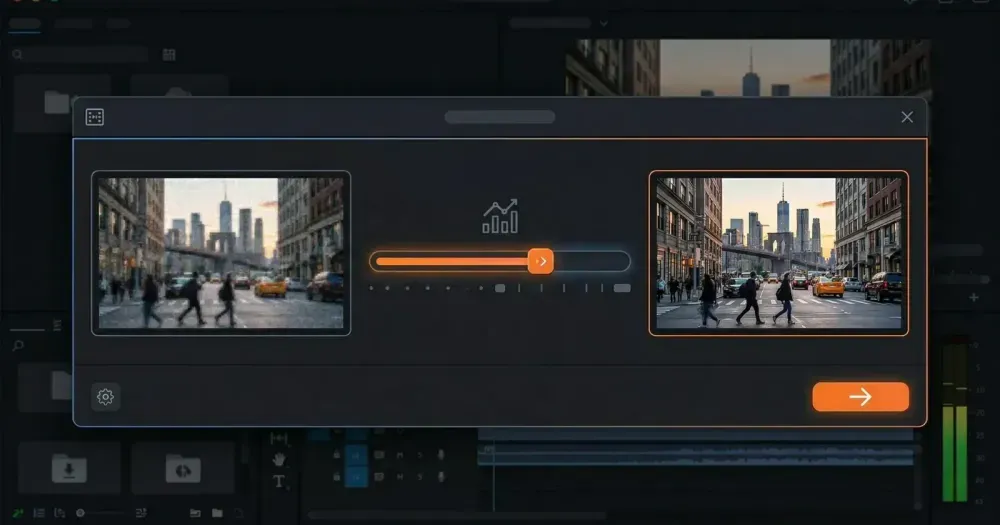
• Bitrate determines quality & size: Higher bitrate = better quality but larger files.
• YouTube Recommendation: 8–15 Mbps for 1080p uploads; 35–45 Mbps for 4K.
• Twitch Recommendation: 6000 Kbps (CBR) for 1080p60 streaming.
• Streaming vs. Uploading: Use CBR (Constant Bitrate) for live streaming, and VBR (Variable Bitrate) for uploads to save space without losing quality.
You've finished editing your masterpiece. The cuts are perfect, the color grading is spot-on, and the audio is crisp. Now comes the export window, and you're staring at a slider labeled "Bitrate" with options like CBR, VBR, and Mbps.
Get this wrong, and your crisp 4K footage turns into a pixelated mess on YouTube. Set it too high, and your viewers will suffer from endless buffering (or you'll wait hours for a file to upload).
Video bitrate is the single most important factor controlling the balance between visual fidelity and file size. It matters more than your codec choice or your container format -- whether you're uploading to YouTube, streaming on Twitch, or hosting video on your own website, understanding bitrate is non-negotiable. Here is your complete guide to video bitrate settings in 2026.
Best YouTube & Platform Bitrate Settings (2026)
For most creators, the right bitrate is 8-15 Mbps for 1080p YouTube uploads, 6000 Kbps for Twitch streaming, and 10-20 Mbps for Vimeo. These are the platform-recommended settings for standard SDR content as of 2026.
| Platform | Resolution | Frame Rate | Recommended Bitrate |
|---|---|---|---|
| YouTube | 1080p | 30 fps | 8 Mbps |
| YouTube | 1080p | 60 fps | 12–15 Mbps |
| YouTube | 4K (2160p) | 30/60 fps | 35–55 Mbps |
| Twitch (Live) | 1080p | 60 fps | 6000 Kbps (CBR) |
| Vimeo | 1080p | Variable | 10–20 Mbps |
| Facebook/IG | 1080p | 30 fps | 4–6 Mbps |
What Is the Right Bitrate for YouTube (1080p & 4K)?
The right YouTube upload bitrates in 2026 are 8-15 Mbps for 1080p, 35-45 Mbps for 4K SDR at 30fps, and 53-85 Mbps for 4K 60fps.
YouTube's published numbers are encoding floors, not ceilings. According to YouTube's official upload encoding settings (Google, 2026), the platform publishes recommended ranges that should be treated as minimums. Uploading at exactly the floor is risky, because YouTube re-encodes every video to VP9, AV1, and H.264 variants and each re-encode pass produces visible quality loss -- especially on high-motion or low-light footage. Uploading 20-50% above the published numbers usually leaves enough headroom for the re-encode to land cleanly.
| Resolution | 30 fps SDR | 30 fps HDR | 60 fps SDR | 60 fps HDR |
|---|---|---|---|---|
| 1080p (FHD) | 8 Mbps | 10 Mbps | 12 Mbps | 15 Mbps |
| 1440p (QHD) | 16 Mbps | 20 Mbps | 24 Mbps | 30 Mbps |
| 2160p (4K) | 35-45 Mbps | 44-56 Mbps | 53-68 Mbps | 66-85 Mbps |
Best 4K Bitrate Settings (30fps & 60fps)
4K bitrate guidance (2026). For 4K 30fps SDR uploads, target the high end of YouTube's range -- 45 Mbps -- not the floor. For 4K 60fps, target 68 Mbps SDR or 85 Mbps HDR. In our testing across customer encodes, dropping below 35 Mbps for 4K often produces visible compression on high-motion footage like pans, fast cuts, confetti, water, or fabric, even though the published minimum says it should be fine.
1080p bitrate guidance (2026). 1080p 30fps at 8 Mbps is YouTube's published floor, per YouTube Help (Google, 2026). We've seen creators upload at exactly that target and then complain about pixelation; the fix is usually to upload at 12-15 Mbps -- roughly 50% above YouTube's published floor -- so the re-encode chain has more headroom to work with. For 1080p 60fps, 15-18 Mbps is the practical sweet spot.
HDR considerations. If you're delivering HDR (HDR10, HLG, or PQ), use the HDR column in the table above. HDR's 10-bit color depth needs roughly 25-30% more bitrate than SDR to preserve shadow detail and avoid banding. In practice, the gap between H.264 and H.265 (HEVC) at the same target bitrate is most visible in dark HDR scenes -- H.265 preserves shadow detail that H.264 blocks into solid colors.
What is Video Bitrate?
Video bitrate is the amount of data encoded per second of video, measured in Kbps or Mbps. It is the single biggest factor determining visual quality at a given resolution -- more so than codec choice or container format. Here is what the units mean:
- Kbps (Kilobits per second) – often used for audio or lower-quality video.
- Mbps (Megabits per second) – the standard for HD and 4K video.
Think of bitrate like water flowing through a pipe. A wider pipe (higher bitrate) allows more water (data) to flow through, resulting in a clearer, richer image. A narrow pipe (lower bitrate) restricts the flow, forcing the encoder to throw away details, which leads to "blocky" or blurry video.
Bitrate vs. Resolution vs. Frame Rate
These three work together to define your video quality. You cannot adjust one without considering the others.
- Resolution (1080p, 4K): The number of pixels in the image. More pixels require more bitrate to look good.
- Frame Rate (30fps, 60fps): The number of images per second. 60fps video has twice as many frames as 30fps, so it needs roughly 50-60% more bitrate to maintain the same quality.
- Bitrate: The fuel that powers the resolution and frame rate.
The Golden Rule: If you increase resolution or frame rate, you must increase your bitrate. A 4K video at 8 Mbps will look significantly worse than a 1080p video at 15 Mbps. This is why YouTube's own upload specs recommend 35-45 Mbps for 4K -- roughly 4x the 1080p recommendation.

What Are YouTube's Recommended Upload Encoding Settings (2026)?
YouTube recommends H.264 video at the High profile, MP4 container, AAC-LC audio at 48 kHz, and 2-pass VBR encoding for non-live uploads.
The full recommended upload encoding settings (Google, 2026) cover four parameters beyond bitrate: codec, container, audio format, and frame rate. Use H.264 video with the High profile (or VP9/AV1 if your encoder supports them) inside an MP4 container. Audio should be AAC-LC at 48 kHz -- 384 kbps for stereo or 512 kbps for 5.1 surround. Match the source frame rate exactly (24, 25, 30, 48, 50, or 60 fps); don't conform 24 fps source to 30 fps, because at the same bits-per-frame target the inserted frames inflate file size by ~25% without adding visual quality. For any non-live upload, use 2-pass VBR -- it produces measurably cleaner output at the same target bitrate than 1-pass.
For more on how these settings affect output size, see our guide on how to reduce video size.
What Are the Right Bitrate Settings for Other Platforms?
Twitch Streaming
Live streaming requires data to be sent in real-time, so you cannot buffer ahead. According to Twitch's broadcast health guide (Twitch, 2026), the platform enforces a maximum ingest bitrate of 6000 Kbps to maintain stable delivery for non-Partner streams.
For most streamers, 6000 Kbps is the sweet spot for 1080p 60fps. If you are not a Twitch Partner, you might not always get "transcoding" (quality options for viewers). This means if you stream at 6000 Kbps, your viewer must have an internet speed fast enough to download 6000 Kbps. If they are on mobile data, they might buffer constantly.
Pro Tip: If you don't have transcoding options, consider streaming at 720p 60fps at 4500 Kbps to make your stream accessible to more viewers. See Twitch's broadcast health guide for details.

Self-Hosted Video
If you are hosting video on your own site (using a service like Swarmify or others), you have more control over bitrate. You generally want to provide adaptive bitrate streaming via HLS or DASH, both of which package multiple bitrate variants of the same source. Apple's HLS Authoring Specification (Apple HLS, 2026) treats ladder design as content-dependent and provides example variant playlists rather than a fixed prescription -- but most production ladders run 5-8 variants spanning roughly 416p to 1080p so the player can switch smoothly based on the viewer's internet speed. The 1080p tier typically uses 5-7 Mbps for adaptive delivery -- roughly 30-50% below YouTube's upload target -- because adaptive streams trade peak quality for ramp-up speed.
CBR vs. VBR: Which Should You Choose?
When you export from Premiere Pro, DaVinci Resolve, or HandBrake, you'll see these options. Here is the breakdown:
CBR (Constant Bitrate)
What it is: The encoder targets a fixed bitrate regardless of scene complexity. A static title card gets the same data rate as an action sequence. Streaming platforms like Twitch require CBR because it produces a predictable, stable data flow -- a requirement documented in Twitch's encoding recommendations.
- Best for: Live Streaming (Twitch/YouTube Live).
- Why: It ensures a stable data flow, preventing network spikes that cause dropped frames.
VBR (Variable Bitrate)
What it is: The encoder analyzes the video. It uses less data for simple scenes (like a talking head) and more data for complex scenes (like confetti or running water).
- Best for: Video Uploads (YouTube, Vimeo) and Archive.
- Why: It is more efficient. You get better quality where it matters and smaller file sizes overall.
- VBR 1-Pass vs 2-Pass: 2-Pass analyzes the entire video first, then allocates bits more efficiently. It takes roughly twice as long but produces measurably better quality at the same file size. The FFmpeg documentation and professional encoding guides recommend 2-Pass for any final delivery encode.
Decision Guide: Which Bitrate is Right for You?
Still not sure? Use this simple decision matrix:
- I am live streaming: Use CBR. Set it to 6000 Kbps for 1080p or 4500 Kbps for 720p.
- I am uploading to YouTube: Use VBR (2-pass). Target 15 Mbps for 1080p60 or 45 Mbps for 4K.
- I am sending a draft to a client: Use VBR. Target 5–8 Mbps for a 1080p file that is small enough to email or share via cloud storage.
- I am archiving a master copy: Use ProRes 422 or extremely high bitrate h.264 (50+ Mbps).
Related: the best free b-roll and stock footage sites for your video projects.
FAQ: Common Bitrate Questions
What happens if my bitrate is too low?
Is higher bitrate always better?
Does bitrate affect audio?
Why does my YouTube video look pixelated even at 1080p?
How do I check the bitrate of a video file?
Should I use H.264 or H.265 (HEVC)?
What is "Color Bit Depth" (8-bit vs 10-bit)?
What is the recommended bitrate for Instagram Reels?
What Bitrate Should Most Creators Use?
Most creators should use 15 Mbps (VBR 2-pass) for 1080p YouTube uploads and 6000 Kbps (CBR) for Twitch streaming. These settings balance quality and file size for the vast majority of content types.
While resolution gets the marketing hype, bitrate is what actually determines whether your video looks crisp or blocky. But remember: always prioritize the master file quality. You can always compress a high-quality file down, but you can never fix a file that was exported with too low a bitrate.
By the way - once your video is exported and ready for the world, you need a player that respects your quality settings. Swarmify SmartVideo provides distortion-free, buffer-free hosting that optimizes playback for every viewer automatically, so you never have to worry about these technical details affecting your website's performance.
At Swarmify, our mission is to bring an accelerated, distraction-free video experience to websites of all sizes. Whether you're a website owner, an agency, or you just want to get in on our affiliate program, we have a plan for you!
