
Why Video Speed Kills Conversions (And How to Fix It)
Every extra second of video load time costs you conversions. See the data on how video speed impacts bounce rates, Core Web Vitals, and revenue — plus how to fix it.

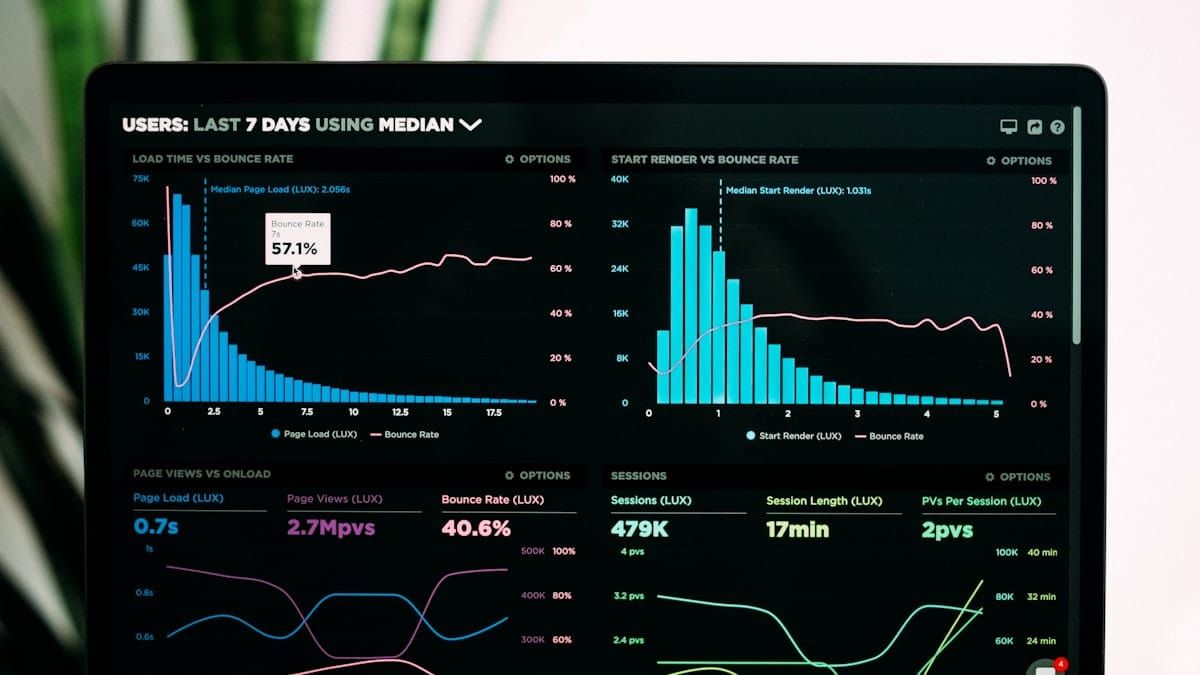
• Every second counts: Conversion rates drop 4.42% for each additional second of load time. A site loading in 1 second converts 3x better than one loading in 5 seconds.
• Video is often the culprit: YouTube embeds add 8+ HTTP requests and can increase page load time by 5x. Even Vimeo adds 500KB+ of page weight before a single frame plays.
• Core Web Vitals matter: Video directly impacts LCP (Largest Contentful Paint) and CLS (Cumulative Layout Shift), both of which affect your Google rankings.
• The fix isn't complicated: Lazy loading, facade patterns, and optimized video players can eliminate most performance penalties while keeping your video content intact.
Here's something that should keep you up at night: 53% of mobile users abandon a site if it takes more than 3 seconds to load. And if you have video on your pages, you're probably over that threshold without even knowing it.
I've spent years watching businesses unknowingly sabotage their own conversion rates with slow video. They'll obsess over button colors and headline copy, then embed a YouTube video that adds 2+ seconds to their load time. It's like spending hours perfecting your storefront window display, then locking the front door.
This guide breaks down exactly why video slows down your site, how much it actually costs you in lost conversions, and what you can do about it. No hype, no hand-waving. Just the technical reality and practical solutions.
The Hard Numbers: How Page Speed Affects Conversions
We've tracked the relationship between page speed and conversion rates across hundreds of sites, and the data is consistent with what the major studies show. Before we get into video specifically, let's establish what we're actually dealing with.
Google's research on mobile page speed found that as page load time increases from 1 second to 3 seconds, the probability of bounce increases by 32%. Stretch that to 5 seconds, and bounce probability jumps to 90%.
But bounce rate is just one piece. Here's what the data shows about actual conversions:
| Load Time | Conversion Impact | Source |
|---|---|---|
| 0-1 seconds | Baseline (highest conversion) | Portent Study (2019) |
| 1-2 seconds | -4.42% per second | Portent Study (2019) |
| 2-3 seconds | -7% cumulative | Aberdeen Group (2018) |
| 3-5 seconds | -95% conversion drop possible | Google Research (2021) |
| 5+ seconds | B2B sites convert at 1/3 the rate of 1-second sites | Portent Study (2019) |
Amazon figured this out early. Their research showed that every 100ms of latency costs them 1% in sales. At their scale, that's $1.6 billion annually. Walmart documented similar findings: 1% incremental revenue increase for every 100ms improvement.
You're probably not operating at Amazon scale. But the percentages work the same way whether you're doing $1 million or $1 billion in revenue.
Why Video Is the Biggest Speed Killer on Most Sites
In our performance audits, video is the single largest contributor to slow page loads more often than any other element. The problem isn't video itself — it's how most video gets delivered to your pages.

If you've ever wondered whether YouTube videos impact site speed, the answer is a definitive yes—and here's why.
When you embed a video from YouTube, Vimeo, or most other platforms, you're not just loading a video file. You're loading an entire application, complete with its own scripts, tracking code, and assets. Let me break down what actually happens:
The Hidden Cost of a YouTube Embed
A single YouTube embed triggers:
- 8+ HTTP requests minimum, often more
- Player scripts (player.js, embed.js, base.js)
- Google tracking scripts (Tag Manager, analytics)
- Ad-related scripts (DoubleClick, ad serving infrastructure)
- Thumbnail and preview assets
- Engagement tracking (recommendations, session data)
One performance test showed that removing YouTube embeds reduced page load time by nearly 5x, from 17.38 seconds to 3.6 seconds. That's not a typo. Five times faster.
And it gets worse with multiple videos. Each embedded video multiplies these requests. A page with 3 YouTube videos might be making 25+ external requests before your actual content finishes loading.
DNS Lookups and Third-Party Blocking
Every external resource on your page requires a DNS lookup. The browser needs to find the IP address for youtube.com, googlevideo.com, doubleclick.net, and every other domain those embeds call.
Each DNS lookup typically takes 20-120ms. Multiply that across 8-10 external domains from a single YouTube embed, and you've added 200-1200ms to your page load before any actual video content transfers.
But here's the part that really hurts: JavaScript loading can be render-blocking. Your browser may pause rendering your page content until it finishes downloading and parsing YouTube's player scripts. The user sees a blank or incomplete page while waiting for video infrastructure they haven't even asked to play yet.
Core Web Vitals Impact
Google's Core Web Vitals directly measure the user experience problems that slow video creates:
LCP (Largest Contentful Paint): If video is your largest visible element, LCP can't complete until the video player fully loads. Google's threshold is 2.5 seconds. Embedded videos routinely push LCP well past that.
CLS (Cumulative Layout Shift): Video embeds without explicit width/height dimensions cause layout shifts when they load. The page jumps around as the video player claims its space. Google's threshold is 0.1. Video embeds without proper sizing often fail this alone.
INP (Interaction to Next Paint): Heavy JavaScript from video players can block the main thread, making your page feel sluggish when users try to interact with it.
Sites that pass Core Web Vitals see 24% less page abandonment. Vodafone's A/B test showed that improving LCP by 31% led to 8% more sales. Video is often the single biggest obstacle to hitting these thresholds.
Video Player Comparison: Real Performance Data
We benchmarked the most common video embed options to see how they actually perform. The differences are significant:
| Platform | Initial Load Weight | HTTP Requests | Third-Party Domains | Trade-offs |
|---|---|---|---|---|
| YouTube | ~1.5MB+ | 8-15 | 5-8 (Google ecosystem) | Free but ad-heavy, related videos steal traffic |
| Vimeo | ~500KB+ | 5-8 | 2-4 | Cleaner than YouTube, paid plans for serious use |
| Wistia | ~99KB (player only) | 3-5 | 1-2 | Good performance, expensive at scale |
| Self-Hosted (HTML5) | Varies (your control) | 1-2 | 0 | Full control but eats server bandwidth |
| SmartVideo | ~50KB | 1-2 | 1 (CDN only) | Built for speed, no ads or related videos |
YouTube performs worst for page speed because Google prioritizes monetization over your site's performance. Every embed includes ad-serving infrastructure whether you want it or not. The "related videos" at the end also drive traffic away from your site—something we cover in depth in our pros and cons of YouTube embeds guide.
Vimeo is better. WP Rocket's testing found Vimeo to be the fastest among mainstream platforms. But you're still loading Vimeo's full player infrastructure on every page, and their free tier limits bandwidth significantly.
Wistia has invested heavily in performance. Their Vulcan V2 player is 99KB, about a quarter the size of YouTube's player. They preload the first few seconds of video for instant playback. The catch: pricing starts at $99/month and scales quickly.
Self-hosted HTML5 gives you total control, but it's a trap for most sites. Video files are huge, and serving them from your own server will crush your bandwidth and slow down everything else. Unless you have a CDN specifically optimized for video (most general CDNs aren't), self-hosting usually makes performance worse, not better.
SmartVideo was built specifically to solve this problem. A lightweight 50KB player, global CDN delivery, and no ads or branding. Your videos load fast and keep visitors on your site.
See how SmartVideo works →
The Technical Reality: Why Video Embeds Slow Everything Down
From our testing, we've identified the specific mechanisms that make video embeds so damaging to page performance. Understanding what happens when a browser loads embedded video helps you make better decisions about solutions.
The Loading Sequence Problem
When your page loads, the browser processes resources roughly in this order:
- HTML document (your actual content)
- CSS files (how things look)
- JavaScript files (how things work)
- Images and media
The problem with video embeds is that they inject themselves into steps 2 and 3. An iframe embed loads external CSS and JavaScript that can block your page's rendering.
Here's a simplified view of what happens with a YouTube embed:
1. Browser encounters YouTube iframe
2. DNS lookup for youtube.com (20-120ms)
3. TCP connection to YouTube servers (50-100ms)
4. TLS handshake for HTTPS (50-100ms)
5. Download YouTube's player JavaScript (~400KB)
6. Parse and execute JavaScript (varies, can be 200ms+)
7. YouTube player makes additional requests for:
   - Thumbnail images
   - Video metadata
   - Ad configuration
   - Tracking scripts
   - Analytics initialization
8. Finally ready to play video
Steps 2-7 happen before your visitor sees anything video-related. If any of that JavaScript is render-blocking, your entire page waits.
The Cumulative Problem
Video performance issues compound with other common elements:
- Multiple videos on one page: Each embed multiplies the overhead
- Other third-party scripts: Analytics, chat widgets, marketing pixels all compete for bandwidth and processing time
- Large images: If you have hero images plus video, LCP becomes nearly impossible to pass
- Web fonts: Custom fonts block rendering while they load
I've audited sites where video embeds accounted for 60%+ of total page weight and 70%+ of HTTP requests. The site owner had no idea because they only saw a simple embed code.
How to Fix Video Speed Problems
These are the fixes we've seen deliver the biggest speed improvements, ranked by impact. Understanding how website speed optimization influences conversions will help you prioritize which ones matter most.
1. Lazy Loading (Quick Fix)
Lazy loading delays video loading until the user scrolls near it. This improves initial page load significantly for videos below the fold.
Modern browsers support this natively:
<iframe src="https://www.youtube.com/embed/VIDEO_ID"
        loading="lazy"
        width="560" height="315">
</iframe>
Pros: Easy to implement, no external tools needed
Cons: Doesn't help videos above the fold, still loads full player when triggered
2. Facade Pattern (Better Fix)
A facade replaces the video embed with a lightweight placeholder image. The actual video player only loads when the user clicks play.
This approach can reduce initial page weight by 90%+ for pages with video.
How it works:
- Display a thumbnail image with a play button overlay
- User clicks the thumbnail
- JavaScript swaps the image for the actual video player
- Video begins playing
Pros: Dramatic performance improvement, works for above-the-fold videos
Cons: Requires custom code or a plugin, adds a click before playback
For WordPress sites, several plugins implement this pattern. For custom sites, libraries like youtube-lite-embed provide ready-made solutions.
3. Preconnect Hints (Supplementary Fix)
If you must use YouTube or Vimeo embeds, preconnect hints tell the browser to start DNS lookup and connection setup early:
<link rel="preconnect" href="https://www.youtube.com">
<link rel="preconnect" href="https://i.ytimg.com">
This can save 100-300ms on video loading. It's not a complete solution, but it helps.
4. Privacy-Enhanced Embeds (Partial Fix)
YouTube offers a "no-cookie" embed domain:
<iframe src="https://www.youtube-nocookie.com/embed/VIDEO_ID"></iframe>This reduces tracking scripts and can improve load time by up to 85%. The video still shows related videos at the end, though.
5. Optimized Video Platform (Complete Fix)
The most effective solution is using a video platform designed for performance rather than advertising.
What to look for:
- Lightweight player: Under 100KB, ideally under 50KB
- Minimal HTTP requests: 1-2 requests, not 8+
- CDN delivery: Video served from edge servers close to your visitors
- Async loading: Player doesn't block page rendering
- No third-party tracking: Eliminates extra domains and scripts
This is the approach SmartVideo takes. The player is ~50KB, loads asynchronously, and serves video from a global CDN with 200+ points of presence. No ads, no related videos, no third-party tracking scripts.
Choose Your Approach Based on Your Situation
Based on the sites we've worked with, the right approach depends on your current setup and how much you're willing to change. Here's my honest recommendation:

Choose YouTube if:
- You have zero budget for video hosting
- SEO discovery on YouTube itself matters to your business
- You're okay with ads and related videos
- Page speed isn't a priority (rare, but some sites don't monetize traffic)
Choose Vimeo if:
- You want cleaner presentation than YouTube
- Budget allows $9-75/month
- You can live with bandwidth limits on lower tiers
- You'll implement facade loading to mitigate speed issues
Choose Wistia if:
- You need detailed video analytics
- Budget allows $99+/month
- You have a small number of videos
- Marketing automation integration is valuable to you
Choose self-hosting if:
- You have a video-optimized CDN already
- You have technical resources to manage encoding and delivery
- You need complete control over player behavior
- You understand the bandwidth costs
Choose SmartVideo if:
- Page speed directly affects your revenue
- You want to keep visitors on your site (no related videos)
- You need to replace YouTube embeds without sacrificing ease of use
- You want CDN delivery without managing infrastructure
Measuring Video's Impact on Your Site
Before making changes, you need a baseline. Here's how we approach video performance measurement:

Quick Test: WebPageTest
Go to WebPageTest.org and test your page with video. Look at:
- Start Render: When does something appear?
- LCP: When does the main content appear?
- Fully Loaded: When is everything done?
- Requests: How many HTTP requests from video domains?
Then test the same page with video removed (or disabled). The difference shows video's actual impact.
Google PageSpeed Insights
PageSpeed Insights directly shows Core Web Vitals performance. Look for:
- Specific callouts about YouTube or video embeds
- "Reduce impact of third-party code" warnings
- LCP element identification (is it your video?)
Real User Monitoring
Lab tests are useful, but real user data matters more. Google Search Console shows your actual Core Web Vitals performance for real visitors. Analytics can show bounce rate by page load time.
If you see high bounce rates on video-heavy pages, slow video is likely contributing.
The Business Case: Calculating Your Speed Tax
We've helped teams justify video performance investments by framing speed in revenue terms. Let's put real numbers on this.
Assume your site currently:
- Gets 100,000 monthly visitors
- Converts at 2%
- Has an average order value of $100
- Loads in 4 seconds (with video embeds)
Monthly revenue: 100,000 x 2% x $100 = $200,000
If you could reduce load time to 2 seconds, research suggests roughly 7-8% conversion improvement. Let's be conservative and say 5%:
New conversion rate: 2% x 1.05 = 2.1%
New monthly revenue: 100,000 x 2.1% x $100 = $210,000
Annual improvement: $10,000/month x 12 = $120,000
That's the "speed tax" you're paying for slow video. Even at smaller scale, the math works. A site doing $50,000/month is leaving $5,000-10,000 on the table annually.
Compare that to the cost of better video hosting (typically $20-200/month depending on your needs). The ROI usually becomes obvious.
Implementation Priority
From our experience, this is the order that delivers the fastest wins:
- Audit current state: Run WebPageTest on your highest-traffic pages with video
- Add lazy loading: 5 minutes of work, immediate improvement for below-fold videos
- Implement facades: Bigger lift, but handles above-fold videos
- Evaluate platforms: If steps 2-3 aren't enough, consider a purpose-built solution
- Monitor results: Track Core Web Vitals and conversion rates over time
Don't try to optimize everything at once. Make one change, measure the impact, then decide on the next step. For a deeper dive on this topic, see our article on why slow videos are a big problem.
Frequently Asked Questions
Does video really affect my Google rankings?
How much does lazy loading actually help?
Is Vimeo really faster than YouTube?
Should I host videos on my own server?
What's the fastest way to embed YouTube without slowing my site?
Do CDNs help with video performance?
What's a good LCP score for pages with video?
How do I know if video is the problem vs. other page elements?
Will fixing video speed really increase conversions?
What's the minimum I should do if I can't switch platforms?
How do mobile and desktop performance compare for video?
Next Steps
Video speed isn't a nice-to-have optimization. It directly affects whether visitors stay on your site long enough to convert. Every second of unnecessary load time costs you real money.
The good news: this is a solvable problem. Whether you implement lazy loading, switch to facades, or move to an optimized video platform, the tools exist to have both great video content and fast page loads.
Start by measuring your current state. Know how much video is actually costing you. Then make informed decisions about how to fix it.
If you want to see how SmartVideo specifically handles these performance challenges, the features page breaks down exactly how our approach differs from YouTube and Vimeo embeds.