
How to Embed Video in Email: What Actually Works in 2026
You can't reliably embed HTML5 video in most inboxes. Use linked thumbnails, GIF previews, and landing pages to improve email click-through rates in 2026.


You can't reliably embed video in email for most recipients, so the method that actually works is a clickable thumbnail or GIF that sends people to a fast landing page.
• Most inboxes block true embeds: Gmail and most Outlook environments still don't support standard HTML5 playback in email, so direct embedding fails at scale (SendSpark, 2026).
• Linked video thumbnails outperform static images: Video thumbnail emails average 10.3% CTR vs 6.1% for static-image emails (Zebracat, 2025).
• Client mix drives your strategy: Apple Mail leads opens at 51.52%, Gmail at 26.72%, Outlook at 7.06%, so fallback behavior matters (Litmus, 2026).
• Keep assets lightweight: For mobile deliverability, aim for GIFs under 500KB and treat 1MB as a hard ceiling; many teams target under 200KB when possible (Litmus, 2026).
If your goal is to embed video in email, the practical answer is to simulate embedding visually, then control the viewing experience on a destination page. In our testing with campaign teams, this gives more consistent clicks than trying to force real embeds that break in half the inboxes.
Why True Embedding Usually Fails
Email clients strip or block interactive code for security, rendering consistency, and legacy compatibility. A common mistake we see is teams pasting `<video>` tags into templates and assuming the ESP will preserve them; many clients sanitize that markup before recipients ever open the message.
There is one new wrinkle in 2026: Microsoft Outlook can transform some video links into playable experiences in Outlook and Loop contexts, but this is not universal HTML5 embed support across all Outlook surfaces (Microsoft Learn, 2026). Treat it as a useful exception, not your base strategy.
Email Client Support Matrix (2026)
| Email Client | Open Share | True In-Email Video | What to Do |
|---|---|---|---|
| Apple Mail | 51.52% | Partial/possible | Still use thumbnail-first for consistency |
| Gmail | 26.72% | No | Use linked thumbnail or GIF |
| Outlook | 7.06% | Limited/new link playback behavior | Design fallback first-frame behavior |
| Other clients | Remaining share | Mixed | Default to universal linked-media pattern |
Those percentages come from Litmus (2026), and client-level compatibility references from Can I email show the same uneven support pattern across major inboxes (Can I email, 2026). Because Gmail and Outlook represent a large combined share and have limited true embed behavior, fallback-safe creative wins.
What Works Instead: 3 Practical Methods
From working with high-volume campaigns, these are the methods that hold up across deliverability checks and device testing.
| Method | Pros | Cons | Best Use |
|---|---|---|---|
| Static thumbnail + play icon | Lightweight, universal support | Lower motion cue | Transactional and high-volume sends |
| Animated GIF preview + link | Stronger click intent signal | Heavier files, Outlook first-frame fallback | Launches and product reveals |
| Hosted landing page video | Full analytics and conversion control | Requires page setup discipline | Demand gen and sales follow-up |
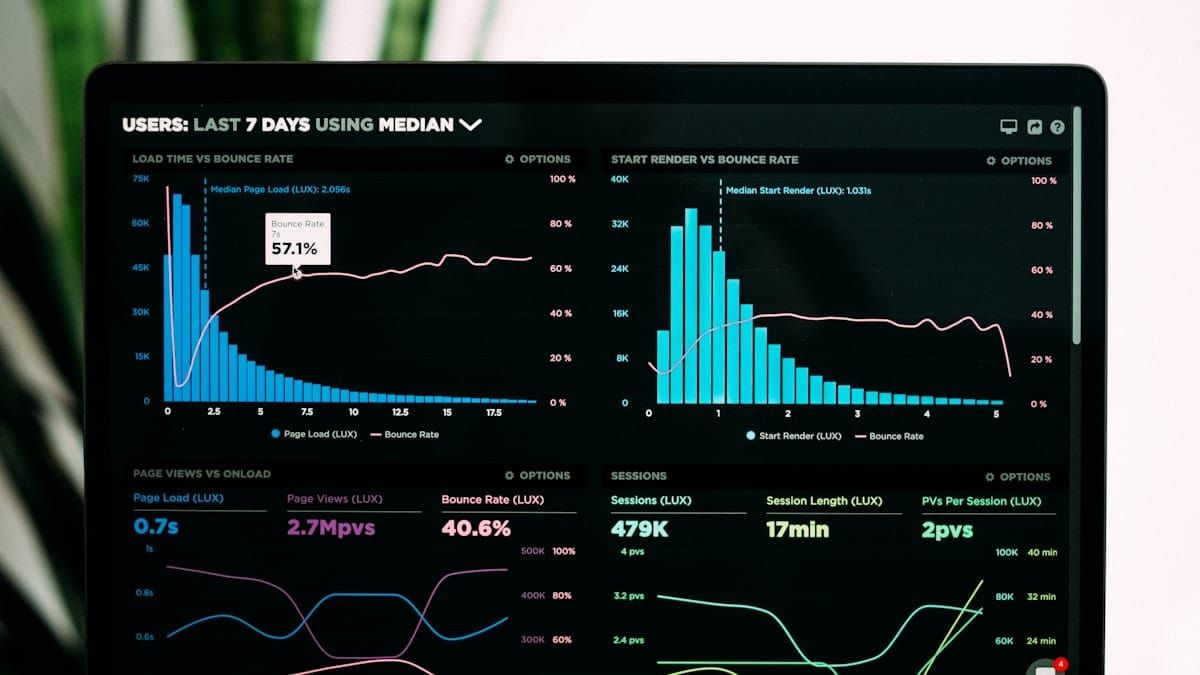
Campaign data backs this approach: video thumbnail sends often outperform static creative when the first frame is clear and the destination page loads quickly.
Step-by-Step Implementation
1. Build the thumbnail creative
Start with one clear frame, high contrast, and a visible play icon. If you use GIF previews, keep clips short (2-3 seconds) and optimize aggressively for inbox weight. One thing that surprised us: tiny improvements in first-frame clarity often beat flashy animation.
- Pros: Faster load and better mobile rendering when optimized.
- Cons: Unoptimized GIFs can hurt load speed and reduce engagement.
2. Send clicks to a purpose-built page
Your email does the click; your landing page does the conversion. Use this handoff to control player behavior, page speed, tracking, and CTA flow. If you need ideas, start with our guide on how to optimize the landing page where your video thumbnail links.
Teams usually focus on open and click rates, then lose people on a slow video page. If you want a faster, distraction-free video destination, see SmartVideo solutions.
3. Implement inside your ESP
Mailchimp: Use an image content block (or video-supported workflow), set your thumbnail image, and link it to your hosted destination URL (Mailchimp, 2026).
HubSpot: Add an image module or GIF module, then apply the click-through URL and UTM parameters; HubSpot's own email module guidance uses linked thumbnails because many inboxes still don't support direct playback (HubSpot Knowledge Base, 2025). HubSpot handles responsive rendering well, but your file weight still determines load behavior in many clients.
General ESP workflow: keep this simple: thumbnail/GIF, destination link, alt text, mobile preview test, and send-test across Gmail + Outlook + Apple Mail before launch.
4. Add tracking before launch
In our campaign audits, missing attribution is the most common operational gap. Set UTM tags on every thumbnail link and report these metrics:
- Thumbnail click-through rate
- Landing-page play rate
- Average watch time
- Post-video conversion rate
A/B Testing Plan You Can Run This Week
Run one variable at a time for at least three sends. In our testing, teams often see measurable CTR movement within the first few campaigns after introducing video thumbnails. That timeline matches what we usually see when tests are clean.
- Test 1: Static thumbnail vs GIF thumbnail.
- Test 2: Subject line with "video" vs without.
- Test 3: Play icon style and placement.
- Test 4: Destination page headline and CTA copy.
For broader strategy context, email is one channel in a complete video marketing strategy, and message-to-page consistency matters as much as the email creative itself.
File Size and Performance Rules
In our testing across dozens of campaigns, file weight is the single biggest predictor of whether a GIF renders smoothly on mobile. Use these limits to avoid heavy emails and poor mobile rendering:
- Static thumbnails: ideally under 200KB.
- Animated GIFs: prefer under 500KB; keep under 1MB when possible.
- Destination video: short, focused, and compressed for fast start.
If your media pipeline is slow, use our walkthrough on how to compress your video for fast landing page loading, and keep this follow-up guide handy to reduce video file size before hosting.
Common Mistakes to Avoid
We've seen every one of these in client audits — they're easy to fix but expensive to miss:
- Designing for one inbox and skipping client tests.
- Using heavy GIFs that load late on mobile data.
- Linking to pages with autoplay delays or buffering.
- Forgetting alt text and first-frame clarity for Outlook fallback.
- Measuring only email CTR without post-click video metrics.
If you want more tactical ideas, this companion post covers 7 specific ways to use video in your email campaigns.
FAQ
Common Questions
Can I embed a YouTube video directly in an email?
Does Gmail support embedded HTML5 video in email?
What is the recommended file size range for an animated GIF in email?
How long should my video be when sent from email campaigns?
Does adding the word "video" to the subject line increase opens?
How should I measure success for video in email?
Will video thumbnails hurt deliverability?
Is Outlook's 2026 video feature enough to switch back to real embeds?
Conclusion
To embed video in email successfully in 2026, design for compatibility first and experience second: linked thumbnail, fast destination page, and clean measurement. If you want better post-click performance from those campaigns, compare your current setup against SmartVideo pricing and plans and benchmark the difference.