
How to Create a Product Video That Converts (2026 Guide)
Stop losing buyers to distracting video embeds. Here is the complete 2026 guide to scripting, shooting, and hosting product videos that actually convert.

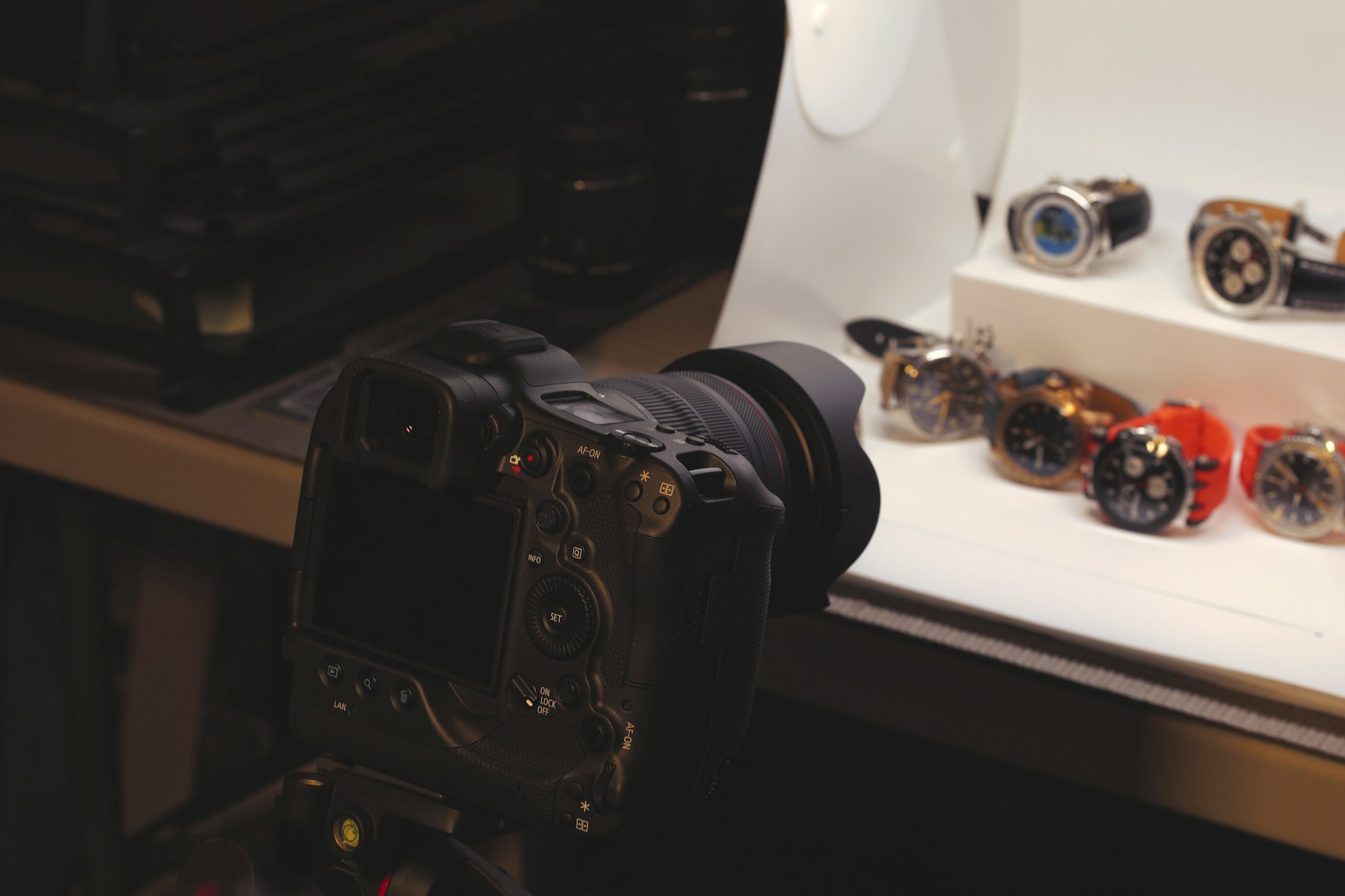
A strong product video starts with a clear message, follows a structured production workflow, and ends up on a hosting platform that won't undercut your conversions. This guide covers all three -- from identifying your core benefit and scripting a hook to choosing between free embeds and commercial hosting that keeps buyers on your page.
The stakes are real: 85% of consumers say they've been convinced to buy a product after watching a video (Wyzowl, 2026). Below, you'll find a 7-step creation workflow, five product video examples with measurable business results, budget ranges for every production tier, and channel-by-channel distribution specs -- plus the hosting mistake that quietly kills conversions on product pages.
• Format first: 63% of consumers prefer short video formats to learn about products (Wyzowl, 2026).
• Context matters: Physical product shoots require different pacing and lighting than SaaS screen-recording demos.
• Repurpose properly: A 2-minute landing page explainer should be cut down for YouTube Shorts, which now averages 200 billion daily views (eMarketer, 2025).
• Hosting affects sales: Using standard free embeds on product pages can hurt conversions by adding distracting recommended videos and slowing down load times.
Mapping Product Video Types to Your Funnel
Not all product videos serve the same purpose. Before you touch a camera or screen recorder, you need to align the format with where the buyer is in their journey.
| Video Type | Primary Goal | Best Placement |
|---|---|---|
| Teaser / Promo | Awareness, grab attention quickly | Social media, top-of-funnel ads |
| Explainer | Education, problem-solution narrative | Homepage, landing pages |
| Product Demo | Show exactly how it works | Product pages, email nurture |
| Testimonial | Social proof, objection handling | Checkout flow, retargeting ads |
A quick teaser won't close a complex B2B software sale, and a 15-minute deep-dive demo will get swiped past on TikTok. Choose the format that fits the friction point you are trying to solve.
Dollar Shave Club -- "Our Blades Are F***ing Great." $4,500 budget, 12,000 orders in 48 hours.
How to Create a Product Video in 7 Steps
Creating a polished video requires a structured workflow. Skipping the planning phase is the fastest way to waste a shooting day.
1. Identify the Core Benefit
People don't buy features; they buy outcomes. Before drafting a script, write down the single biggest problem your product solves. If the goal is ecommerce conversion, every second should point back to how the product improves the buyer's life.
2. Write a Hook-Driven Script
You have about three seconds to keep someone from scrolling. Start with the problem or an unexpected visual, not your logo. When drafting the script and hook, keep your sentences short and punchy.
3. Create a Simple Storyboard
A storyboard maps your script to visual shots. It prevents you from realizing in the editing room that you forgot to film a crucial feature. It doesn't need to be fancy -- stick figures and text blocks work perfectly.
4. Plan the Shoot (Physical vs. SaaS)
The workflow diverges heavily based on what you are selling:
- Physical Products: Lighting and context are everything. Show the product in use, not just spinning on a white table. A jacket needs to be seen moving on a person; a tool needs to be shown fixing something. For lighting, a basic three-point setup (key light at 45 degrees, fill light opposite, backlight for separation) works for almost any product shoot. If you're on a budget, a single large window as key light plus a white foam board as fill produces surprisingly professional results. Shoot on a clean, uncluttered background -- solid colors or natural settings that don't compete with the product. For smartphone shoots, lock the exposure and white balance manually so they don't shift mid-take.
- SaaS / Digital Products: Screen recordings can be dry. Use zooms, highlights, and annotations to direct the eye. Record at native resolution (1920x1080 minimum) and zoom in on specific UI elements during editing rather than relying on a full-screen capture where buttons are too small to read. If your interface is complex, consider using simplified UI mockups for clarity. Record mouse movements deliberately -- slow, purposeful clicks read better on camera than real-time usage speed.
Purple Mattress -- "Raw Egg Test." One visual demonstration, over 100 million views.
5. Record High-Quality Audio
In practice, bad lighting is forgivable; bad audio is not. Viewers will immediately click away if your voiceover sounds like it was recorded in a tin can. Invest in a decent microphone -- even a $20 lapel mic is a dramatic upgrade over built-in camera audio.
6. Edit for Pacing
When moving from raw footage to the final cut, ruthless editing is key. Cut the pauses, the filler words, and any shot that doesn't advance the narrative. According to Wistia's 2025 data, 41% of surveyed professionals now use AI to assist with editing tasks, which can speed up trimming significantly.
7. Add Captions for Accessibility
Many users watch videos with the sound off, especially on mobile. Adding accurate captions ensures your message lands regardless of the viewing environment. When advising on captions and accessibility, compliance matters -- see our video accessibility guide.
Product Video Examples Worth Studying
Before you start producing, study what works. These five product videos each demonstrate a different approach -- and each generated measurable business results.
- Dollar Shave Club -- "Our Blades Are F***ing Great": Shot for roughly $4,500, this personality-driven video generated 12,000 orders in 48 hours. The takeaway: authenticity and humor outperform production budget. CEO Michael Dubin delivered a deadpan warehouse walkthrough that became the DTC video playbook.
- Purple Mattress -- "Raw Egg Test": Purple dropped raw eggs onto their mattress from height to prove pressure-relief claims. One memorable proof moment generated over 100 million views. A single visual demonstration is more convincing than five minutes of feature descriptions.
- Dropbox -- Original Animated Explainer: This 2-minute animated video explained cloud file sync to a mainstream audience and is credited with growing Dropbox's beta waitlist from 5,000 to 75,000 overnight -- a number confirmed by founder Drew Houston. Simple visuals work when the concept needs explaining.
- UGREEN NASync -- Kickstarter Launch (2024): UGREEN's product video for their NASync network storage line hit its $20,000 funding goal in 5 minutes. The campaign closed at $6.7 million from 13,285 backers -- the highest-funded NAS product in Kickstarter history. The video worked because it opened with the problem (cloud storage costs, privacy concerns) before showing the hardware.
- Maelys -- TikTok Shop Before/After Videos (2024): Instead of one polished hero video, body-care brand Maelys built its strategy around user-generated before-and-after clips on TikTok Shop. The approach made them the #1 body-care brand on TikTok Shop in 2024 (Nielsen) and grew the business 50%+ year-over-year. Proof that authentic, creator-driven product demos can outperform studio production at scale.
Maelys B-FLAT -- Spec ad. Creator-driven clips made them #1 body-care brand on TikTok Shop.
Notice that none of these succeed by listing features. Each one answers a specific question: "Will this work?" (Purple), "What does this do?" (Dropbox), "Is this brand for me?" (Dollar Shave Club), "Can I afford this?" (UGREEN), "Does this actually work on real people?" (Maelys). Build your video around a question your buyer is already asking.
What Does a Product Video Cost?
Budget is the question every "comprehensive guide" should answer. Here's what to expect at three production tiers:
| Tier | Budget Range | What You Get | Best For |
|---|---|---|---|
| DIY | $0 – $500 | Smartphone camera, natural/ring light, lapel mic, free editor (DaVinci Resolve, CapCut) | Social clips, early-stage startups, quick product demos |
| Freelancer | $1,000 – $5,000 | Hired videographer/editor, basic lighting kit, professional audio, simple motion graphics | Product page hero videos, explainers, email campaigns |
| Professional | $5,000 – $25,000+ | Full crew, custom set/location, professional color grading, advanced motion graphics, multi-day shoot | Brand launch videos, TV/streaming ads, flagship product reveals |
Dollar Shave Club's viral hit cost $4,500 -- solidly in the freelancer tier. You don't need a professional production budget to make a video that converts, but you do need a clear script and decent audio regardless of tier.
Distribution: Length and Format by Channel
One video export is not enough. You need to tailor the aspect ratio and length to the channel where it will live. This reference table covers the specs you'll need:
| Platform | Aspect Ratio | Ideal Length | Resolution | Notes |
|---|---|---|---|---|
| Product Pages | 16:9 | 1 – 2 min | 1080p | Highest buyer intent; use a conversion-optimized player |
| YouTube | 16:9 | 3 – 5 min | 1080p – 4K | Search-driven; optimize titles and descriptions for discovery |
| YouTube Shorts | 9:16 | < 60s | 1080 x 1920 | Hook in first 2 seconds; vertical only |
| TikTok | 9:16 | 15 – 60s | 1080 x 1920 | Show product in first 3 seconds; see aspect ratio guide |
| Instagram Reels | 9:16 | < 90s | 1080 x 1920 | Visual hook in first frame; keep text legible on small screens |
| 16:9 or 1:1 | 30s – 2 min | 1080p | Native upload outperforms link shares; B2B focus |
Dropbox -- Original Animated Explainer. 5,000 to 75,000 waitlist signups overnight.
Shoppable Video: YouTube Shopping and TikTok Shop
In 2025-2026, the line between product video and checkout page blurred significantly. YouTube Shopping now lets brands tag products directly in videos and Shorts, with Shopify catalog sync enabling in-video purchases without leaving the platform. TikTok Shop requires product videos between 15-60 seconds (vertical, 9:16) and its algorithm favors videos where the product appears in the first 3 seconds -- bury the product reveal and the algorithm buries your reach. If you're producing for either platform, plan your shot list around these shoppable specs from the start, not as an afterthought in the editing room.
The Hidden Conversion Killer: Hosting and Embedding
This is where most businesses drop the ball. They create a strong product video, upload it to YouTube, and paste the embed code onto their product page.
The technical cost of that decision is well-documented. A single YouTube iframe embed loads 1.3 MB of data across 32 HTTP requests before the video even starts playing (Frontend Masters, 2024). Two embeds on the same page? That's 2.4 MB -- resources aren't shared between iframes. This payload increases Largest Contentful Paint (LCP) by 1-1.5 seconds on a typical page (CoreWebVitals.io), which directly affects both your Google rankings and your bounce rate.
Beyond the raw performance hit, free embeds introduce conversion friction you can measure:
- Distractions: Related videos at the end of a clip often feature your competitors. You are literally paying to drive traffic to your site, only to let a free video player redirect them elsewhere.
- Page Speed: That 1.3 MB JavaScript payload drags down Core Web Vitals scores. Try it yourself: run PageSpeed Insights on any page with a YouTube embed, then swap to a facade loader or commercial player and test again -- the LCP difference is typically over a second.
- Branding: A clunky red player with external logos breaks the aesthetic of a polished ecommerce site.
The alternative is a commercial player that strips out distractions entirely. We have a complete breakdown on how to embed video without ads.
When choosing how to host the finished product video, you need a solution built for site performance. Compare your options in our guide to the best video hosting platforms.
Standard YouTube embeds leak traffic to competitors and slow down your pages. Deliver a clean, fast experience instead. Try SmartVideo Free →
Measuring Success
A video is only successful if it drives the intended action. The right metrics depend on where the video sits in your funnel -- a teaser ad and a product-page demo need different KPIs.
Key Metrics and Benchmarks
- Play Rate: The percentage of page visitors who click play. Wistia's 2025 data across 14 million videos shows play rates range from 16% on thank-you pages to 33% on gallery pages. If your product page play rate is below 15%, test a different thumbnail or move the video above the fold.
- Engagement Rate: How much of the video viewers actually watch. According to Vidyard's benchmark report, videos under 60 seconds hold 66% completion rates, while 1-2 minute videos drop to 56%. If viewers are leaving before the midpoint, your intro is too long or the pacing stalls.
- Conversion Rate: Do visitors who watch the video buy at a higher rate than those who don't? Shoppers who watch product demos are 1.81x more likely to purchase than non-viewers (Shopify, 2025). Broader ecommerce aggregates show similar uplift -- but only if the video loads fast enough to get watched in the first place, which circles back to the hosting decision above.
Tools for Tracking
The analytics tool depends on your hosting platform:
- Wistia: Built-in heatmaps showing exactly where viewers rewatch, skip, or drop off -- the most granular option for product page videos.
- GA4 video events: Track play, progress (25%/50%/75%/100%), and completion as Google Analytics events. Works with any player that fires JavaScript events.
- YouTube Analytics: Retention curves, traffic sources, and click-through on end screens. Best for videos hosted on YouTube for discovery, less useful for embedded product page performance.
Match your tracking to the funnel stage: top-of-funnel teasers need reach and play rate data; bottom-of-funnel demos need conversion attribution.
FAQ
What is a product demo video?
How long should a product video be?
Where should I post a product video?
Can AI make product videos?
What makes a product video effective?
How do I make a product video for Instagram?
Should I host my product video on YouTube?
What equipment do I need to shoot a product video?
The Final Polish
Creating a product video that actually performs requires careful planning, audience empathy, and high-quality production. But none of that matters if your hosting setup undercuts the final result. If your goal is to keep visitors on your site and convert them into buyers, choosing a distraction-free, fast-loading player like SmartVideo lets your video do the heavy lifting.