
Small Business Video Ideas: 8 Story Formats That Build Trust (2026)
Not every small business needs the same video. This guide shows which 8 formats earn trust fastest, what they cost, and where each one fits.


• Start with the goal: The right small business video depends on whether you need awareness, trust, or conversions.
• Use story structure: Videos perform better when they show a problem, tension, and outcome instead of reading like an ad.
• Keep it practical: 92% of video marketers say video delivers good ROI and 96% of people have watched an explainer video to learn about a product or service (Wyzowl, 2026).
• Publish with intent: Hosting your videos on your own site keeps the story close to the page where people actually buy, book, or contact you.
Small business video ideas work best when each video matches one job: explain what you do, prove you can deliver, or help a buyer take the next step. If you are deciding what kind of videos your business should make, start with the format that fits your current bottleneck, then build the story around a real customer problem instead of your logo.
The old version of this post had the right instinct but not enough depth. Small businesses do not need a long list of random formats. They need a shortlist they can actually produce on a real budget, with a clear sense of what each video is supposed to do.
That is the gap this guide covers. Below, you will see 8 types of small business videos, the story framework that makes each one work, rough budget ranges, and examples you can borrow without turning your site into a generic corporate reel. If you need the broader strategy behind distribution and measurement, start with this complete video marketing guide for business.
Which small business video should you start with?
If you only have time or budget for one video, do not start with what looks cinematic. Start with what removes the biggest buying objection. We see small businesses stall when they script a mini commercial before they have a proof asset, a clear customer question, or a page where the video will actually support a conversion.
| If your goal is... | Start with this video type | Why it works | DIY budget |
|---|---|---|---|
| Explain a product or service fast | Product demo or explainer | Answers "what is this?" and "is it for me?" in one pass | $0-$200 |
| Build trust with skeptical buyers | Customer testimonial | Puts a real face on the outcome you promise | $50-$300 |
| Humanize the brand | Brand story or about video | Shows why the business exists and who it serves | $100-$500 |
| Answer repeat questions at scale | How-to or FAQ video | Turns support and sales questions into evergreen content | $0-$150 |
| Show proof of process | Behind-the-scenes video | Makes quality, care, and consistency visible | $0-$100 |
A good rule is simple: if buyers do not understand your offer, make an explainer first. If they understand it but hesitate to trust you, make a testimonial or case study first. If you need help planning the wider funnel, this guide on video marketing strategy for your website pairs well with the formats below.
What NOT to make first
The biggest waste of a first video budget is a polished brand film with no clear conversion job. These three patterns stall small businesses before they build momentum:
1. The mini-commercial. A 60-second sizzle reel looks impressive but answers no specific buyer question. It often costs $3,000+ to produce professionally and sits on a homepage where nobody clicks play because they still do not understand what you sell.
2. The "culture" video before proof assets. Internal team videos are fun to make, but if you have zero testimonials, no demos, and no FAQ content, you are showing personality to people who have not decided whether your product is worth considering.
3. All eight formats at once. Hiring a crew to shoot everything in one day sounds efficient, but it usually produces eight mediocre videos instead of two strong ones. Pick the format that addresses your biggest sales objection, measure the result for 30 days, then expand.
1. Brand story or About Us video
A brand story video tells people why your business exists, who it helps, and what you believe is worth doing differently. This is one of the strongest small business video ideas when your company is founder-led, local, specialized, or built around a point of view.
The story structure is straightforward: setup is the moment the business started, conflict is the problem you saw in the market, and resolution is the promise you now deliver. Founders Brewing's origin video remains a solid reference because it centers the founding moment and keeps the customer in frame instead of wandering into autobiography. In 2025-2026, the most effective brand story videos follow a similar formula but in shorter, vertical formats designed for social feeds -- same story structure, smaller time commitment for the viewer.
Budget range: $100-$500 DIY, $1,500-$4,000 professional (based on Advids 2025 pricing data and Vidico's 2026 production cost guide; budget ranges throughout this post reflect the same two sources plus freelance marketplace rates). You need one spokesperson, a quiet location, a few b-roll shots, and a script that cuts anything self-congratulatory. For a deeper breakdown, see how to create a brand video.
2. Customer testimonial video
A testimonial video works because it transfers credibility from your brand to the customer who benefited from it. That matters more in 2026 than ever: 79% of people have watched a video testimonial to learn about a company, and 77% say it played a part in convincing them to buy (Wyzowl Testimonial Statistics). The trust signal is consistent across surveys -- video testimonials outperform text-only reviews in perceived credibility (Marketing LTB, 2025).

The right structure here is before, struggle, after. Ask the customer what life looked like before they found you, what made the problem frustrating, and what changed once your product or service was in place. A testimonial becomes persuasive when the viewer can see themselves in the "before" section, not when the customer recites praise on cue.
Testimonial script skeleton you can copy
Here is a three-part script framework you can hand to any customer before you press record:
1. Before (10-15 seconds): "Before we started using [product/service], we were spending [specific time or money] on [the old way]. It was [concrete frustration]."
2. Struggle (10-15 seconds): "The hardest part was [specific bottleneck]. We tried [alternative they used], but [why it fell short]."
3. After (15-20 seconds): "Since switching, we have seen [specific measurable result -- a number, a time saved, a problem eliminated]. The biggest difference is [one sentence about the emotional or operational change]."
That skeleton keeps the total under 60 seconds and gives the customer enough structure to be specific without sounding rehearsed. The key is the numbers: "we cut onboarding from two weeks to three days" lands harder than "it made things faster."
Budget range: $50-$300 DIY, $1,000-$3,500 professional. A phone camera, one lapel mic, and good lighting are enough for many service businesses. If you want a fuller process for collecting and placing these videos on high-intent pages, use this guide on how to collect and host video testimonials.
3. Product demo or explainer video
Explainer videos help buyers understand what the product does, who it is for, and how it fits into their day. This is one of the most reliable formats in small business video marketing because 96% of people have watched an explainer video to learn about a product or service (Wyzowl, 2026). The conversion case is just as clear: pages with embedded video average a 4.8% conversion rate compared to 2.9% without (Xictron, 2026).
The structure should be problem, solution, outcome. Show the annoying status quo first, then the product in action, then the result in plain terms. Wonderbly's product videos work because they do not bury the payoff; the product becomes understandable within seconds, and the emotional angle supports the explanation instead of replacing it. In 2025, AI-assisted editing tools and screen recording software have dropped the barrier for DIY explainers significantly -- a founder can shoot and edit a working product demo in an afternoon.
Explainer script skeleton you can copy
This three-part framework works for screen recordings, live-action demos, and simple animations:
1. Problem (10-15 seconds): "If you are [target audience], you have probably dealt with [specific pain point]. Most people try [common workaround], but that means [consequence]."
2. Solution (20-30 seconds): "Here is how [product name] works. [Walk through the 2-3 core steps the viewer would actually take]. That is it -- no [common complexity the viewer expects]."
3. Outcome (10-15 seconds): "[Specific result]: [time saved, cost reduced, or problem eliminated]. [One sentence CTA: where to start, what to click, or what to try free]."
Keep the total under 90 seconds. The biggest mistake is spending 45 seconds on backstory before the product appears on screen -- show the product doing the thing within the first 15 seconds, then explain why it matters.
Budget range: $0-$200 DIY, $1,500-$6,000 professional. Screen recordings, simple voiceover, and tight editing beat overproduced animation for most small businesses. If your offer needs a direct conversion asset, read how to create a product video that converts.
Product demos, testimonials, and brand videos work harder when viewers stay on your page instead of drifting into ads or unrelated recommendations. Compare SmartVideo plans for clean, branded video embeds.
4. Behind-the-scenes video
Behind-the-scenes videos show how the work gets done. That matters because buyers do not only evaluate the result; they evaluate whether the process looks careful, honest, and repeatable.
The storytelling format is preparation, craft, reveal. Show the raw materials, the decisions that shape quality, and the finished result. This works especially well for food businesses, makers, agencies, and local services because process is part of the product, even when customers never use that exact phrase.
Budget range: $0-$100 DIY, $800-$2,500 professional. A half day with a phone, tripod, and a shot list is enough. The mistake is over-narrating. Let the footage do part of the work.
5. How-to or tutorial video
Tutorial videos earn trust by being useful before the sale. They are one of the strongest video ideas for small business owners who answer the same question every week by email, in DMs, or on sales calls.
The structure is goal, steps, result. Start with the exact thing the viewer will learn, walk through the steps without filler, then show what success looks like. River Pools built a strong library around this approach -- and the results are concrete. Founder Marcus Sheridan credits a single educational article ("How Much Does a Fiberglass Pool Cost?") with generating over $35 million in revenue (Pool Magazine, 2025). The same "answer every buyer question" strategy extends directly to video: if your educational content solves a real question, people treat you as a credible source before they ever ask for a quote.
Budget range: $0-$150 DIY, $700-$2,500 professional. Use a phone for hands-on tutorials, or screen recording for digital workflows. When you build a library of these, they also support video marketing for lead generation because they capture search traffic from question-based queries.
6. Case study video
A case study video is a testimonial with more structure, more evidence, and more context. It is the right format when the sale is higher-consideration and the buyer wants proof that you can solve a problem like theirs.
The structure is challenge, implementation, measurable outcome. Include the customer's context, what changed during the project, and at least one concrete result. If you have a service business, B2B offer, or high-ticket product, this often outperforms a general brand video because it makes the decision feel lower-risk.
Budget range: $150-$600 DIY, $2,000-$7,000 professional. In our experience, case studies get stronger when the client can describe the stakes in plain language. "We were losing leads" is more persuasive than polished jargon.
7. FAQ or Q&A video
FAQ videos are simple, but they shorten the distance between interest and action. They work well on service pages, product pages, and pricing pages because they answer the objections that stop buyers from clicking.
The structure is question, direct answer, next step. Pick one question per video or batch related questions into a short sequence. Good topics include pricing logic, timelines, what happens after purchase, what makes you different, and whether the offer is a fit for a certain type of customer.
Budget range: $0-$100 DIY, $500-$2,000 professional. These do not need dramatic production. They need clarity, pacing, and a page where the answer is immediately useful.
8. Event, launch, or milestone video
Milestone videos capture momentum. They are useful when your business has a launch, community event, anniversary, opening day, or major customer win worth documenting.
The structure is occasion, energy, takeaway. Show what happened, why people cared, and what it means next. This format creates social proof and can feed shorter clips for email and social at the same time, but it works best when the event matters to the customer rather than only to the company.
Budget range: $0-$250 DIY, $1,000-$4,000 professional. Capture more candid footage than you think you need. Small business event videos get better when they feel observed rather than staged.
What makes these videos feel authentic instead of promotional?
Authenticity comes from specificity. A viewer believes details they can picture: the question a customer asked, the step your team almost missed, the number of revisions before the process clicked, the exact result someone cared about. That is one reason storytelling matters so much. 63% of consumers say they would buy from a company they perceive as authentic (Marketing LTB, 2025).
That does not mean every video needs a dramatic arc. It means every video needs a real-world anchor. We have seen small business videos improve fast once the script stops describing the company in broad terms and starts describing the customer's situation in concrete terms.
Where to host small business videos
Making the video is only half the job. Where you publish it changes the result. If the goal is trust or conversion, put the video on the page where the buyer is deciding, not only on a social platform where the next suggested clip can pull attention away. That matters even more for demos, testimonials, and FAQ videos because those formats are closest to the sale.
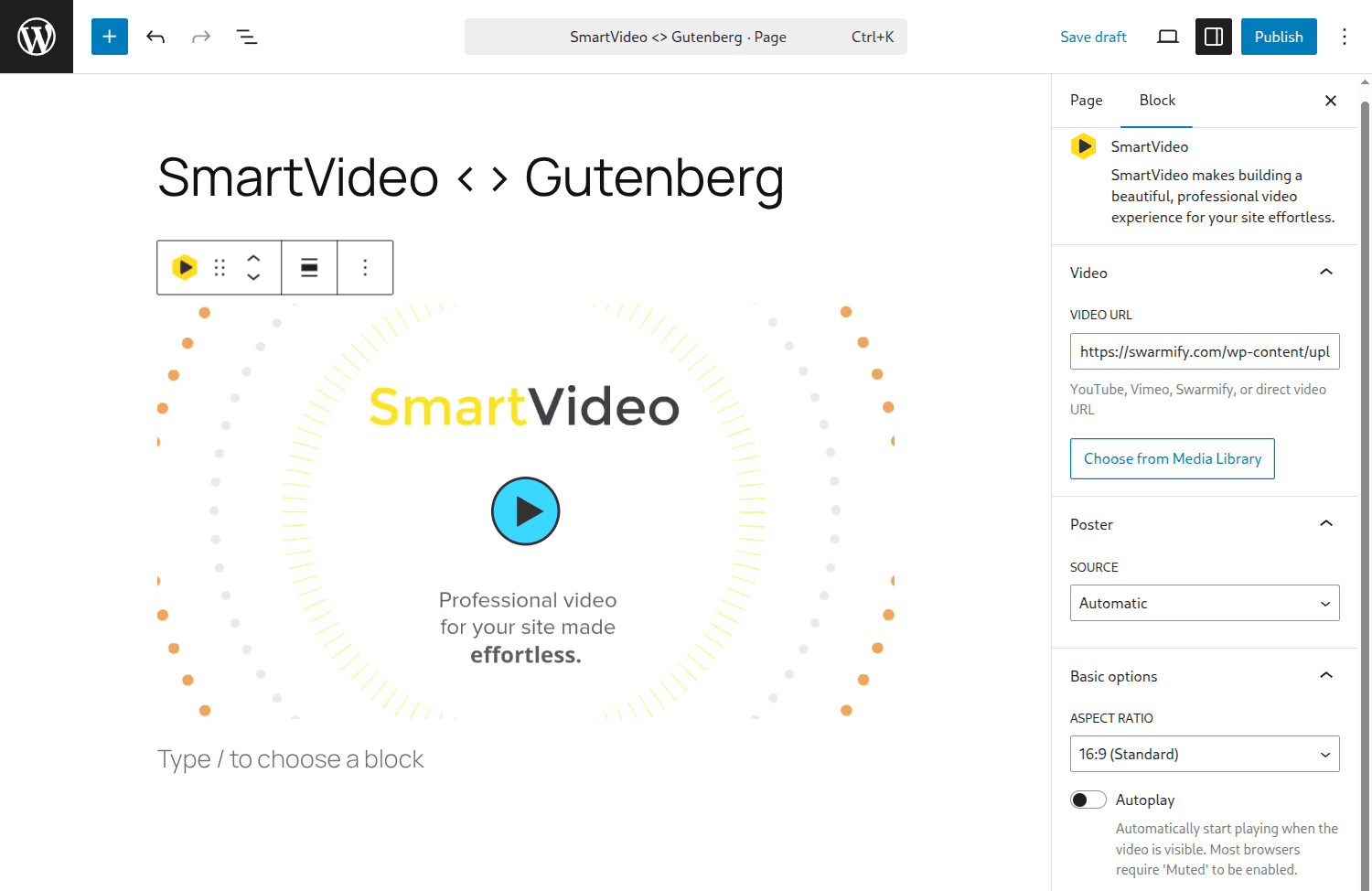
This is where Swarmify's SmartVideo fits naturally. It gives you a WordPress block and shortcode, fast CDN-backed delivery, and branded playback without ads or related-video leakage. If your site depends on on-page conversion, that setup is more aligned with the job than embedding a video and hoping the platform around it does not distract the viewer. You can see the current plans on the SmartVideo pricing page.
A simple production checklist for small business video marketing
Before you record anything, make sure each video has these five pieces:
1. One audience: Pick one buyer, not everyone.
2. One problem: Name the exact friction point.
3. One story shape: Problem-solution, before-after, challenge-outcome, or question-answer.
4. One call to action: Contact, buy, book, subscribe, or learn more.
5. One destination page: The video should live where the next step can happen.
If you build your library one format at a time, the work compounds. A testimonial supports a service page. A product demo supports a pricing page. A how-to video can rank in search, support email nurturing, and answer questions before support has to. For more examples and broader content planning, review these video marketing statistics for 2026 and these types of videos people love to watch and share.
Recommended video length by format
One of the most common questions is "how long should my video be?" The answer depends on the format's job. Here are practical length targets based on where each format typically lives and what it needs to accomplish:
| Video format | Target length | Why this range |
|---|---|---|
| Brand story | 60-120 seconds | Long enough for origin + mission; short enough for About pages |
| Testimonial | 30-90 seconds | Buyers need the before/after, not the full biography |
| Explainer / demo | 60-90 seconds | Show the product working before attention drops |
| Behind-the-scenes | 30-60 seconds | Works best as a quick, candid clip -- not a documentary |
| How-to / tutorial | 2-5 minutes | Needs enough time to teach; cut when the lesson is done |
| Case study | 90 seconds - 3 minutes | Challenge + implementation + outcome needs room to breathe |
| FAQ / Q&A | 30-60 seconds per question | One question, one direct answer, done |
| Event / milestone | 60-120 seconds | Capture the energy fast; social clips can be cut shorter |
These are starting points, not hard limits. A tutorial that teaches something valuable in 7 minutes is better than one padded to fill 2 minutes. The rule is: stop when the job is done.
How to track what each video is doing
Different formats serve different jobs, so the right metric depends on the video type. This table maps each format to the KPI that actually tells you whether it is working:
| Video type | Primary KPI | Where to check |
|---|---|---|
| Brand story | Time on page, return visits | Google Analytics or Matomo |
| Testimonial | Conversion rate on the page | Analytics goals or CRM |
| Explainer / demo | Demo requests, signups | CRM or form submissions |
| Behind-the-scenes | Social shares, engagement rate | Platform analytics |
| How-to / tutorial | Organic impressions, new users | Search Console + Analytics |
| Case study | Proposal-to-close rate | CRM or sales pipeline |
| FAQ / Q&A | Support ticket reduction | Help desk + page exit rate |
| Event / milestone | Social reach, email signups | Social + email platform |
You do not need a complex dashboard to start. Pick one KPI per video, check it 30 days after publishing, and use the result to decide whether to make more of that format or shift to a different one.
Final takeaway
The right small business video is not the flashiest one. It is the one that answers the next buyer question clearly, shows a believable outcome, and lives on the page where trust has to turn into action. If you are building that system on your own site, SmartVideo is a practical way to publish demos, testimonials, and FAQ videos without the distractions that come with third-party platforms.